Specifiction is reader-supported. When you buy through links on our site, we may earn an affiliate commission. As an Amazon Associate I earn from qualifying purchases. Learn more
For fireplace ambience, start with Eleven Music if you want to shape an instrumental track around a warm, slow mood, or Murmur if you want ambient instrumental loops on an iPhone. AI Makes Song is a useful option for longer ambient drafts. The best fit depends on whether you need a long listening bed, a loop for a video, or simply a quiet track for a room.
Fireplace music usually works best when it leaves space for the crackle: gentle harmonic movement, soft instrumentation, restrained dynamics, and no sudden vocals or drum fills. Those are prompt goals, not guaranteed settings or results. Generate a few variations, listen for abrupt changes, and check whether the track length and looping behavior suit your use. The listed tools do not establish a dedicated fireplace preset.
As an Amazon Associate I earn from qualifying purchases.
The Tool Desk
Outbyte Driver Updater FREEScan for outdated or missing drivers - takes under a minuteDriver Scan →Outbyte PC Repair FREEClear out junk files and repair common Windows errorsFree Scan →Best AI Music Options For Fireplace Ambience
1. Eleven Music — Best For Shaping A Warm Instrumental
Eleven Music is the strongest choice when you want to describe the sound in detail and revise parts of a track. Its documented controls include genre, mood, instruments, and structure, with editing that can adjust elements without starting over. Ambient is among its listed genres, and long-form composition is supported.
Try a prompt such as: “Slow ambient instrumental for a quiet winter evening beside a fireplace; warm piano and soft sustained strings, sparse notes, gentle dynamics, no vocals, no drums, no dramatic build.” Treat “no drums” and the other details as creative direction; check the generated result for whether it follows them. A free plan is listed, with paid plans from $6 per month. Commercial rights vary by subscription tier, so review the applicable terms before using a track in a project.
Shopping ad
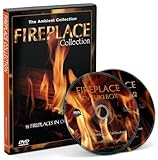
- Fire 2 DVD Box Set-Fireplace Collection 2013 with a choose out of 18 Fireplaces with the Sounds of Burning Wood
2. Murmur — Best For Instrumental Loops On iPhone
Murmur is an iPhone music generator focused on instrumental tracks, and its site explicitly lists an Ambient style. It generates on-device after the model is downloaded, which makes it a distinctive pick for creating music away from an internet connection. Its free version has a fixed track length; Murmur Pro is a one-time €14.99 purchase and adds unlimited length, all 170+ presets, and custom scene prompts.
Use a scene prompt like “a calm room with a fire burning, intimate and low-key, instrumental, slow harmonic changes.” The site describes its music as royalty-free for commercial edits. Check the platform’s terms for your particular use, and remember that availability is iPhone-only.
Shopping ad

- The Perfect Addition to Electric Fireplace: GUSUCIN Fire Crackling Sound Machine creates a realistic fire crackle sound for electric fireplace heaters, making you feel as if you're sitting in front of a real fireplace.
- Multiple Realistic Fireplace Sounds: GUSUCIN Fire Crackling Sound Machine has four types of real recorded fireplace sounds built-in. You can choose from Classic, Soft, Mild, and Hard crackling sounds according to your preference.
- Portable Size: Its small and lightweight design allows it to be easily hidden around an electric fireplace or placed in the bedroom to add a warm atmosphere.
- Easy to Use: The operation is simple - select the audio and adjust the volume according to your own preferences. The memory function will automatically remember the previous setting, so no need to adjust. Comes with an instruction manual.
- Rechargeable Battery: No additional batteries required - it comes with a USB cable. The rechargeable lithium battery provides over 4 hours of fire crackling sound.
3. AI Makes Song — Best For Longer Ambient Drafts
AI Makes Song has explicit ambient background prompts and says it can create extended songs up to eight minutes. That makes it a relevant option when a short loop would interrupt a longer fireplace video or listening session. Its prompt examples include melancholic, sad ambient, and drone music.
For a fireplace scene, adapt that direction toward “warm, steady ambient drone, soft piano, low contrast, no vocals, no percussion, no sudden transitions.” Free users can test and publish with attribution; paid plans unlock commercial rights for videos, podcasts, and games. Confirm the current terms for the intended project.
Shopping ad

- Authentic Fireplace Ambiance – Enhance your electric or gas fireplace with the soothing sound of real wood crackling. Choose from 3 realistic fire sound effects for a cozy, immersive experience.
- Customizable Sound Settings – Fine-tune your atmosphere with 5 volume levels and smart memory that saves your last settings for seamless use every time.
- Rechargeable & Cord-Free – Powered by a 2000mAh USB-C rechargeable battery, enjoy up to 3 hours of continuous crackling sound without messy cords or constant recharging.
- Compact & Magnetic Design – Lightweight and stylish with built-in magnets for easy placement on metal surfaces. Perfect for mantels, shelves, or discreet mounting.
- Smart Timer & Auto Shutoff – Features a built-in 3-hour timer, low battery alerts, and automatic shutoff to preserve battery life and give you peace of mind.
4. Loudly — Best For Exploring Ambient Styles And Exports
Loudly lists ambient among its genres and offers a broader toolkit for generating, remixing, mastering, and distributing music. It supports WAV, MP3, stems, and samples, which can help if you plan to adjust a track in another audio editor. Free generated tracks are limited to 30 seconds, so that tier is better suited to trying an idea than furnishing a long room ambience.
Prompt for a “slow, warm ambient instrumental for a fireside evening, soft sustained tones, sparse melody, even energy.” The vendor describes its music as commercially licensed, while directory information says paid licensing rights depend on plan terms; check the terms for the plan and use you have in mind.
Free tools Windows power users keep installed
One-click scans. No signup required.
Shopping ad

- [ NOTE ] - Please listen to the crackling sound on this product page before purchasing to ensure it matches your imagination. 😊
- [ Transform Your Electric or Gas Fireplace Into A Realistic Crackling Fireplace ] - MSELTOS fireplace crackling sound machine creates a realistic fire crackle sound for electric fireplace heater that will make you feel like you're sitting in front of a real fireplace. 6 realistic fireplace sounds and 1 classic fireplace sound, you can choose "hard" "mild" "weak" "soft" "super soft" or "fiercely" crackling sounds for your electric fireplace heater.
- [ 3H Auto-Off Timer and 16 Levels of Volume ] - Adjust the volume to your favorite level and set the timer for automatic shutdown after 3 hours.
- [ 3 Kinds of Fireplace Crackling Themed Music & 1 Nature Camping Fire sound ] - If you've had enough of the fireplace crackling sound, you might as well try the fireplace crackling themed music (You can try listening on this product page). Make a cup of coffee and let the wonderful music help you completely relax your mood
- [ Mini But Loud Enough, Upgrade Your Crackling Sound Effect] - Don't settle for a lackluster fireplace experience - upgrade the crackle with MSELTOS fireplace crackling sound maker. Just place the mini fire crackling sound machine near your electric fireplaces or gas logs. Let it make a realistic and loud crackling sound for your fake fireplace inserts.
5. GameAudioLab — Best For A Fireplace Bed In A Scene Mix
GameAudioLab generates music, ambience, and sound effects. Its ambience tool is described for seamless scene beds, and its mixer provides per-track volume, fades, looping, and WAV export. That makes it useful if the fireplace sound is part of a larger scene mix; the available facts do not establish a dedicated fireplace sound or preset.
Describe the musical bed separately from the fire sound—for example, “soft, slow instrumental ambience, warm sustained notes, minimal melody, no percussion”—then use the mixer’s loop and fade controls as needed. The site lists a £3 one-time Starter option with 50 credits and personal and commercial use. Each music or ambience generation costs 10 credits. Review the site’s terms for the intended project.
Shopping ad

- [Multiple Realistic Fire Crackling Sounds] Yonhamph fireplace crackling sound machine simulates the pop and crackle sounds of a real fire for the electric or gas fireplace, It makes us feel like a realistic fireplace being in front of us. The sound machine contains 3 original fireplace crackling sounds and 7 fireplace crackling sounds paired with background music.You can choose hard or mild or soft crackling sounds according to your preferences.
- [Dual Silicone Waterproof Design] That improves its durability and enables safe use in more scenarios. During indoor and outdoor activities, the waterproof design ensures that the sound box remains unaffected by moisture or rain, thus maintaining clear sound quality and stable playback.Additionally, the silicone waterproof material also enhances the sound box's dust-proof performance, further extending its lifespan.
- [Metal Hook Design] That enhances the portability of the sound box, especially for outdoor enthusiasts. Whether it's hiking, camping, or cycling, they can easily carry the sound box to enjoy the fun of music anytime, without worrying about damage to the sound box from inclement weather or accidental falls.
- [Portable] Yonhamph Fireplace Crackler Sound Box is very small and lightweight, It is easily hidden around Electric or Gas Fireplace to create a realistic fire crackle sound.
- [Four Audio Input Methods] It supports BT/Line-in/TF card/USB Drive Options.It comes with a TF card with 4GB of built-in memory,You can copy more of your favorite sounds.
6. AI Game Music Generator — Best For A Quick Ambient Starting Point
AI Game Music Generator has example tracks labeled “Dark Ambient” and “Ambient,” and offers MP3 or WAV downloads. Those examples establish an ambient direction, though the product is aimed at game music rather than specifically at fireplace listening. Its signup offer is 60 credits for five AI music tracks; the listed Starter plan is $9.9 per month for 360 credits.
Specify that you want a gentle, warm, non-dramatic background instrumental rather than dark or suspenseful game ambience. The site says tracks are owned by AI Game Music, despite also describing a commercial license as ready to ship. Check the platform’s terms to understand what use is permitted before publishing or monetizing a track.
Do these 3 things before closing this tab:
1Repair Windows errors before they cause bigger problems2Scan for outdated or missing drivers - takes under a minute3Clear out junk files and repair common Windows errorsHow To Prompt For Fireplace Ambience
Keep the prompt focused on the listening scene and the qualities that prevent music from competing with conversation or fire sounds. For instance: “Instrumental background music for reading beside a fireplace on a cold night; warm piano, soft strings, slow pace, sparse notes, steady quiet mood, no vocals, no drums, no big changes.” Replace instruments to suit your taste, and ask for less melody or more drone-like texture if the result feels too much like a conventional song.
For a fireplace video, generate or select music separately from any fire recording unless the tool explicitly supports the sound you need. Listen through the beginning, middle, and end before using a track: an opening swell, sudden fill, or sharp ending can break the calm. The available product information does not consistently establish exact loop length, seamless-loop behavior, or a way to remove every unwanted sound, so confirm those specifics with the vendor and inspect the output yourself.
Rights And Publishing Checks
Rights depend on the service and, in some cases, the plan. Before publishing or monetizing fireplace ambience, check whether the applicable terms cover the destination—such as a video, podcast, game, or commercial installation—and whether attribution is required. If you add recorded fire sounds, samples, or vocals, make sure you have permission to use those materials and check the platform’s terms for the combined work.
Quick Recap
Product prices and availability are accurate as of the date/time indicated and are subject to change. Any price and availability information displayed on Amazon at the time of purchase will apply.
Quick wins for a faster PC:
Fix the driver behind crashes, sound loss and screen glitchesFind Drivers →Clear out junk files and repair common Windows errorsFree Scan →Scan for outdated or missing drivers - takes under a minuteDriver Scan →



