What’s actually slowing this PC down?
Pick the symptom - the matching free tool is one click away.
Specifiction is reader-supported. When you buy through links on our site, we may earn an affiliate commission. As an Amazon Associate I earn from qualifying purchases. Learn more
For lo-fi hip-hop, start with a beat maker that lets you shape drums, mood, tempo, and arrangement, then export the parts you want to refine. The options below can support parts of that workflow, but the supplied product details do not confirm that any one of them offers a dedicated lo-fi hip-hop preset or reliably generates the genre. Check each vendor’s current genre controls and examples before choosing.
Best AI Lo-Fi Hip-Hop Song Generators
- Best overall for editable beat production: Beat Shaper
- Best for complete instrumentals and mobile access: Soundverse AI Beat Maker
- Best for genre and BPM controls: InsMelo AI Beat Maker
- Best for building instrumental tracks around a video: SOUNDRAW
- Best for template-led instrumental creation: Soundful
- Best for drum patterns on a Mac: Vibe Drummer
- Best for soundtrack work with stems: Beatoven.ai
| Tool | What The Listing Establishes | Price Information | Export Or Access Detail |
|---|---|---|---|
| Beat Shaper | Editable drums, basslines, synths, loops, and arrangements | Free plan; paid from €9/mo | Browser-based; MIDI, WAV, MP3, stems, and DAW project export options |
| Soundverse AI Beat Maker | Complete instrumentals with drums, basslines, melodies, and arrangements | Free plan; 1,000 tokens upon signup | Web, iOS, and Android; WAV, stems, and MIDI |
| InsMelo AI Beat Maker | Beat generation with genre, BPM, mood, and structure controls | Free plan; 3.9 credits | MP3, WAV, MIDI, and separate stems |
| SOUNDRAW | Instrumental generation by genre, mood, theme, instruments, tempo, and length | Free plan | WAV and stem downloads are limited to Artist Pro, Artist Unlimited, and Enterprise |
| Soundful | Template-led tracks with style, key, and BPM choices | Free plan; one MP3 download per month | STEM packs include MIDI on eligible plans |
| Vibe Drummer | Prompted drum patterns, with kick and snare pattern drawing | Free forever; bring your own AI key | macOS; standard MIDI export |
| Beatoven.ai | Music generation from text prompts or reference audio, with instrument, tempo, genre, and mood edits | Paid; plan prices not stated | MP3, WAV, stems, and API |
1. Beat Shaper
Beat Shaper is the strongest fit here when you want to shape a beat rather than accept a finished render. Its listed workspace generates editable drums, basslines, synths, loops, and arrangements, with piano-roll editing and controls for genre, mood, energy, and syncopation. Those controls map well to a lo-fi hip-hop brief: try a relaxed mood, restrained energy, and loose syncopation, then adjust the drum pattern and bassline. That is a prompt and editing approach, not a guarantee of a lo-fi preset or sound.
| # | Preview | Product | Price | |
|---|---|---|---|---|
| 1 |

|
Lo-Fi Beats Hip Hop / Various | $24.15 | Buy on Amazon |
| 2 |
|
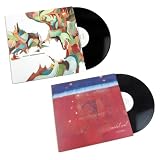
Nujabes – Metaphorical Music & Modal Soul – Ultimate 2LP Vinyl Bundle – Japanese Hip-Hop,... | $119.99 | Buy on Amazon |
| 3 |

|
Lofi Records -- Morning Coffee -- Limited Yellow Vinyl LP | $119.99 | Buy on Amazon |
| 4 |

|
Lofi Hip-Hop Recordings | $8.99 | Buy on Amazon |
| 5 |

|
Corners In Vinyl - Instrumentals Hip Hop Lofi | $9.49 | Buy on Amazon |
As an Amazon Associate I earn from qualifying purchases.
Do these 3 things before closing this tab:
1Scan for outdated or missing drivers - takes under a minute2Repair Windows errors before they cause bigger problems3Fix the driver behind crashes, sound loss and screen glitchesThe browser workspace offers MIDI, WAV, MP3, stem, and DAW project export options. The Starter plan limits downloads to MP3 and non-commercial use; Ableton Live project export and real-time MIDI require Producer. The listing gives a free plan and paid plans from €9/mo. Check the vendor’s site for current plan details and whether your intended lo-fi sound is available.
2. Soundverse AI Beat Maker
Soundverse AI Beat Maker is a good match if you want a complete instrumental, with drums, basslines, melodies, and arrangements, and may want to continue editing on a phone or tablet. Its web, iOS, and Android availability and browser-based multitrack studio make it the most clearly documented mobile-friendly choice in this list. The listed details do not confirm a dedicated lo-fi style, so try a prompt describing the tempo, mood, and parts you want and inspect the result before building a track around it.
Shopping ad
It exports WAV mixes, separated stems, and MIDI. The Free Tier starts with 1,000 tokens upon signup; Creator & Pro lists unlimited generations, studio multitrack access, stem export, and commercial licenses. Check the vendor’s site for current terms and whether its genre controls suit your sound.
Visit Soundverse AI Beat Maker
3. InsMelo AI Beat Maker
InsMelo earns a place for its explicit genre, BPM, mood, and structure controls. Those give you concrete ways to describe a lo-fi hip-hop direction: specify a slow tempo, a subdued mood, and a simple structure, then listen for whether the generated beat actually fits. The listing does not say that lo-fi hip-hop is a supported genre, so check the available genre choices rather than assuming it is.
Shopping ad
It supports beat extension, track separation, and instrumental mode, with MP3, WAV, MIDI, and separate stem exports. The Free plan is limited to 3.9 credits; commercial rights depend on subscription or license terms, and advanced remix features are reserved for paid plans. Check the vendor’s site for current plan and license details.
4. SOUNDRAW
SOUNDRAW focuses on instrumental generation and lets you choose genre, mood, theme, instruments, tempo, and length. That combination could help you build a background beat for a study, reading, or video playlist: set the intended mood and instrumentation, then compare generated tracks for a relaxed hip-hop feel. The listing does not establish a lo-fi hip-hop preset, so verify its current genre options and listen before relying on it for that exact subgenre.
Shopping ad
- yellow color vinyl 1700 made
You can preview tracks with video and adjust instruments or track elements. WAV and stem downloads are limited to Artist Pro, Artist Unlimited, and Enterprise; the free plan is listed without further limits here. Artist plans include distribution and monetization for modified songs. Check the vendor’s site for plan-specific download and licensing terms.
5. Soundful
Soundful is a template-led option for setting a style, key, and BPM. For a lo-fi hip-hop idea, treat those choices as starting points: choose a suitable style if one is offered, set a relaxed BPM, and listen to whether the generated instrumental has the feel you want. The listing does not name lo-fi hip-hop among its styles, so check the current template selection before counting on a genre match.
The Tool Desk
Outbyte Driver Updater FREEScan for outdated or missing drivers - takes under a minuteDriver Scan →Outbyte PC Repair FREERepair Windows errors before they cause bigger problemsFix Now →Shopping ad
The Free plan includes one MP3 download per month. STEM packs include MIDI on eligible plans, and SoundCloud distribution is limited to eligible plans. Check the vendor’s site for current plan eligibility and licensing terms.
6. Vibe Drummer
Vibe Drummer is a narrow but practical choice if you already make music on a Mac and want to create or edit drum patterns yourself. It offers natural-language prompting, kick and snare pattern drawing, and AI-generated hi-hats, fills, and accents. You could prompt for a sparse, relaxed hip-hop drum pattern, then draw or adjust the kick and snare; the listing does not establish that it generates a full song or supports lo-fi hip-hop as a named genre.
Shopping ad
It exports standard MIDI for Logic Pro, Ableton, and FL Studio. The app is macOS-only, focuses on drum patterns rather than complete beat arrangement, and requires your own AI provider key. The listing describes it as free forever with unlimited patterns, subject to bringing that key. Check the vendor’s site for current setup details.
7. Beatoven.ai
Beatoven.ai is listed as a soundtrack generator rather than a dedicated lo-fi hip-hop maker. It accepts text prompts or reference audio and lets you edit instruments, tempo, genre, and mood through prompts, which may suit a creator shaping a relaxed instrumental bed for video. The available details do not confirm a lo-fi hip-hop preset or guarantee that a generated track will match the subgenre; check its current controls and examples first.
Free tools Windows power users keep installed
One-click scans. No signup required.
It offers MP3, WAV, and stem downloads, plus an API. The service is paid, but plan names and prices are not stated here. Its licensing terms prohibit direct distribution through digital music services; check the vendor’s terms for other intended uses.
Independent reader supportYour contribution helps us test, update, and keep practical guides available for everyone.How To Prompt For A Lo-Fi Hip-Hop Beat
Use musical instructions that describe the track you want, then rely on controls the product actually provides. For example, where text prompting is supported, try: “Instrumental lo-fi hip-hop idea, relaxed mood, slow tempo, soft drums, warm bass, sparse keys, simple loop, no vocals.” Treat the wording as a creative brief, not a promise that the generator recognizes each style cue. Where the tool offers genre, mood, BPM, energy, or syncopation controls, use those named controls and audition the output.
A useful workflow is to generate a short idea, keep the drum, bass, or melodic parts that work, and export stems or MIDI when the product and plan allow it. Continue arranging or editing in a DAW if you need finer timing and balance. A drum-pattern tool such as Vibe Drummer can contribute a groove, but its listed scope does not include a complete song arrangement.
Quick Recap
Check Genre Fit, Exports, And Rights Before You Commit
- Genre fit: None of the supplied product details confirms a dedicated lo-fi hip-hop preset. Check the vendor’s current genre list and examples, then listen to generated output before choosing a tool for this exact sound.
- Export needs: If you plan to edit the beat, confirm that the plan you want includes the required MIDI, stems, or audio format. Export options and plan limits differ by product.
- Commercial use: Rights vary by product and plan. Beat Shaper Starter is listed for non-commercial use; Soundverse Creator & Pro lists commercial licenses; InsMelo rights depend on subscription or license terms; SOUNDRAW’s Artist plans include distribution and monetization for modified songs. Beatoven.ai prohibits direct distribution through digital music services. Check the vendor’s current terms for your intended use.
- Samples and references: If you upload or use reference audio, use material you have permission to use and follow the platform’s terms. Check those terms for any further restrictions.
Product prices and availability are accurate as of the date/time indicated and are subject to change. Any price and availability information displayed on Amazon at the time of purchase will apply.




