The Tool Desk
Outbyte Driver Updater FREEScan for outdated or missing drivers - takes under a minuteDriver Scan →Outbyte PC Repair FREERepair Windows errors before they cause bigger problemsFix Now →Specifiction is reader-supported. When you buy through links on our site, we may earn an affiliate commission. As an Amazon Associate I earn from qualifying purchases. Learn more
For indie releases and podcast music, the strongest copyright-conscious starting points in this roundup are SOUNDRAW for background music and release distribution, Loudly for podcast intros and transitions, and Songin.ai for paid-plan songs intended for commercial use. “Royalty-free” or “copyright-safe” does not by itself establish that a track is public domain or that every use is covered: check the current plan terms and the license for the track you download before publishing.
The ranked options below focus on the specific jobs indie artists and podcasters need done: release-ready music, repeatable show beds, and a clear path to commercial use. The prompt examples are starting points for describing a sound, not claims that a service supports a particular genre, control, or output unless stated below.


As an Amazon Associate I earn from qualifying purchases.
Do these 3 things before closing this tab:
1Scan for outdated or missing drivers - takes under a minute2Repair Windows errors before they cause bigger problems3Fix the driver behind crashes, sound loss and screen glitchesBest Copyright-Conscious AI Music Options For Indie Artists And Podcasters
| Rank And Tool | Best-Supported Fit | What The Supplied Evidence Establishes About Use |
|---|---|---|
| 1. SOUNDRAW | Indie releases and background beds | Creator plan lists commercial use, background use, and distribution and monetization; Artist Unlimited adds WAV and stem downloads. |
| 2. Loudly | Podcast intros, outros, transitions, and beds | Describes original, royalty-free, commercially licensed music for podcasts and other projects; paid licensing depends on plan terms. |
| 3. Songin.ai | Paid-plan songs and podcast music | Paid-plan music is described as commercially usable; the free plan is personal use only and has no commercial rights. |
| 4. Suno | Complete songs and creator projects | Its site describes Pro as royalty-free for commercial projects including podcasts; the Free Plan does not include commercial rights. |
| 5. Mureka | Theme songs, intros, and complete tracks | Describes downloaded tracks as royalty-free with full commercial rights across platforms and projects. |
| 6. Musicful | Commercial music for podcasts and other media | Describes a non-exclusive perpetual license on downloaded tracks and offers a commercial license certificate; commercial use is limited to Standard/Pro plans. |
| 7. Soundverse AI Beat Maker | Instrumental beats for indie projects | Describes beats as royalty-ready and says a commercial license is available for releasing and monetizing tracks. |
1. SOUNDRAW — Best For Indie Releases And Reusable Background Beds
SOUNDRAW is the clearest fit when you want music that can serve as a podcast bed or be distributed as a song: its Creator plan lists commercial use, background music use, and distribution and monetization, while Artist Unlimited adds WAV and stems. The vendor says its AI is trained on music written and recorded by its in-house producers and that generated beats come with a worldwide, perpetual license. Creator is listed at €5.83/mo and Artist Unlimited at €17.42/mo; check the vendor’s current terms for the plan and intended use.
Prompt starting point: “A restrained instrumental bed for a thoughtful interview: steady pulse, warm texture, no sudden changes.” For an indie track, describe the mood and intended release instead, then check whether the generated result and chosen plan fit that release. The available facts do not establish specific genres, prompt controls, or a dedicated podcast workflow.
Shopping ad
2. Loudly — Best For Podcast Intros, Outros, And Transitions
Loudly explicitly describes use for podcast intros, outros, transitions, loops, and short-form music beds, and says its online generator creates original, royalty-free, commercially licensed music. Its toolkit also includes remixing uploaded audio, mastering, effects, and distribution. Free generated tracks are limited to 30 seconds, and paid licensing rights depend on plan terms; check those terms before using a track in a monetized show or indie release.
Prompt starting point: “A short, recognizable intro for a weekly technology interview show, energetic but unobtrusive.” The supplied facts do not establish particular genres, output formats, or detailed controls for shaping a cue, so confirm those on the vendor site.
Shopping ad
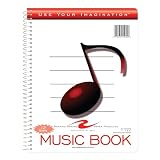
- Music notebook
- 32 sheets of extra-heavy 100# white tag
- 12 stave printing, both sides
- Heavyweight paper resists breakage from erasures
- Snag-proof wire
3. Songin.ai — Best For Paid-Plan Songs And Podcast Background Music
Songin.ai describes generated music for podcasts and says music made with a paid plan can be used commercially. Its free plan offers 20 credits per month and 10 songs, with watermarked MP3 downloads for personal use only and no commercial rights. The Pro plan is listed at $12.99/month with annual billing, and includes 400 credits per month, up to 200 songs, MP3 and WAV downloads, MIDI export, and full commercial rights. Confirm that the current plan and its terms cover the specific release or show.
Prompt starting point: “A subtle, instrumental background cue for spoken narration, with a calm mood and a clear ending.” Songin.ai also describes song, cover, vocal, remix, and background-music creation, but the supplied facts do not establish what rights apply to any particular cover or generated voice; check its terms and obtain consent for any real person’s voice or material you use.
4. Suno — Best For Complete Songs And Creator Projects
Suno’s site describes Pro as providing 500 songs a month and royalty-free music for YouTube, podcasts, ads, and commercial projects. The listed Pro price is from $8/mo, while the Free Plan does not include commercial rights or stem separation. Its broader workspace supports songs with vocals, lyrics, and instrumentation, plus editing, remixing, extensions, section replacement, and stem export; Pro downloads are limited to 20 songs per month. Check the plan terms for the exact track and use before publishing.
Prompt starting point: “An original indie-pop theme song for a small podcast, with a memorable opening and a concise instrumental ending.” The supplied facts do not establish that a particular genre prompt, voice, or edit is cleared for every use. For generated voices, covers, or uploaded source audio, check Suno’s terms and secure consent for any voice or material you provide.
Free tools Windows power users keep installed
One-click scans. No signup required.
Shopping ad
5. Mureka — Best For Theme Songs And Complete Tracks
Mureka describes downloads as royalty-free tracks with full commercial rights across platforms and projects, and specifically lists background music, theme songs, intro tracks, podcasts, and Spotify releases among possible uses. Its workspace supports generating and editing complete tracks, with remixing, extensions, vocal generation, voice cloning, multitrack editing, stem separation, and audio/MIDI export. The listed Basic Music & Speech plan is $8/month billed annually at $96; check the vendor’s current plan terms to confirm which features and rights apply to your use.
Prompt starting point: “A distinct but unobtrusive theme for an independent interview podcast, with a short intro feel and room for speech.” The supplied facts do not establish genre-specific controls or the rights for a cloned voice. Get consent for voices and check Mureka’s terms before using cloned vocals, covers, or source audio.
Shopping ad

- Wide Staff Manuscript Paper
- Perfect for Students
- 32 8–1/2'' x 8–1/2''
- Six Staves per Page
- 32 Pages
6. Musicful — Best For Commercial Podcast And Media Tracks
Musicful lists podcasts among its intended project types and says downloaded music receives a non-exclusive perpetual license. It also says it provides a commercial license certificate. Commercial use is limited to Standard/Pro plans; Free/Basic is non-commercial. Musicful supports generating and revising vocal songs, editing lyrics, extending songs, separating vocal or instrumental stems, and downloading MP3 or WAV through web and mobile apps. Confirm the current plan terms and license certificate details for your intended release.
Prompt starting point: “A soft instrumental bed for an audiobook-style podcast segment, keeping the voice in front.” The supplied facts do not establish particular genres or detailed instrumental controls. For vocals or uploaded audio, check Musicful’s terms and get consent for any real person’s voice or material.
Crashes, No Sound, or Screen Glitches?
Random freezes, missing sound and display glitches usually trace back to one bad driver. Find and replace yours safely.Free scan · under a minuteWindows Errors? Fix Them Before They Spread
Repair common Windows errors and clear accumulated junk for a smoother, more stable PC - no reinstall needed.Free scan · no reinstall7. Soundverse AI Beat Maker — Best For Instrumental Indie Beats
Soundverse is the instrumental-focused pick: it generates full arrangements with drums, basslines, melodies, and exports WAV mixes, separated stems, and MIDI for further editing. The vendor names trap, drill, boom-bap, EDM, and lo-fi, with tempo, key, and mood control, and says beats are royalty-ready with a commercial license available for releasing and monetizing tracks. Its Free Tier starts with 1,000 tokens upon signup; check the vendor’s pricing and license terms for the paid plan and your release.
Prompt starting point: “A lo-fi instrumental with a relaxed mood and a steady tempo for a spoken-word interlude.” The listed genre and controls make this a useful fit when an indie artist wants a beat to edit further; the facts do not establish a dedicated podcast cue workflow. Get consent for any voice or source material used with a track, and check the platform’s license terms before release.
Independent reader supportYour contribution helps us test, update, and keep practical guides available for everyone.How To Choose And Publish A Track
- Define the job. Decide whether you need a short intro, a loopable bed under speech, a transition, or a complete indie release. Describe the mood, energy, and role of the music in your prompt.
- Choose a tool whose stated use matches. The comparison above identifies the supported fits. If genre controls, duration, looping behavior, file format, or another production detail matters and is not established here, check the vendor site before choosing.
- Check rights before generating or downloading for publication. Confirm that the plan and track license cover monetization, distribution, and the platforms where you will publish. A free tier may be personal-use only or have narrower rights.
- Keep source material cleared. For covers, uploaded samples, and generated or cloned voices, check each platform’s terms and get consent for voices and material you use.
- Export and finish for the destination. Use stems or MIDI where the service lists them and you need further editing. The supplied facts do not specify podcast loudness targets or delivery requirements, so check your publishing platform’s requirements.
What “Copyright-Free” Means For This Roundup
Vendors use terms such as “royalty-free,” “commercial rights,” and “copyright-safe” in the supplied descriptions; those labels do not establish that a track is in the public domain. Rights can depend on the plan and the platform’s terms, so verify the track’s license for your intended use. This matters especially for covers, samples, and voices: obtain consent for people’s voices and check the service’s rules before publishing.
Quick Recap
Product prices and availability are accurate as of the date/time indicated and are subject to change. Any price and availability information displayed on Amazon at the time of purchase will apply.
What’s actually slowing this PC down?
Pick the symptom - the matching free tool is one click away.




