Specifiction is reader-supported. When you buy through links on our site, we may earn an affiliate commission. As an Amazon Associate I earn from qualifying purchases. Learn more
For AI-generated hip-hop instrumentals, start with Soundverse AI Beat Maker if you want a complete beat with separated stems, or InsMelo AI Beat Maker if you want BPM, instrument, and structure controls plus MIDI exports. For boom-bap or trap prompts on a phone, consider Rewind AI Beat Maker. The other picks below fit different needs, from editable DAW parts to a quick royalty-free download.
Best AI Hip-Hop Instrumental Generators At A Glance
| Generator | Hip-Hop Fit | Useful Output Or Control | Access And Price |
|---|---|---|---|
| Soundverse AI Beat Maker | Trap, drill, boom-bap, lo-fi | Full instrumental; WAV stems; tempo, key, mood | Free tier with 1,000 signup tokens; paid details not stated |
| InsMelo AI Beat Maker | Hip-hop, trap, lo-fi | BPM, instruments, structure; WAV, MP3, MIDI, stems | Free plan with 3.9 credits; paid details not stated |
| Rewind AI Beat Maker | Boom-bap, trap | Style and BPM controls; instrumental mode | Free daily token pool; paid from $5/mo |
| CreateYourMusic.ai | Trap, boom-bap, drill, lo-fi hip-hop | Instrumental generator; export details not stated | Plan details not stated |
| Beat Shaper | Hip-hop among electronic styles | Editable parts; MIDI, audio, and project exports vary by plan | Free plan; paid from €9/mo |
| Suno | Across every genre | Instrumental generation; editing and stem features vary by plan | Free plan; paid from $8/mo |
| Zona | Instrumentals from genre, tempo, and instruments | Vocals-off beat creation; MP3, WAV, and stems on eligible plans | Paid plans; first song free after sign-in with 10 credits |
| AI Music Generator by Media.io | Hip-hop; example prompt uses trap | 30-second to 5-minute duration; MP3, WAV, or lyrics video | Price and free-tier limit not stated |
| Cliptics AI Music Generator | Hip-hop | Instrumental generation; free MP3 downloads | Free MP3 downloads; other plan details not stated |
Best AI Hip-Hop Instrumental Generators
1. Soundverse AI Beat Maker — Best For A Complete Beat And Stems
Soundverse explicitly supports trap, drill, boom-bap, and lo-fi, and describes its output as a full instrumental with drums, basslines, and melody rather than a one-bar loop. It offers tempo, key, and mood controls, and says you can download WAV stems for work in a DAW. A useful starting prompt is “dusty boom-bap, 88 BPM, chopped-sounding piano, warm bass, loose kick and snare, no vocals.” Treat those details as creative direction; the listed controls are tempo, key, and mood.
| # | Preview | Product | Price | |
|---|---|---|---|---|
| 1 |

|
Ruff Draft Instrumentals | $24.99 | Buy on Amazon |
| 2 |
|
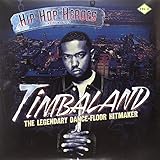
Hip Hop Heroes Instrumentals Vol.2 | $26.50 | Buy on Amazon |
| 3 |
![GIVE IT TO Y'ALL (INSTRUMENTAL & ORIGINAL) [7' VINYL]](https://m.media-amazon.com/images/I/61Zi2-y66OL._SL160_.jpg)
|
GIVE IT TO Y'ALL (INSTRUMENTAL & ORIGINAL) [7" VINYL] | $14.83 | Buy on Amazon |
| 4 |

|
Instrumental World V39 | $32.07 | Buy on Amazon |
| 5 |

|
Instrumentals the Golden Voice | $32.98 | Buy on Amazon |
As an Amazon Associate I earn from qualifying purchases.
Do these 3 things before closing this tab:
1Clear out junk files and repair common Windows errors2Fix the driver behind crashes, sound loss and screen glitches3Repair Windows errors before they cause bigger problemsIt is a strong first stop when you need a whole backing track to write over, then want to adjust its parts. Its free tier starts with 1,000 tokens; the listed Creator & Pro tier includes unlimited generations, multitrack studio access, stem export, and commercial licenses. Check the vendor’s terms for the current plan details and the scope of any license before release.
2. InsMelo AI Beat Maker — Best For BPM And Structure Controls
InsMelo’s stated hip-hop, trap, and lo-fi support pairs well with a more directed brief. Try “instrumental lo-fi hip-hop, 78 BPM, soft drums, mellow electric piano, sparse arrangement, no vocals,” then adjust BPM, instruments, or structure. Its instrumental mode is specifically intended to make beats without vocals.
Shopping ad
- Ships in Certified Frustration-Free Packaging
It lists MP3, WAV, MIDI, and stem downloads, plus beat extension and track separation. That makes it a practical option if you want to keep shaping the beat after generation. The Free plan lists 3.9 credits; commercial rights depend on subscription or license terms, so check those terms for your intended use.
3. Rewind AI Beat Maker — Best For Mobile Boom-Bap And Trap Prompts
Rewind names two hip-hop lanes directly: 90s East Coast boom-bap and trap with 808s and hi-hats. On a phone, try “90s East Coast boom-bap instrumental, dusty drums, chopped jazz piano feel, roomy snare, no vocals,” or “dark trap instrumental, deep 808s, crisp hi-hats, tense minor-key mood, no vocals.” Its page lists instrumental-only and beat-plus-AI-vocals modes, so choose the former for an instrumental.
Free tools Windows power users keep installed
One-click scans. No signup required.
It works in mobile browsers and offers web, iOS, and Android access. The free allowance is token-based and resets daily; the listed account limits and generation costs can vary with the operation. MIDI, stem export, and arrangement workflows are not documented, so check the vendor’s site if you need them. The directory lists commercial use as permitted, but review the platform’s terms for your project.
Shopping ad
- Timbaland: The Legendary Dance-Floor HitmakerVINYL
- Product type: ABIS MUSIC
- Brand: TIMBALAND
4. CreateYourMusic.ai — Best For Rap Subgenre Direction
CreateYourMusic.ai specifically names trap, boom-bap, drill, and lo-fi hip-hop, and offers an AI instrumental generator for backing tracks without vocals. For a more useful brief than simply “make a rap beat,” try “drill instrumental, ominous piano motif, heavy low-end, syncopated drums, restrained melody, no vocals.” Or use “boom-bap, dusty loop feel, punchy kick and snare, warm bass, space for a verse.” The site describes these as genre choices, not detailed mix controls.
Annual plans and one-time Pay Once packs include a commercial license, according to the product information. Plan prices, free limits, and export formats are not established here; check the vendor’s site before choosing it for a specific delivery requirement.
5. Beat Shaper — Best For Editable Parts In A DAW Workflow
Beat Shaper supports hip-hop alongside electronic genres and generates editable drums, basslines, synth parts, loops, and arrangements in a browser workspace. For a hip-hop brief, start with “minimal trap groove, sparse synth, syncopated hats, deep bass, space for vocals” and use the available genre, mood, energy, and syncopation controls to shape the result. The product is oriented toward electronic production, so its hip-hop listing does not establish how closely it will match a particular rap subgenre.
The Tool Desk
Outbyte Driver Updater FREEScan for outdated or missing drivers - takes under a minuteDriver Scan →Outbyte PC Repair FREEClear out junk files and repair common Windows errorsFree Scan →Exports include MIDI, rendered audio, MP3, and Ableton Live project files depending on plan. Starter downloads are limited to MP3 and personal, non-commercial use; Creator and Producer include commercial use. Ableton Live project export and real-time MIDI require Producer. It runs in a browser rather than as a standalone desktop app.
6. Suno — Best For Moving Between Instrumentals And Full Songs
Suno says it can make either a full song or an instrumental, and supports every genre. That breadth makes it a reasonable choice for trying hip-hop ideas or extending an instrumental concept into a vocal song. Prompt with the musical details you want, such as “instrumental boom-bap, relaxed drums, warm bass, sparse piano, leave room for a rapper.” The available facts do not establish dedicated hip-hop controls, so check the product if you need specific beat-editing features.
Suno offers song editing, remixing, extensions, section replacement, and stem export, with feature availability varying by plan. Its Free plan does not include commercial rights or stem separation; the Pro plan includes commercial-use rights and stem separation. Review Suno’s current terms before publishing, and use only voice or source audio you have permission to upload.
Shopping ad
7. Zona — Best For A Vocals-Off Beat From A Short Brief
Zona’s AI beat maker can create instrumentals with vocals switched off, using a genre, tempo, and a few instruments. A compact brief might be “hip-hop instrumental, 92 BPM, muted keys, firm kick and snare, warm bass, no vocals.” Its product material also describes rap generation from a sentence, but that is a separate vocal direction; choose vocals off when you need a backing track.
The first song is available after sign-in with 10 credits and no card, while ongoing plans are paid. The product says every track includes commercial-use rights; paid plans include MP3 export, and subscriptions include lossless WAV and separated stems. Check the current subscription terms and confirm the rights for any voice or source material you provide.
8. AI Music Generator By Media.io — Best For A Specified Track Length
Media.io lists hip-hop among its example genres and gives a concrete trap prompt: “Hard-hitting trap beat with 808 bass, dark synth pads, 140 BPM, confident street vibe.” Its generator lets you set a duration from 30 seconds to 5 minutes and export MP3, WAV, or an MP4 lyrics video. For an instrumental, make that explicit in your prompt, since the listed example itself does not specify vocals-off mode.
Shopping ad
- The Golden Voice (Instrumentals) Vinyl LP
- ABIS_MUSIC
- Deep cutting
The examples are described as royalty-free, and commercial licensing is included on paid plans. Pricing, free-generation limits, and whether the instrumental setting is a dedicated control are not stated here; check the vendor’s site before relying on them.
9. Cliptics AI Music Generator — Best For A Simple Hip-Hop MP3
Cliptics lists hip-hop as a genre and describes its output as bass-heavy rhythmic instrumentals. It may suit a quick backing track when you need a free MP3 download, rather than a documented stem or MIDI workflow. A prompt such as “head-nodding hip-hop instrumental, thick bass, crisp drums, short melodic hook, no vocals” gives a clear target, but specific prompt controls and editing options are not established here.
Recommended Free Tools
The product describes its instrumental music as royalty-free and lists free MP3 downloads. Export formats beyond MP3, commercial-use scope, and any paid plan details are not stated; check the terms for your intended use.
Independent reader supportYour contribution helps us test, update, and keep practical guides available for everyone.How To Prompt For A Hip-Hop Instrumental
A useful prompt names the subgenre, the role of the beat, the energy, and the parts that should leave space for a rapper. BPM and instrumentation controls differ by product, so use them only where offered; otherwise include those details as plain-language direction.
- Choose the lane: Say boom-bap, trap, drill, or lo-fi hip-hop where the generator lists that style.
- Describe the groove: Give a tempo if the tool supports it, and describe the drum feel, such as laid-back, driving, or syncopated.
- Name the central parts: Specify a bass approach and one or two lead sounds, such as warm bass and sparse piano.
- Reserve vocal space: Ask for an instrumental with no vocals and a less crowded middle range if the prompt accepts it.
- Refine one thing at a time: If the result feels too busy, request simpler melody or sparser drums rather than changing every part of the brief.
Rights And Source Audio To Check Before Release
Commercial-use terms differ by product and sometimes by plan. Check the vendor’s current terms for the exact track and use you have in mind, especially for monetized releases. If you upload a voice, sample, or other source recording, use material you have permission to provide and review the platform’s terms for uploads and generated output. These tools’ stated genre support does not establish that a particular output is cleared for every use.
Quick Recap
Product prices and availability are accurate as of the date/time indicated and are subject to change. Any price and availability information displayed on Amazon at the time of purchase will apply.




