What’s actually slowing this PC down?
Pick the symptom - the matching free tool is one click away.
Specifiction is reader-supported. When you buy through links on our site, we may earn an affiliate commission. As an Amazon Associate I earn from qualifying purchases. Learn more
AI music can be a sound art playground when you treat it as a way to explore texture, space, repetition, and change—not just as a machine for finishing songs. Start with one audible idea, generate a short atmosphere or sound effect, then shape the result by varying one prompt detail at a time. The tools with the clearest supplied fit are AiMusic.Studio, CassetteAI, GameAudioLab, and Mureka; their documented capabilities differ, so check each vendor’s site before relying on a particular control or output format.
What Makes Sound Art Different From A Song Prompt?
A conventional song brief often specifies genre, instruments, vocals, or a verse-and-chorus structure. A sound art brief can instead describe a space, material, motion, or listening condition: a low drone that slowly brightens, a metallic pulse with long gaps, or the impression of wind moving through a synthetic tunnel. Those are creative directions, not guaranteed product features. The supplied product information does not establish that every tool can follow exact timing, duration, spatial placement, or fine-grained sound-design instructions.
As an Amazon Associate I earn from qualifying purchases.
For an exploratory piece, decide what the sound should do over time. Is it a steady bed, a loop, a sequence of events, or a changing texture? Then choose a tool based on the documented output closest to that need: short effects and atmospheres, loopable clips, game ambience, or a broader track workflow.
Which Tools Have A Clear Fit?
| Tool | Documented fit | What to verify |
|---|---|---|
| AiMusic.Studio | Generates short sound effects and atmospheres from a prompt. | Exact duration, prompt controls, export options, and whether a particular experimental sound is supported. |
| CassetteAI | Generates music tracks and short, loopable sound-effect clips; its sound-effect examples include environmental and game-like events. | Whether the current interface suits your workflow and whether a particular texture or arrangement can be specified. |
| GameAudioLab | Generates music, ambience, and effects for game scenes, with seamless ambience beds described for settings such as forests and dungeons. | Whether its game-oriented workflow and available controls suit an installation, performance, or other sound-art use. |
| Mureka | Describes atmospheric background tracks and dynamic soundscapes, with prompt parameters including genre, mood, tempo, and instrumentation. | Whether its song-oriented creation workflow can deliver the non-song form, duration, and degree of control your piece needs. |
How To Turn A Sound Idea Into A Prompt
Write a brief that describes audible qualities rather than relying on a label such as “experimental.” For example: “A low, soft mechanical hum in a large empty room; occasional thin glass-like tones appear far apart; the texture gradually becomes brighter, with no clear beat.” This is a prompt-writing example, not a claim that any named tool supports every instruction.
Shopping ad

- CAPTURE BIGGER PROJECTS WITH CONFIDENCE – Record music, interviews, podcasts, video audio, and live performances with a 4-track recorder that helps you capture more of the moment without worrying about distorted takes.
- PLUG IN THE MICS AND GEAR YOU NEED – Use the built-in stereo microphones, connect external mics or instruments, or plug into a mixer or soundboard with two XLR/TRS inputs.
- CLEAR SOUND FOR CREATIVE WORK – Capture detailed audio for songs, videos, podcasts, interviews, and field recordings, whether you’re recording quiet dialogue, loud performances, or anything in between.
- RECORD TO YOUR DEVICE AND YOUR SD CARD – Connect to your phone, tablet, or computer with USB-C for recording or streaming, while also saving a backup directly to SD card.
- EASIER TO USE FOR MORE CREATORS – Spoken menu guidance helps make recording more accessible for visually impaired users and easier to navigate for anyone who wants a more guided experience.
- Name the sound source or material. Try “bowed metal,” “filtered air,” or “distant machinery” as imaginative descriptions, not promises of a literal recording.
- Describe the texture and space. Specify qualities such as dense or sparse, smooth or granular, close or distant, dry or reverberant.
- Give it a simple time shape. Ask for a steady bed, isolated events, or a gradual change. Check whether the tool lets you control duration or structure before building a piece around that request.
- Generate a few variations by changing one detail. Keep the core brief and alter, for example, the density or brightness. This makes it easier to hear which direction is useful.
- Audition the result in context. A texture that works alone may compete with speech, other sounds, or the room where it will be played. Trim or layer it only if your chosen tool supports those actions, or use an audio editor you already trust.
Choose A Workflow For The Piece
For A Short Texture Or One-Off Event
Start with AiMusic.Studio or CassetteAI when the idea is a brief atmosphere or effect. AiMusic.Studio documents short sound effects and atmospheres from prompts; CassetteAI documents effects up to 30 seconds and says they are loopable. Neither fact establishes support for every sound-design instruction, so inspect the result and check the vendor’s current controls.
For An Environment That Needs To Continue
GameAudioLab is the most directly described option for ambience beds, including seamless beds for a scene. Describe the environment and its changing details, then confirm how its looping behaves in your own playback setup. Seamless ambience is documented, but the supplied information does not specify exact loop duration or detailed editing controls.
Shopping ad

- 【One Click Record and Save】This voice recorder features instant one-click recording and saving. Even when powered off, simply push up the side button to start recording and push down to save. Designed with ergonomic controls, this digital voice recorder ensures fast operation so you never miss important moments—perfect as a voice recorder with playback, mini recorder device, or portable recorder for interviews, lectures, and field work
- 【64GB Memory & High-Capacity Battery】Equipped with a built-in 64GB TF card, this recorder device stores up to 4,600 hours of recordings. Its 600mAh battery supports up to 48 hours of continuous use (MP3 at 32kbps). Ideal for students, journalists, and professionals, this tape recorder portable mini excels in lectures, meetings, interviews, and even for paranormal sound research
- 【PCM Recording & Automatic Noise Reduction】Capture audio in WAV format with up to 1536kbps PCM quality. Advanced noise reduction minimizes background sounds, delivering crystal-clear playback on headphones or professional gear. This makes it an excellent audio recorder, digital audio recorder, or sound recorder for music creation, interviews, and high-detail sound archiving
- 【Voice-Activated Recorder, Big Screen & Password Protection】The voice activated recorder automatically starts/stops when sound reaches your set level, helping save storage and battery. A large 1.44-inch screen offers easy navigation, while password protection safeguards your files—perfect for storing personal memos and important audio files when using it as a dictaphone voice recorder or recording device for professional use
- 【Multi-Function Recorder】This versatile digital recorder supports internal and external recording, file segmentation, scheduled recording, A-B loop playback, MP3 music, and bookmarking. Functions as a USB storage drive and MP3 player with quick transfer via USB cable. Great as a pocket recorder, lecture recorder, mini voice recorder, or recording devices for travel and daily use
For A More Track-Like Soundscape
Mureka is a plausible starting point when your piece needs a broader track and you want to set parameters such as mood, tempo, and instrumentation. Its supplied description includes atmospheric background tracks and dynamic soundscapes, but does not establish a dedicated sound-art mode or precise control over non-musical events.
Independent reader supportYour contribution helps us test, update, and keep practical guides available for everyone.Where The Limits Matter
- Prompt interpretation is not guaranteed. The documented features establish prompt-based generation, not reliable control over every sonic detail. Treat unusual timbres and exact event sequences as experiments.
- Looping and duration vary by product. CassetteAI’s supplied facts describe loopable effects up to 30 seconds, while GameAudioLab describes seamless ambience. Exact duration controls are not stated for AiMusic.Studio or Mureka here; check the vendor for current specifications.
- Rights depend on the service and use. AiMusic.Studio states that generated tracks carry commercial rights, and GameAudioLab describes its Starter plan as including personal and commercial use. The supplied facts do not establish equivalent terms for every tool or every kind of input. Get consent before using another person’s voice or material, and check each platform’s terms for reference audio, samples, generated voices, and the intended release.
- Availability and detailed controls can change. Verify current platform access, supported exports, and any specific feature on the vendor’s site before planning a project around it.
For sound art, the productive question is not whether an AI can make a finished composition on command; it is whether a generated texture gives you a useful material to listen to, select, and develop.
Quick Recap
Shopping ad
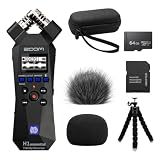
- Bundle of 6 items - Zoom H1essential Handy Recorder + 64GB Ultra microSD Card and Adapter, 99KOLB Accessories(Hard EVA Case, Furry & Foam Windscreens set, Octopus Tripod)
- 32-Bit Float Recording – Capture vocals, instruments, interviews, and ambient sound without clipping or distortion, ensuring crystal-clear audio in every take.
- High-Quality X/Y Mics capture clean audio up to 120 dB SPL
- Records up to 96kHZ sample rate to SD card
- USB Microphone for PC, Mac, iOS, or Android using the USB-C Port with Accessibility - Audio guidance function for the visually impaired
Shopping ad

- The TASCAM DR-05XP portable handheld recorder makes it easy to capture pro-quality recordings for music, audio-for-video, meetings, dictation, and more.
- Flexible recording modes include 32-bit float/24-bit/16-bit, 96kHz/48kHz/44.1kHz and MP3
- Omnidirectional condenser microphones handle loud environments and sources (up to 125dB SPL)
- 2-in/2-out USB-C audio interface for recording directly to your computer
- Up to 17.5 hours of operation with 2 x AA alkaline batteries (*SD card and batteries not included)
Shopping ad

- SIMPLE SETUP, PRO-QUALITY RESULTS – Record in 32-bit / 96kHz for clear, detailed sound, perfect for interviews, podcasts, and everyday recording.
- TWO XLR/TRS INPUTS FOR ANY SOURCE – Two XLR/TRS combo inputs let you connect microphones, instruments, and more for versatile recording setups.
- WAVEFORM DISPLAY SO YOU ALWAYS KNOW YOUR LEVELS – OLED waveform display makes it easy to monitor levels and ensure clean recordings at a glance.
- 3.5MM IN AND OUT FOR ADDED FLEXIBILITY – 3.5mm stereo input and headphone output let you monitor audio and connect external devices for added flexibility.
- SDXC SUPPORT UP TO 1TB – Supports SDXC cards up to 1TB, giving you plenty of space for extended sessions and high-quality recordings.
Product prices and availability are accurate as of the date/time indicated and are subject to change. Any price and availability information displayed on Amazon at the time of purchase will apply.




