Specifiction is reader-supported. When you buy through links on our site, we may earn an affiliate commission. As an Amazon Associate I earn from qualifying purchases. Learn more
AI Makes Song is the only option in this roundup with a stated fit for theme music: its listed styles include creating theme music, alongside examples such as pop, rock, rap, and classical. That makes it a reasonable starting point for a podcast opener, show identity, game cue, or personal theme. The available information does not establish dedicated controls for short intros, instrumental-only output, recurring motifs, or precise timing, so treat those as requirements to verify before building a project around it.
What Makes A Good Theme Song Generator?
A theme song has a different job from a general song. It needs to establish an identity quickly and remain recognizable when someone hears it again. A track can sound polished yet still miss the brief if it takes too long to reach its central idea, has no memorable musical signature, or feels wrong beside the voice, visuals, or scenes it is meant to introduce.


As an Amazon Associate I earn from qualifying purchases.
Quick wins for a faster PC:
Fix the driver behind crashes, sound loss and screen glitchesFind Drivers →Clear out junk files and repair common Windows errorsFree Scan →Before generating anything, decide where the music will appear and what the listener should feel or remember. A podcast opening needs to make room for spoken words. A recurring video or show theme may need a clear opening gesture that can lead into narration. A game theme could need a stronger emotional or dramatic identity. These are creative requirements for your brief; they are not claims that a particular generator offers controls for them.
- Define the use: Write down whether the theme is for an intro, an ending, a recurring background cue, or a complete theme track. If the music must fit a fixed edit, note the exact duration you need.
- Describe the identity: Choose a few plain-language traits such as welcoming, tense, playful, or reflective. Add a description of the project or audience so the direction has context.
- Give it a musical center: Ask for a distinctive, repeatable musical idea. A simple motif can help a theme feel associated with a project, but the listed information does not confirm whether any tool can preserve or repeat a motif on request.
- Plan around speech: If the theme plays under a voice, specify that the voice should remain easy to hear and leave room in the arrangement. Confirm whether the generator can satisfy that request; the available product facts do not establish a speech-aware mixing feature.
- Check the deliverable: Verify the available duration, vocal or instrumental options, export format, and rights for your intended use on the vendor site. Those details are not established here.
Ranked AI Theme Song Generator
1. AI Makes Song — Best Supported Starting Point For Custom Theme Music
AI Makes Song ranks first because the stated style choices explicitly include creating theme music. That is a closer match to this assignment than a product described only as a general song generator. The stated examples also include pop, rock, rap, and classical, which gives you a few grounded stylistic reference points for a brief. They do not establish a complete genre catalogue or guarantee that every blend of styles is available.
Shopping ad
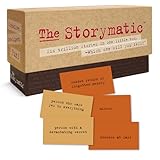
- Tons of Writing Prompts: A go-to writing and teaching tool used by writers, performers, artists, and creative people around the world; These 540 cards can help with writer’s block and can get your creative juices flowing; Great gift for writers
- How to Use: The basics are super easy: combine character cards with complication cards and follow your imagination into a story; Includes a booklet with prompts, suggestions, and non-competitive storytelling games; Great gift for teachers
- Kickstart Your Creativity with Storytelling Cards: Warm up your brain, tap your imagination, spark your creative thinking; Help writer’s block; Liven up classrooms, homeschool, remote learning; Explore the story prompts by yourself or in a group
- Creative Gift for Writers: Plus teachers, students, songwriters, aspiring novelists, storytellers, improv clubs, families, teens, artists, and anyone who likes stories; A creative housewarming gift and icebreaker; Bring it to game night; Ages 12+
- Creative Inspiration: The Storymatic Classic offers engaging writing prompts and games designed to spark imagination and creativity; Made in the USA
For a first attempt, write a short brief that names the project, intended use, desired mood, and broad style. For example: “Create theme music for a friendly weekly science podcast. Use a bright pop direction, make the opening feel curious and energetic, and give it a short, recognizable musical idea that can introduce a host.” This is suggested prompt wording, not a claim about a special prompt field or guaranteed output. The vendor information does not establish that the service can generate a particular length, make an instrumental version, or place the motif at an exact point.
For a more dramatic direction, you might try: “Create theme music for a mysterious adventure game. Use a classical direction, build from a restrained opening toward a memorable, suspenseful finish, and keep the identity clear enough to recognize again.” The product lists classical as an example style and theme music as a creation option. The requested development, mood, and repeatable identity are creative instructions to test, not confirmed controls. If a specific genre combination, instrument, language, vocal treatment, tempo, or edit length is essential, check the vendor’s site for confirmation before relying on it.
The Tool Desk
Outbyte Driver Updater FREEScan for outdated or missing drivers - takes under a minuteDriver Scan →Outbyte PC Repair FREERepair Windows errors before they cause bigger problemsFix Now →Shopping ad

- CURATED COLLECTION OF CREATIVE WRITING PROMPTS - Words Are Hard is a dazzling deck of thought-provoking writing prompts designed to get your brain moving. Explore every corner of your imagination with 150 story prompts spanning 8 genres, including fantasy, science fiction, historical fiction, romance, horror, children’s, mystery, and adventure.
- UNLOCK YOUR CREATIVITY - Embrace the power of story cards to hone your creative skills and awaken the storyteller within you. Every shuffle sparks a new story, a fresh idea, and a burst of imaginative energy! These creative writing cards make it easy to overcome the first and hardest obstacle of writing: getting started.
- EASY-TO-USE STORYTELLING CARDS - Ready to get the creative juices flowing? Simply choose a prompt and start writing. Let your mind roam and your ideas flow freely onto paper or your Freewrite screen. Allow the story prompts to lead you in unexpected directions as you push boundaries and discover new ways to use your narrative skills.
- IDEAL GIFT FOR WRITERS - This writing prompt box will deliver inspiration for years to come, making it one of the best gifts for writers. Each card is a work of art featuring stunning genre illustrations. A beautiful matte black case with gold foil accents and a custom embossed wooden stand complete this set.
- FIND YOUR FLOW WITH FREEWRITE - Freewrite distraction-free drafting devices and accessories are adored by writers worldwide for unlocking more prolific writing sessions. The Words Are Hard creative writing cards provide a fantastic way to jumpstart your creativity, reignite your passion, and achieve your literary goals.
The product listing describes AI Makes Song 2.0 as able to create extended songs of up to 8 minutes and convert between genres. That longer-song capability may suit a complete theme or a track intended to run beyond a brief intro, but it does not establish that you can set an exact duration or produce a short sting. Genre conversion is stated; a particular conversion workflow or retention of a theme’s motif is not. Confirm how those capabilities work on the site before planning an edit around them.
A practical workflow is to draft one brief, generate a direction, then revise only the parts that are not working. If the result feels too cheerful, change the mood description; if it sounds too generic, give the project a more specific identity and ask for a clearer musical signature. Then listen beside the actual intro, voice, or scene where it will be used. This review is editorial guidance, not a report of tested results, and the available product facts do not confirm that the service supports each kind of revision or offers a particular editing control.
Shopping ad
The stated access and rights distinction matters if the theme will be published. Free users can test and publish with attribution to AI Makes Song. Paid plans unlock commercial rights for videos, podcasts, and games. The available information does not state plan prices or other licensing conditions, so check the vendor’s terms for your exact project and distribution. Use only voices or other material you have permission to use, and check the platform’s terms for any voice, cover, or sample involved; no specific voice, cover, or sample feature is established here.
How To Choose And Refine A Theme Brief
A generator works from the direction you give it, but no prompt guarantees a usable theme. Keep the first brief focused enough that you can tell what to change after hearing a result. One style, one emotional direction, and one use case are a useful starting point. Add details only when they help distinguish the project’s identity.
Free tools Windows power users keep installed
One-click scans. No signup required.
Shopping ad

- Conversation Starter Cards: Sharing memories helps people know you better, and it helps you know yourself better too; Create bonding moments during dates, parties, reunions, anniversaries, holidays, road trips, family meals, game night, school
- Memory-based Writing Prompts: Used by memoir writers, poets, artists, and creative people around the world; These 230 cards can help you access memories to explore and share; Helps with writer’s block; Ideal for journaling; Great gift for writers
- How to Use: It’s super easy: draw one Generation card, one Season card, one Prompt card, and let a memory come to you; Use by yourself or in a group; Includes ideas for non-competitive, memory-based storytelling games; Great gift for teachers
- Thoughtful Gift: Give the gift of intimacy, conversation, and discovery; For families, newlyweds, couples, therapists, scrapbookers, historians, actors, poets, memoirists, novelists, artists, songwriters, storytellers; Great icebreaker; Ages 13+
- Inspire Creativity: Rememory offers engaging writing prompts and games designed to encourage creativity, reflection, and imagination; Made in the USA
- Write the placement: Name the show, channel, game, or project and say whether the music opens it, closes it, or runs beneath it.
- Set the feeling: Use a small set of concrete mood words. “Warm and curious” is easier to evaluate than an unbounded list of adjectives.
- Name a broad style: AI Makes Song lists pop, rock, rap, classical, and creating theme music. If you need another style or a specific blend, verify it with the vendor instead of assuming it is available.
- Describe the identity: Ask for a recognizable musical idea and say where the listener should notice it. This is a creative request; the supplied product information does not promise motif placement or repeatability.
- Review in context: Put the candidate beside the intended speech, picture, or scene. Decide whether it establishes the right identity and leaves the space your project needs.
- Revise one issue at a time: If the direction is wrong, change the style or mood. If the arrangement is crowded, ask for more room. If exact edit length, vocal status, or a particular instrument is required, verify support on the vendor site.
What To Verify Before You Commit
The information available for this roundup supports a narrow conclusion: AI Makes Song says it can create theme music, offers the listed example styles, describes genre conversion and extended songs up to 8 minutes, and states a free-versus-paid rights distinction. It does not establish a dedicated theme-song template, a guaranteed short intro format, instrumental-only generation, voice or instrument choices, supported languages, file formats, device or operating-system support, or a specific editing workflow. Do not assume those details from the phrase “theme music”; confirm any requirement that could block publication or editing on the vendor’s site.
If your project needs only an original theme direction and can accommodate some iteration, this is the one listed tool with a directly stated theme-music fit. If the brief depends on an exact runtime, a controlled recurring motif, a certain language, or a specific production feature, settle that requirement with the vendor before choosing a workflow. The listing alone does not show that those needs are supported.




