Windows Errors? Fix Them Before They Spread
Repair common Windows errors and clear accumulated junk for a smoother, more stable PC - no reinstall needed.Free scan · no reinstallCrashes, No Sound, or Screen Glitches?
Random freezes, missing sound and display glitches usually trace back to one bad driver. Find and replace yours safely.Free scan · under a minuteSpecifiction is reader-supported. When you buy through links on our site, we may earn an affiliate commission. As an Amazon Associate I earn from qualifying purchases. Learn more
For pulling guitar out of a finished song, start with LALAL.AI, which specifically lists guitar separation and offers selectable neural networks and batch processing on paid plans. Fadr, TuneStems, Swound, StemConsole, LunaMusic AI Stem Splitter, PhonicMind, and AirMusic also explicitly identify guitar as a separable stem or instrument. The useful choice depends on whether you need a preview, a guitar-specific output, or files to take into a DAW; no supplied information establishes which service produces the cleanest guitar stem on a particular recording.
What Makes Guitar Separation Different
Guitar is often layered with other sounds in the same frequency range: distorted rhythm parts can blend with bass and drums, while strummed acoustic parts can overlap with vocals, piano, or bright percussion. A guitar stem may therefore retain bleed or lose parts of the guitar, especially when the arrangement is dense. The available product information confirms guitar separation, but does not establish results by guitar type, genre, recording quality, or song.
As an Amazon Associate I earn from qualifying purchases.
The Tool Desk
Outbyte Driver Updater FREEScan for outdated or missing drivers - takes under a minuteDriver Scan →Outbyte PC Repair FREEClear out junk files and repair common Windows errorsFree Scan →When auditioning a result, listen to the passages where the guitar is exposed as well as the busiest section. Check whether attacks, sustained notes, bends, and chord changes remain usable, and whether other instruments leak into the stem. If you are trying to remove guitar instead of extract it, separate the guitar stem and use the remaining stems or instrumental output as appropriate; the listed details do not establish a dedicated guitar-removal control for every product.
Best AI Guitar Stem Removers
1. LALAL.AI — Best for Guitar-Specific Separation and Batch Work
LALAL.AI explicitly lists guitar among its separation categories, alongside vocals, drums, bass, piano, and other instruments. It also lists previews, selectable neural networks, batch processing, and availability on web, desktop, mobile, VST3 DAWs, and through an API. That makes it a strong fit when you want to compare a preview before downloading or process multiple songs. Batch processing is paid-plan only; the free Starter plan provides previews but not full result downloads. Listed paid monthly rates are presented with annual billing, so check the vendor site for current plan details and whether its guitar output suits your material.
Shopping ad
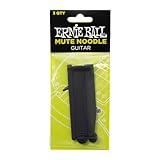
- Delivers the mellow tone of a rubber bridge
- Simply weave between the strings and slide it down to the bridge.
- 3 sizes for varying degrees of dampening
- Easy to install and remove
2. Fadr — Best Free Starting Point With Guitar Stems
Fadr explicitly names acoustic and electric guitar in its guitar stem options. Its Basic plan offers unlimited stems and remixes with high-quality MP3 downloads for free, plus MIDI detection and Remix Maker. Fadr Plus is listed at $10 per month billed monthly, or $100 per year in the verified product information; Plus adds 18 stem types, WAV downloads, a DAW Stems Plugin, and API access. Choose it for a free first pass or if the additional Plus workflow fits your setup. The supplied information does not specify which guitar types are available at each Basic separation setting, so check the current plan details before relying on a specific output.
3. TuneStems — Best for Choosing an Export Format Before Separation
TuneStems explicitly lists guitar separation and lets users choose MP3, WAV, FLAC, or M4A before separation, with individual returned stems available to download. It is free to try without signup for tracks up to five minutes. Its access is web-only, and its multiple credit packs and subscription tiers make the total cost less straightforward than a single stated rate. The directory lists a $5.90 one-time Starter Pack, but check the vendor site for current credits, plan terms, and the output formats available to your account.
Free tools Windows power users keep installed
One-click scans. No signup required.
Shopping ad

- A Great Training Tool for Tremolo & Rasqueado
- Installs in seconds
- Safe for any guitar finish
- Great for any level Guitar player
- Instructions and Study Guide included
4. Swound — Best for Bringing Stems Into a DAW Project
Swound names guitar among the instruments it separates and supports projects associated with Ableton, FL Studio, Logic Pro X, and GarageBand. Its separation modes are limited to two, four, or six tracks, and the listed access is web-based. The free Starter plan allows up to three projects; selling projects requires the Hobby plan. It may suit a musician who wants stems alongside a project workflow, but the available details do not say which mode produces an isolated guitar track in every case. Confirm the mode and export behavior for your project before starting.
5. StemConsole — Best for Mixing a Guitar Stem in the Browser
StemConsole offers a browser mixer for soloing, muting, and blending stems. Guitar and piano receive their own faders with Pro Full Separation; the free tier covers vocals, drums, and bass rather than guitar. The listed Pro price is $6.99 per month or $49 per year, and includes six-stem separation, WAV stems and mix bounces, and 100 splits a month. A single $1.99 credit unlocks Full Separation for one song without a subscription and does not expire, but it does not include WAV or practice tools. The service is web-only, with no batch processing, integrations, or public API listed.
Shopping ad

- High-Quality Muting Material: The Cheerock guitar string mute is made of high-quality muting material. Its soft and durable composition ensures it won't scratch your fretboard or strings, providing an extra layer of protection to your instrument.
- Eliminates Unwanted Overtones and Resonances: This string mute effectively prevents unnecessary noise and overtones caused by vibrations during practice and performances. It's an ideal tool for reducing unwanted overtones and resonances, making your practice sessions more efficient.
- Easy to Use: The Cheerock guitar string mute is user-friendly, requiring no tools or special installation. In just a few seconds, it can be easily installed on your guitar, providing a plug-and-play experience.
- Broadly Applicable: Whether it's a guitar, bass, or acoustic guitar, the Cheerock guitar string mute fits perfectly, compact and portable.
- Improves Practice Efficiency: The Cheerock guitar string mute can improve the efficiency of your practice sessions. By reducing unnecessary noise and vibrations, this heightened focus can lead to significant improvements in skill and musicianship over time.
6. LunaMusic AI Stem Splitter — Best for Cloud Rendering Without a Plugin Chain
LunaMusic’s AI Stem Splitter explicitly includes guitar in its available outputs. Its six-stem mode is the stated option when guitar and piano need their own tracks; it also lists a two-way vocal remover and a four-stem mode. Separation renders on LunaMusic’s servers, so the described workflow is to upload a mix, audition stems, and download the results without installing a plugin chain. The supplied facts do not establish its pricing, file limits, desktop availability, or licensing terms; check the vendor site for those details before choosing it for a project.
7. PhonicMind — Best for Detailed Instrument Categories
PhonicMind explicitly lists guitars among its automatically recognized categories, alongside lead and backing vocals, drums, percussion, bass, keys, strings, horns, and other musical groups. Depending on the song and conversion tier, it can recognize up to 16 stem classes and deliver up to eight usable stems plus a metronome. It is web-based, has no free plan, desktop app, or API, and export depth varies by plan. Check the plan details for the guitar separation and download options you need; the supplied information does not establish guitar-specific performance by genre or recording.
Shopping ad

- Custom Guitar Silencer: The Guitar Silencer is an ideal tool for acoustic guitarists who want to practice quietly without disturbing others.
- Excellent Muffler: The Muffler is designed to fit most guitars and can be easily attached to your instrument to reduce string noise and ringing.
- Home Practical Guitar Mute Accessory: This accessory is an essential tool for guitarists who want to practice at home without disturbing others. It's good for late-night practice sessions or when you need to keep your playing volume down.
- Training Tool with Instrument Accessories: The Guitar Silencer is an excellent training tool that comes with instrument accessories. It helps you to improve your playing technique by allowing you to focus on your playing without any distractions
- Easy to use: Simply clip the silencer onto your guitar strings and adjust the tension to achieve the desired level of muting.
8. AirMusic — Best When a Larger Stem Set Is Useful
AirMusic says its Full Stem Separation splits audio into 12 stems, including guitar, vocals, drums, and bass. That is a documented guitar fit for someone looking to separate guitar as part of a larger set of tracks. The available facts do not specify price, free limits, export formats, supported platforms, or whether guitar can be removed with a dedicated control. Check the vendor site for those specifics before uploading a song.
Independent reader supportYour contribution helps us test, update, and keep practical guides available for everyone.A Practical Guitar-Extraction Workflow
- Choose a short, representative passage. Start with a section that includes both an exposed guitar part and the densest arrangement you care about. TuneStems states a free try limit of up to five minutes per track; other length limits are not established here.
- Select the guitar output or mode. Use a specifically listed guitar stem where available. For StemConsole, guitar requires Pro Full Separation; for LunaMusic, the six-stem mode is the one described for giving guitar its own track.
- Audition before committing to a full workflow. Listen for guitar attacks and sustained notes, along with bleed from vocals, cymbals, piano, and bass. LALAL.AI lists free previews, but full result downloads are unavailable on its free Starter plan.
- Export for your session. Choose a format your editing or DAW workflow accepts. TuneStems lists MP3, WAV, FLAC, and M4A choices; StemConsole lists WAV stems with Pro. For other products, verify supported export formats with the vendor.
- Compare more than one result if the part matters. Different tools and separation modes may handle the same mix differently, but the supplied information does not establish a universal quality ranking. Base the choice on the actual passage and output you can audition.
Rights and Uploads
These tools process uploaded music, so use audio you have permission to upload and use. TuneStems states “100% Commercial Use,” but that statement alone does not establish rights to a third-party recording, composition, or performance. Check each platform’s current terms for upload handling, permitted uses, and licensing; the available information does not establish complete rights terms for the other products.
Quick Recap
Shopping ad

- Delivers the mellow tone of a foam mute
- Simply weave between the strings and slide it down to the bridge.
- Fits 4-string and 5-string basses
- Easy to install and remove




