Specifiction is reader-supported. When you buy through links on our site, we may earn an affiliate commission. As an Amazon Associate I earn from qualifying purchases. Learn more
For a Korean song with a complete vocal arrangement, Suno is the strongest all-in-one starting point in this shortlist: it generates songs with vocals, lyrics, instrumentation, and production, and supports editing and stem export. SongUp AI has the clearest explicit Korean and K-pop fit in the available product information. Lacuna is best used to shape Korean lyrics and rhymes before handing them to its music generator. The key distinction is that only SongUp explicitly identifies Korean K-pop songs; for Suno, check whether Korean lyrics work as you intend, and for every generator verify the vocal style and musical details you need before relying on them.
Best AI Korean Song Generators At A Glance
| Rank | Tool | Korean-Specific Evidence | Best Use | Pricing Information |
|---|---|---|---|---|
| 1 | Suno | Generates songs with lyrics in many languages, but Korean is not specified in the available language example | Building and revising a complete song | Freemium; paid from $8/month |
| 2 | SongUp AI | Its site explicitly lists Korean and K-pop and says songs can be sung in 24 languages | Starting with a Korean or K-pop direction | Freemium; paid from $7.99/month with annual billing |
| 3 | Lacuna | Its lyric tools include Korean phonetic rhyme support; lyrics can be sent to its music generator | Drafting and refining Korean lyrics before making a track | Free to start; paid from $9.50/month with annual billing |
These tools serve different parts of the process. Suno offers the broadest documented song-making and editing workflow. SongUp gives the most direct Korean/K-pop signal. Lacuna’s evidence is strongest for writing lyrics: it supports Korean phonetic rhyme detection, but that does not establish that its music generator has a Korean-specific sound preset. Product details and prices can change; check each vendor’s site for current plan terms and confirm any language, sound, or export requirement that matters to your project.
As an Amazon Associate I earn from qualifying purchases.
What Makes A Korean Song Prompt Specific
“Make a K-pop song” names a broad field, not a precise musical brief. A useful prompt narrows the arrangement, vocal delivery, language, and emotional arc. Korean pop draws on many styles, so a prompt that says only “K-pop” may leave the generator too much room to choose a direction you did not intend. Decide whether you want a polished dance track, a guitar-led band sound, a restrained ballad, or another clear arrangement before generating.
- Set the energy and movement: Describe whether the groove should feel brisk and danceable, relaxed, or dramatic. If you have a reference in mind, translate it into musical qualities such as a steady pulse, a spacious verse, or a bigger chorus instead of relying on a genre label alone.
- Describe the song’s sections: Give the verse and chorus different jobs. For example, ask for a close, restrained verse that opens into a wider chorus with fuller instrumentation. This is a creative prompt example, not a guarantee that a generator will follow every arrangement instruction.
- Be precise about language: Supply Korean lyrics if you have them, or say that the vocal should be in Korean. A language instruction is a request to try, not evidence that a particular service handles Korean pronunciation, grammar, or syllable timing well.
- Specify the vocal character you want: Describe qualities such as soft, forceful, intimate, or group-style delivery. The available product information does not establish which Korean vocal configurations each service can produce, so treat these as prompt directions and check the result.
- Keep the lyric singable: Short lines, clear phrasing, and a repeated hook can make a draft easier to assess. Korean syllable count and natural stress do not map neatly onto an English lyric’s phrasing, so read lines aloud and revise wording that feels crowded or awkward.
A practical starting prompt might be: “Korean-language pop track with a brisk dance pulse, a restrained verse, a rising pre-chorus, and a broad, memorable chorus. Use bright synths and punchy drums, keep the verse vocal intimate, and leave space around the hook.” Those instrument and structure choices are creative instructions; they are not claims that any one service guarantees those exact sounds. If a first result misses, change one element at a time—such as tempo feel, chorus size, or vocal intensity—so you can tell which direction improves the draft.
Shopping ad

- Language Made Playful: Learning Korean becomes an exciting endeavor with these interactive songs. Your child will naturally learn common phrases and expressions, making this a delightful Korean kids book that teaches without them even realizing!
- Vibrant Illustrations, Lasting Impressions: The bright, colorful illustrations not only enhance the reading experience but also provide a window into the beauty of Korean culture for kids. They bring cultural nuances to life, deepening your child’s connection to Korean language and history.
- Language & Vocabulary Development: The rhythmic and melodic songs in I Love to Sing in Korean: Korean Nursery Rhymes engage children and expand their understanding of the language. The catchy tunes make it easy for kids to learn and retain new words, turning this book into one of the best Korean toys for early language learning.
- Builds Early Cognitive Skills: These classic Korean nursery rhymes foster early comprehension and create a strong foundation for understanding Korean. It's a perfect introduction for young minds and is designed to help them grasp the basics of the language through playful interaction.
- Instill Cultural Awareness: As your child sings and learns, they’ll develop a growing interest in Korean culture for kids. These songs, rooted in tradition, help convey essential values from Korean culture, offering a deeper understanding of the language and its heritage.
1. Suno: Best For Building And Revising A Full Song
Suno ranks first for creators who want a broad music workspace around a complete song. It generates vocals, lyrics, instrumentation, and production, and supports editing, remixing, extensions, section replacement, and stem export. It is available on the web, iOS, and Android; Suno Studio is available on the Premier plan. That combination gives a creator several documented ways to continue shaping a track after generation.
The Korean-specific limitation is important: the available language fact says Suno can generate songs with lyrics in many languages and describes writing lyrics in the language or naming it in the style prompt, but its example is Hindi rather than Korean. It does not independently establish Korean support or Korean pronunciation quality. If you choose Suno, try a short Korean chorus first. Enter your own Korean text or request Korean in the style prompt, then listen for whether syllables are clear and the phrasing fits the melody before building out a full lyric. The current stable model is v5.5, released March 26, 2026, according to the model-version source.
Free tools Windows power users keep installed
One-click scans. No signup required.
Shopping ad
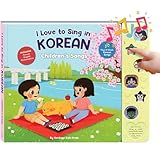
- Language Made Playful: Learning Korean becomes an exciting endeavor with these interactive songs. Your child will naturally learn common phrases and expressions, making this a delightful Korean kids book that teaches without them even realizing!
- Vibrant Illustrations, Lasting Impressions: The bright, colorful illustrations not only enhance the reading experience but also provide a window into the beauty of Korean culture for kids. They bring cultural nuances to life, deepening your child’s connection to Korean language and history.
- Language & Vocabulary Development: The rhythmic and melodic songs in I Love to Sing in Korean: Korean Nursery Rhymes engage children and expand their understanding of the language. The catchy tunes make it easy for kids to learn and retain new words, turning this book into one of the best Korean toys for early language learning.
- Builds Early Cognitive Skills: These classic Korean nursery rhymes foster early comprehension and create a strong foundation for understanding Korean. It's a perfect introduction for young minds and is designed to help them grasp the basics of the language through playful interaction.
- Instill Cultural Awareness: As your child sings and learns, they’ll develop a growing interest in Korean culture for kids. These songs, rooted in tradition, help convey essential values from Korean culture, offering a deeper understanding of the language and its heritage.
For a first arrangement, describe the intended contrast rather than piling on genre adjectives: “Korean pop, steady dance groove, sparse verse, rising pre-chorus, full chorus, bright synth and drum production.” If the generated chorus has the right shape but another section does not, Suno’s section replacement and extension features are relevant options to explore. The product information does not promise that an edit will preserve Korean pronunciation or a particular vocal identity, so review the changed section in context.
The Free Plan includes 50 credits per day and an 8-minute audio upload limit. The Pro Plan is listed at $8 per month, includes 2,500 credits per month, and limits downloads to 20 songs per month. The Free Plan does not include commercial rights or stem separation, and Suno Studio access is limited to the Premier Plan. Check Suno’s current pricing and terms before choosing a plan or using a song publicly.
Shopping ad

- Language Made Playful: Learning Korean becomes an exciting endeavor with these interactive songs. Your child will naturally learn common phrases and expressions, making this a delightful Korean kids book that teaches without them even realizing!
- Vibrant Illustrations, Lasting Impressions: The bright, colorful illustrations not only enhance the reading experience but also provide a window into the beauty of Korean culture for kids. They bring cultural nuances to life, deepening your child’s connection to Korean language and history.
- Language & Vocabulary Development: The rhythmic and melodic songs in I Love to Sing in Korean: Korean Nursery Rhymes engage children and expand their understanding of the language. The catchy tunes make it easy for kids to learn and retain new words, turning this book into one of the best Korean toys for early language learning.
- Builds Early Cognitive Skills: These classic Korean nursery rhymes foster early comprehension and create a strong foundation for understanding Korean. It's a perfect introduction for young minds and is designed to help them grasp the basics of the language through playful interaction.
- Instill Cultural Awareness: As your child sings and learns, they’ll develop a growing interest in Korean culture for kids. These songs, rooted in tradition, help convey essential values from Korean culture, offering a deeper understanding of the language and its heritage.
2. SongUp AI: Best For An Explicit Korean And K-Pop Starting Point
SongUp AI is the most direct match when the first requirement is a Korean or K-pop direction: its site explicitly lists “Korean” and “K-pop,” and says songs can be sung in 24 languages. It also describes a web-based music workspace that can generate songs from text, lyrics, humming, whistling, or sung melodies, with vocals, instruments, stems, mastering, auto-tune, and audio-to-MIDI. Those are broader creation options than a simple prompt box, although the available information does not say that each feature has a Korean-specific mode.
Try a prompt that gives it both a language and an arrangement: “Korean K-pop track with a crisp dance beat, a light verse, a build before the chorus, and a strong repeated hook.” If you already have a melody, SongUp’s stated support for humming, whistling, or sung melodies offers another starting path. Treat the result as a draft: check the actual Korean wording and delivery, as the general language and K-pop statements do not establish the quality of any particular generated lyric or vocal.
Shopping ad

- Piano Solo
- Pages: 48
- Instrumentation: Piano/Keyboard
SongUp says sign-up includes three free songs, with no card or subscription required, and describes these as instant songs matched to ideas from its library. The product entry characterizes its Free plan as limited to library-matched songs and personal use; exact-prompt song creation and commercial rights start with Pro. The listing says paid plans start at $7.99 per month with annual billing, while the site separately displays a $1 first month followed by $9.99. Because these are distinct price statements, check the live offer and billing conditions before subscribing. The site also says MP3 is available on every plan, while commercial rights and lossless exports are on paid plans. Confirm the applicable terms for the specific plan you use.
Independent reader supportYour contribution helps us test, update, and keep practical guides available for everyone.3. Lacuna: Best For Writing Korean Lyrics Before Generation
Lacuna is a lyric workspace rather than the clearest choice for someone seeking a documented Korean music-style generator. Its rhyme engine uses phonetics for Korean, so its rhyme detection is not limited to matching spelling. The lyric editor supports drafting, rewriting, and restoring versions across nine languages, and finished lyrics can be sent to Lacuna’s AI music generator to make a full track with AI vocals singing the words.
Shopping ad

- KOREAN SOUND BOOK WITH REAL MOM SINGING. A premium Korean sound book and Korean music book featuring real mom singing Korean in a soothing, native voice. Plays full-length Korean nursery rhymes and Korean songs for toddlers - not short clips. This push button Korean book includes volume control, mute, and batteries for a safe, high-quality Korean language toy.
- LEARN HANGUL & FIRST WORDS. A complete Hangul learning toy and Hangul sound book that teaches Korean first words, Korean vocabulary kids, and pronunciation through music. Perfect as a Hangul alphabet toy and Hangul for beginners resource - making it a powerful Korean phonics toy and early language tool.
- BILINGUAL KOREAN-ENGLISH LEARNING. This Korean English sound book doubles as a dual language Korean book and bilingual Korean English toy. Designed for immersion and early learners, it’s an engaging Korean interactive book and Korean board book toddler option for ages 1–3.
- SCREEN-FREE MONTESSORI LEARNING. A screen free Korean toy and montessori Korean toy designed for modern families. This Korean touch sound book supports focus, independence, and play-based learning. Ideal as a Korean preschool toy or Korean kindergarten toy for home or classroom use.
- SAFE, DURABLE & TODDLER-FRIENDLY. Built as a durable battery powered book with non tearing pages, chunky safe buttons, and a front facing speaker. This Korean interactive book supports fine motor skills book development and safe play for babies and toddlers.
That makes Lacuna useful earlier in the workflow: sketch the Korean hook, explore phonetic rhymes, and revise the lines before asking for a track. For example, draft a short chorus around one image or idea, test alternate end sounds with the rhyme tools, and keep the version whose wording is both natural to say and easy to sing. Then send the chosen lyrics to the music generator. The stated handoff supports turning lyrics into a vocal track; it does not establish a particular K-pop subgenre, instrumental arrangement, or Korean pronunciation standard.
Lacuna is free to start. Its paid plans start at $19 per month with monthly billing or $9.50 per month with annual billing, according to the product information. Audio downloads are provided as MP3 files. Check the current plan and usage terms on Lacuna’s site if you need a specific export format or usage permission.
Quick wins for a faster PC:
Fix the driver behind crashes, sound loss and screen glitchesFind Drivers →Clear out junk files and repair common Windows errorsFree Scan →A Practical Workflow For A Korean Song Draft
- Choose the part you need help with. Start in SongUp if explicit Korean/K-pop direction matters most, in Suno if you want a broad complete-song workspace, or in Lacuna if the lyrics and Korean rhymes need attention first.
- Write a compact brief. State the language, mood, groove, vocal character, and how the verse should differ from the chorus. Avoid asking for too many unrelated genres or sound qualities in one prompt.
- Begin with a short lyric or hook. A chorus-sized passage is easier to inspect than a full song. If writing in Korean, read it aloud for natural phrasing and revise any line that feels hard to say at the intended pace.
- Generate and listen for specific issues. Check whether the language sounds like Korean, whether the words are intelligible, whether the melody leaves room for the syllables, and whether the chorus has the energy you asked for. The product listings do not establish that any tool will pass these checks automatically.
- Change one instruction and try again. If the melody works but the arrangement feels too dense, ask for a lighter verse or more space around the hook. If the words are unclear, simplify the line or test a different vocal prompt. Keep edits tied to what you heard.
- Review the rights and export terms before sharing. Plan terms differ, and a free tier may have restrictions. Read the current service terms for the plan and use you intend before publishing or monetizing a track.
Rights And Sharing A Generated Korean Song
Voice, lyric, and sample rights depend on what you contribute and on each service’s current terms. Get consent before using another person’s voice or recording, and check the relevant platform terms before making a cover, using samples, or releasing a generated song commercially. The product information specifically says Suno’s Free Plan does not include commercial rights, and SongUp limits its Free plan to personal use while describing commercial rights on paid plans. Those statements do not replace checking the terms for your account and intended use. The available Lacuna information does not establish commercial-use permissions, so consult its current terms before release.
For a practical choice, match the tool to the uncertainty you need to resolve first: whether the service can give you a convincing Korean/K-pop direction, whether it can shape a complete arrangement, or whether the Korean lyric itself is ready to sing. Make a short draft, listen closely to the language and phrasing, and confirm the current usage terms before sharing the finished track.




