Specifiction is reader-supported. When you buy through links on our site, we may earn an affiliate commission. As an Amazon Associate I earn from qualifying purchases. Learn more
BeatMotion is the only option in this roundup with documented support for turning a description into an original song and video, so it is the clearest starting point for an AI music video for babies or a baby song. Its published description says you can create custom lyrics, melodies, and cinematic visuals, then export and share the result. That combination fits a parent, teacher, or creator who wants one coordinated lullaby-style project instead of assembling separate audio and video tools. BeatMotion is therefore ranked first by default, with the important qualification that the supplied information does not establish a dedicated baby preset, nursery-rhyme library, age filter, language list, safety review, or child-focused account setting.
What A Baby Song Video Needs
Baby music has a narrower brief than a general music video. The audio should leave room for a child to settle, listen, or join in. A practical brief normally specifies a gentle pace, a simple repeated melody, short lines, clear diction, and a predictable beginning and ending. You may also want a narrow instrument palette, such as soft piano, marimba, acoustic guitar, or quiet strings. Those are creative directions for your prompt, not features confirmed by the product information.
As an Amazon Associate I earn from qualifying purchases.
The visual side needs the same restraint. A baby video can work with slow, readable movement, large friendly shapes, high contrast between the subject and background, and a small number of recurring characters. Avoid asking for flashing effects, rapid cuts, crowded scenes, or tiny details that are hard to follow on a phone. If a child will watch directly, review the finished video yourself at the intended volume and screen size before sharing it.
A useful brief also names the occasion. “Bedtime” suggests a calmer arrangement and a slower visual rhythm; “morning hello” can use brighter imagery while retaining a simple hook; “clean-up song” needs an obvious repeated instruction. Naming the occasion keeps the lyrics and visuals pointed at one use instead of producing a generic children’s clip.
Shopping ad
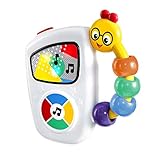
- The Baby Einstein Take Along Tunes inspires a lifelong love of music with hours of entertainment; volume control is music to mom and dad's ears
- Teaches babies about music and cause and effect as they push the large button to hear 10 classical masterpieces from Chopin to Mozart and more
- Colorful lights dance to the melody to captivate your baby and encourage both auditory and visual development
- 2 AA batteries are included for demo, use new batteries for regular use; ships in fully enclosed packaging; wipe clean; a favorite for travel - drop in diaper bag and go; 5.0"H x 4.8"W x 1.1"L
- Includes expert-developed Einstein Way Play Tips to inspire curiosity and foster purposeful parent-baby playtime.
Ranked Pick For AI Baby Music Videos
1. BeatMotion — Best Documented All-In-One Starting Point
BeatMotion says it can turn prompts, concepts, and lyrics into complete songs with melody, vocals, and a full arrangement. It also describes custom lyrics, melodies, and cinematic visuals generated with AI. For a baby-song project, that means you can put the musical brief, lyric idea, and visual scene in one request and then refine the result as a single project.
The published workflow includes previewing the finished music video, tweaking it, downloading it in HD, and sharing directly to TikTok, YouTube, or Instagram, or keeping it for yourself. Those export and sharing destinations are documented; other platforms, file formats, resolutions, mobile apps, collaboration controls, and account requirements are not stated in the supplied information, so check the vendor’s current site before planning a production workflow around them.
Recommended Free Tools
Shopping ad

- The Baby Einstein Ocean Explorers Take Along Tunes Jammin Janet Musical Toy is a pink version of the best-selling Take Along Tunes Musical Toy
- Multisensory, handheld toy delights baby’s senses with 10 melodies, a bead chaser, and lights that dance to the beat; keeps baby entertained and learning
- Easy to use and hold, this handheld toy keeps baby engaged at home or on-the-go; ages 3 months and up
- Supports visual and auditory development and fine motor skills; includes volume control and music from Baby Einstein Ocean Explorers series
- Includes 2 AA demo batteries; Dimensions: 4.8 x 1.1 x 5 inches
| Need For A Baby Song Video | What Is Documented | What To Confirm |
|---|---|---|
| Original song creation | Prompts, concepts, and lyrics can become complete songs with melody, vocals, and full arrangement. | Whether you can select a specific lullaby tempo, key, instrument set, or vocal character. |
| Baby-focused lyrics | Custom lyrics are described. | Whether the service has child-safe lyric controls, age targeting, rhyme controls, or a nursery-song template. |
| Coordinated visuals | Cinematic visuals and animated music-video creation for a kids’ song are described. | Whether it offers baby-specific characters, scene controls, flashing-content controls, or a way to lock a character across scenes. |
| Preview and delivery | Preview, edits, HD download, and direct sharing to TikTok, YouTube, and Instagram are described. | Pricing, free limits, watermarks, download duration, aspect ratios, and any restrictions on commercial publishing. |
This is a fit for a creator who values a connected song-and-video draft and is willing to inspect every result. It is not evidence that BeatMotion is clinically appropriate for infants, that its generated vocals are suitable for sleep, or that every output will be calm. Those decisions remain part of your review.
Prompt Recipes For Baby Songs
Start with a short creative brief rather than a vague request for “a cute baby song.” Include the listener’s age range in ordinary language, the occasion, the emotional tone, the length you want, the instruments you prefer, and what the video should show. Since the supplied product facts do not state how BeatMotion interprets technical music controls, treat these as prompts to try and revise, not guaranteed controls.
Shopping ad

- The Baby Einstein Glow & Discover Light Bar Activity Station is a multisensory toy that engages baby with colorful lights, classical melodies, and animal sounds during floor play or tummy time.
- 3 modes: Xylophone Mode helps baby create a song. Animal Mode teaches animal names and sounds. Color Mode teaches 6 color names in 3 languages – English, Spanish, and French.
- When baby presses a button or spins the rattle drum, the toy bar responds with music and lights to engage, support fine motor skills, and promote cause-and-effect learning.
- 3 ways to engage baby as they grow: Bar sits flat for tummy time and props up for seated play. Unisex design for baby boy or girl ages 3 months to 36 months.
- Assembled dimensions: 8.94 x 12.6 x 5.94 inches. Easily cleans with a damp cloth. Requires 3 AA batteries (not included).
Bedtime Lullaby
“Create a gentle bedtime song for babies with eight short lines, a repeating refrain, simple words about moonlight and a caregiver nearby, soft piano and quiet humming, an unhurried feel, and a calm animated video with slow clouds, a night sky, and warm bedroom colors. Keep movement minimal and avoid sudden transitions.”
Morning Welcome
“Create a short welcome song for babies with a repeated hello phrase, clear lyrics that a caregiver can sing along with, a bright but gentle melody, and an animated video showing a sun, friendly animals, and a simple morning routine. Use large shapes, steady pacing, and a small cast of recurring characters.”
Shopping ad

- From Viral TikTok Trend: With over 100 million views on TikTok and counting, this viral sensation has delighted over 3 million babies. Brought to you by creators of Baby Einstein, featuring US-based design and development and meeting the highest industry safety standards
- From Baby Einstein, our best-selling Sea Dreams Crib Soother is a musical infant soother that features 25+ minutes of calming lights, melodies, and ocean sounds; gently soothing babies for over 10 years
- This new parent must-have, easily attaches to most crib rails with an approximate circumference of 10.5 inches; can also stand alone on a nightstand for bedside soothing and engagement
- Remote control lets parents stop or activate the soother from up to 12 feet away and babies can turn the soother on themselves if woken in the night; Features high and low volume control
- 4 modes let parents customize soothing to baby’s preferences for lights, music, and sounds; Drift Off function gradually dims lights and sounds to help lull baby to sleep
Clean-Up Song
“Create a playful clean-up song for toddlers with a chorus that repeats the instruction to put toys away, short verses naming blocks and books, and a cheerful animated video in which the same room becomes tidy one step at a time. Keep the lyrics easy to understand and the scenes uncluttered.”
After the first generation, revise one dimension at a time. If the tune feels too busy, ask for a simpler repeated melody. If the words are too long, shorten the lines and reduce the number of ideas. If the video changes character appearance, describe the character again and ask for consistent scenes. Save the prompt and the version you selected so you can identify which human choices shaped the final work.
Shopping ad

- The Baby Einstein + Hape Discovery Radio Toy Radio is a Montessori-inspired, multisensory musical toy that helps babies 6 months and up explore everyday sounds, music, & lights
- Turn or press the dial to a station to see glowing lights, hear 30 classical melodies, and discover 12 animal sounds from animals like dogs, tigers, and elephants
- Supports fine motor skill, cause & effect learning while inspiring pretend play; Volume control for baby’s comfort and parental peace of mind
- Made of FSC certified wood. Designed to be easy for baby to grip, hold, and carry via the flexible strap for on the go discovery
- Wipe clean with a damp cloth. Includes 2 AA batteries. Dimensions: 6.34 x 2.11 x 3.94 inches
A Practical BeatMotion Workflow
- Write the listener brief. State the occasion, mood, approximate length, repeated phrase, and visual limits. For a sleep video, specify slow motion and no abrupt transitions.
- Draft original lyrics. Use your own words or words you have permission to use. Keep the vocabulary concrete and the refrain short enough for a caregiver to repeat.
- Generate the song and visuals. Give BeatMotion the concept, lyrics, and scene direction in one prompt. Its published description covers text-to-music creation and cinematic visuals, but it does not promise a particular baby-song genre or control set.
- Preview the complete video. Listen for sudden volume changes, distracting vocal sounds, confusing words, or a melody that is too intense for the occasion. Watch for fast cuts, flashes, frightening faces, or visual clutter.
- Tweak targeted problems. Change only the part that needs work: lyric length, refrain wording, instrument direction, vocal direction, or scene pacing. The service says you can tweak a finished music video before downloading it.
- Review the audience copy. Check captions or lyric text yourself, confirm that names and pronouns are correct, and watch the entire file on the device where a child will see it.
- Download or share. BeatMotion documents HD download and direct sharing to TikTok, YouTube, and Instagram. Check current terms for your intended audience, privacy setting, and use before publishing.
Consent, Copyright, And Sharing
Do not imitate a real singer’s recognizable voice, use a child’s likeness, or include someone else’s lyrics, recording, or character design without the necessary consent and permissions. A caregiver’s approval is a sensible minimum when a baby or child appears in source material. BeatMotion’s supplied facts do not state how voice consent, uploaded media, or likeness requests are handled, so read its current terms before using those materials.
The U.S. Copyright Office says a work generated entirely by AI is not copyrightable, prompts alone do not make someone the author, and only human-authored parts of a mixed work can be protected. If you register a work containing more than a minimal amount of AI-generated material, you must disclose that material and describe your human contribution. Read the Copyright Office’s Part 2 report and registration guidance for the source wording and current details.
Quick wins for a faster PC:
Fix the driver behind crashes, sound loss and screen glitchesFind Drivers →Clear out junk files and repair common Windows errorsFree Scan →Scan for outdated or missing drivers - takes under a minuteDriver Scan →Keep a record of your lyric draft, edits, chosen structure, and visual decisions. Those human contributions may matter when you describe how the finished work was made. This is a practical record-keeping step, not a guarantee of copyright protection.
Limits To Check Before You Commit
- Baby-specific controls: No supplied fact confirms an infant preset, developmental guidance, sleep-safety review, or age-rating system.
- Musical controls: No supplied fact confirms exact tempo, key, scale, instrument selection, vocal age, vocal gender, or loop length controls.
- Language and accessibility: No supplied fact establishes supported languages, captions, audio descriptions, volume normalization, or subtitle export.
- Commercial use: No supplied fact states a commercial license, ownership terms, attribution rule, stock-asset policy, or limits on monetized uploads. Check the vendor’s current terms.
- Privacy: No supplied fact explains retention or training use for prompts, lyrics, uploaded recordings, or child-related material. Avoid entering sensitive personal information until you have checked the policy.
For this narrowly defined roundup, BeatMotion is the sole documented pick because the available evidence covers both sides of the project: generating a complete song and creating a music video for a kids’ song. Use a specific baby-focused brief, inspect every frame and lyric, and verify the current terms for any feature or publishing right that is not expressly documented.
Quick Recap
Product prices and availability are accurate as of the date/time indicated and are subject to change. Any price and availability information displayed on Amazon at the time of purchase will apply.




