Specifiction is reader-supported. When you buy through links on our site, we may earn an affiliate commission. As an Amazon Associate I earn from qualifying purchases. Learn more
For relaxing AI jazz, start with TwoShot AI Jazz Generator if you want a meditative arrangement with space between changes; choose ACE-Step Jazz Music Generator for a wider range of jazz styles and instrumental or vocal arrangements. Boppy is a simple free option for short prompt-led tracks, while Murmur is suited to iPhone users who want instrumental loops for edits. The key is to prompt for a calm musical scene, not merely “jazz”: ask for a restrained tempo and dynamics, a soft ensemble, and room for the music to breathe.
What Relaxing Jazz Needs From An AI Music Generator
Relaxing jazz is a narrower target than jazz in general. Bebop energy, busy fills, loud brass, or a strong walking bass can be musically convincing and still be wrong for reading, winding down, a quiet video, or a background playlist. A useful prompt describes the listening situation and the amount of activity you want. Try language such as “slow, warm piano trio, soft upright bass, brushed drums, spacious phrasing, gentle dynamics, no dramatic build.” Those are creative directions for a prompt, not guaranteed controls or supported instruments on every service.
| # | Preview | Product | Price | |
|---|---|---|---|---|
| 1 |

|
Kind Of Blue (Vinyl) | $25.98 | Buy on Amazon |
| 2 |

|
Best of Jazz Vinyl Instrumentals Collection - Dave Brubeck, Miles Davis, John Coltrane, Duke... | $29.99 | Buy on Amazon |
| 3 |

|
The Final Tour: Copenhagen, March 24, 1960 | $23.98 | Buy on Amazon |
| 4 |
|
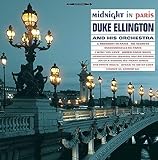
Midnight In Paris | $26.88 | Buy on Amazon |
| 5 |
![Ella And Louis [LP]](https://m.media-amazon.com/images/I/61GsS6UXiUL._SL160_.jpg)
|
Ella And Louis [LP] | $29.72 | Buy on Amazon |
As an Amazon Associate I earn from qualifying purchases.
Recommended Free Tools
For calmer results, specify fewer chord changes, a steady low-energy feel, and a melody that does not demand attention. TwoShot explicitly describes a spacious, restrained, meditative approach with fewer chord changes, and offers examples such as a late-night piano trio and a smooth sax ballad. ACE-Step lists cool jazz, modal jazz, and smooth jazz among its supported styles. Boppy says it can generate jazz from a text description. Murmur lists jazz among its curated styles and supports prompts for genre, tempo, or sonic texture. The level of detail each system will follow is not established here, so treat instruments, duration, and arrangement instructions as requests unless the product specifically documents them.
Best AI Tools For Relaxing Jazz, Ranked
1. TwoShot AI Jazz Generator — Best For Spacious, Meditative Jazz
TwoShot is the clearest match when the goal is jazz that sits quietly in the background. Its description specifically calls out meditative music with fewer chord changes and room to breathe, alongside polished, laid-back saxophone tracks and late-night session concepts. It also describes its jazz in terms of seventh chords, ii–V–I progressions, walking bass, and improvisation. That musical vocabulary may help users who want to steer a prompt beyond a generic lounge mood, although the site does not establish a dedicated control for each element.
Shopping ad
Prompt example: “Spacious, restrained late-night jazz for reading: soft piano trio, mellow tone, few chord changes, unhurried phrasing, gentle dynamics, no dramatic solo.” The piano trio and energy details are your prompt directions; the documented fit is the meditative, spacious approach and the late-night session example. TwoShot says finished tracks can be downloaded in high-quality audio and are royalty-free. Before using a track in a commercial release or public-facing project, read the current platform terms for the applicable use.
Visit TwoShot AI Jazz Generator.
2. ACE-Step Jazz Music Generator — Best For Choosing A Calm Jazz Style
ACE-Step is a strong choice if you want to explore a particular jazz family while keeping the mood relaxed. It names cool jazz, modal jazz, Latin jazz, bebop, fusion, and cross-style blends, and describes smooth jazz beds for vlogs, explainers, and tutorials. It can create instrumental or vocal arrangements. For a quiet result, begin with “cool jazz” or “modal jazz” and add mood and restraint instructions, rather than combining the prompt with energetic styles such as bebop.
The Tool Desk
Outbyte PC Repair FREEClear out junk files and repair common Windows errorsFree Scan →Outbyte Driver Updater FREEScan for outdated or missing drivers - takes under a minuteDriver Scan →Shopping ad
- 8 essential jazz instrumental classics – Features landmark recordings including Dave Brubeck’s “Take Five,” Miles Davis’s “So What,” John Coltrane’s “Naima,” Art Blakey’s “Moanin’,” and Stan Getz’s “The Girl from Ipanema.
- Limited edition splatter vinyl – A visually stunning collector’s pressing, each copy features a unique splatter pattern. Strictly limited quantity.
- 180g audiophile quality – Pressed on heavyweight 180-gram vinyl for superior sound fidelity, warmth, and durability.
- Historic performances – Includes original studio recordings with legendary lineups: Paul Desmond, Joe Morello, John Coltrane, Duke Ellington, Thelonious Monk, Cannonball Adderley, Bill Evans, and more.
- Made in the EU – Manufactured to the highest standards in the European Union, ensuring exceptional audio quality and premium packaging.
Prompt example: “A calm modal jazz instrumental for a focused-work video, smooth and understated, gentle dynamics, no sudden shifts.” This is a suggested prompt, not a claim that the service offers a focus-video preset or guarantees an instrumental output from those exact words. ACE-Step says users can try up to two songs per day for free, with no credit card required. Its site says outputs are original and can be used in creator and commercial projects, but also advises checking plan rights before commercial use; check the current terms for the plan you use.
Visit ACE-Step Jazz Music Generator.
3. Murmur — Best For Instrumental Loops On iPhone
Murmur is the practical fit when your relaxing jazz is meant to sit under a video edit and you work on an iPhone. It generates instrumental loops, includes jazz among its curated styles, and lets you prompt for a genre, tempo, or sonic texture. Its site also presents a serene, sleepy prompt example, which supports the broader idea of describing a quiet scene. That example is not specifically a jazz recipe, so combine it with a jazz direction and listen to whether the generated result actually suits your edit.
Shopping ad
Prompt example: “Soft, sleepy jazz background loop for a quiet travel montage; restrained texture, gentle pace, minimal movement.” The loop, jazz, and prompt details reflect Murmur’s described uses; the exact arrangement and instruments are not established. Murmur says its free starting tier has core presets, unlimited generations, and a fixed track length. Its one-time Pro purchase is listed as €14.99 and includes unlimited length, all 170+ presets, and custom scene prompts. The site describes the music as royalty-free for commercial edits; check its terms for the project and use you have in mind.
4. Boppy — Best For A Free, Quick Jazz Draft
Boppy suits casual experimentation when you want to describe a mood in plain text and quickly get a song file. It supports jazz prompts, vocal or instrumental generation, duration controls, and MP3 downloads. The option to ask for an instrumental is useful for background listening where lyrics would distract, but the available facts do not establish a dedicated relaxing-jazz preset or specify how reliably it follows detailed arrangement requests.
Shopping ad
- Item Name: Midnight in Paris Vinyl LP
- Product Type: ABIS MUSIC
Prompt example: “Relaxed instrumental jazz for a quiet evening, understated and warm, steady gentle energy, no vocals.” Boppy says tracks can run from 30 seconds up to three minutes, with duration chosen by the user, and that the service is free with no signup or credit card. It says it does not claim ownership of generated work and that users may use what they create. Review its current terms for your intended release and any rights questions involving generated vocals.
Quick Comparison
| Tool | Relaxing-jazz fit established here | Price or free access stated here | Output or device detail |
|---|---|---|---|
| TwoShot AI Jazz Generator | Spacious, restrained, meditative jazz; smooth jazz and late-night session examples | Not stated | High-quality audio download; format not stated |
| ACE-Step Jazz Music Generator | Cool, modal, smooth jazz; instrumental or vocal arrangements | Up to 2 songs per day free to try | Platform and file format not stated |
| Murmur | Jazz style, instrumental loops, and scene prompts | Free tier; Pro one-time €14.99 | iPhone; WAV export |
| Boppy | Jazz generation from text descriptions; relaxing-jazz controls not specifically established | Free | Web, iOS, and Android; MP3 downloads |
A Prompting Workflow For A Calmer Result
- Name the scene. Say whether the track is for reading, a quiet evening, or background audio in a video. Scene language can guide the mood; it does not ensure a specific result.
- Set the energy. Use plain directions such as “unhurried,” “gentle dynamics,” and “no dramatic build.” Add a tempo only if you know the pace you want; a precise tempo control is not documented for every tool.
- Choose a jazz lane. Try cool, modal, or smooth jazz where the tool documents those styles. With tools that accept general text prompts, describe the style and inspect what comes back.
- Keep the arrangement request small. Ask for an instrumental if you do not want lyrics, or suggest a small ensemble as creative direction. Do not assume a prompt guarantees a particular instrument or arrangement.
- Review the whole track in context. Listen for sudden intensity changes, busy passages, or a melody that competes with speech. If it misses the mood, simplify the prompt and regenerate rather than adding many conflicting directions.
- Check duration and export needs before committing. Boppy documents tracks up to three minutes and MP3 downloads; Murmur documents WAV export and a fixed length on its free tier. Duration and file details for the other options are not stated here, so check the vendor’s site.
Rights And Practical Checks
Commercial and ownership language differs by service. ACE-Step describes commercial use but also says to check plan rights; TwoShot describes downloads as royalty-free; Murmur says its tracks are royalty-free for commercial edits; and Boppy says it does not claim ownership of generated work. These statements do not establish every permission or restriction for every use. Read the platform terms that apply to your account and project. If you use vocals or work with another person’s voice, get that person’s consent and check the platform’s terms for voice use; no specific voice-consent policy is established in the product information summarized here.
Shopping ad
- In 1956, the day after appearing in an all-star concert at the Hollywood Bowl, Ella Fitzgerald and Louis Armstrong (along with the Oscar Peterson Trio) recorded this gem of an album in a Los Angeles studio
For listeners who only need music for personal relaxation, choose based on the mood and device you want to use. For creators, decide first whether you need a short MP3, an iPhone editing loop, a particular jazz style, or a spacious meditative arrangement. Then confirm the export, duration, and rights details on the service before building a project around the track.




