Free tools Windows power users keep installed
One-click scans. No signup required.
Specifiction is reader-supported. When you buy through links on our site, we may earn an affiliate commission. As an Amazon Associate I earn from qualifying purchases. Learn more
For ambient AI music videos, start with tools that explicitly support ambient music or soundscapes: Eleven Music for detailed editing, AceStep AI Instrumental Generator for vocal-free beds, and DeepAI Music for prompt-made soundscapes. Loudly and AI Music Generator also list ambient work, with different strengths for matching a track to an edit or shaping a prompt into songs. The ranking below focuses on those stated fits; check each vendor’s site for video-specific controls that are not established here.
Best Ambient AI Music Makers For Video
| Rank | Tool | Stated ambient fit | Price stated |
|---|---|---|---|
| 1 | Eleven Music | Ambient is listed; genre, mood, instruments, and structure can be adjusted, with inpainting and reference matching. | Free plan; paid from $6/mo. |
| 2 | AceStep AI Instrumental Generator | Ambient instrumentals; vocal-free tracks with genre, key, and tempo choices. | Free to start; up to 2 songs/day. |
| 3 | DeepAI Music | Ambient soundscapes and background tracks for videos. | Free generation; Pro is $9.99/month. |
| 4 | Loudly | Ambient is among its listed genres; background music can be made to fit an edit’s length, mood, and energy. | Free plan; free generated tracks are limited to 30 seconds. |
| 5 | AI Music Generator | Ambient and lo-fi are listed; prompts can create pieces for videos and social posts. | Two free credits at account creation; Starter from $6.90/month. |
1. Eleven Music — Best For Shaping An Ambient Cue
Ambient appears in Eleven Music’s listed styles, and its editing controls suit a video that needs music to change gradually rather than follow a conventional verse-and-chorus arc. You can specify genre, mood, instruments, and structure, then adjust elements with inpainting or reference matching. That makes it the strongest listed fit when the cue needs a defined opening texture, a slow build, or a less busy ending. It generates instrumental tracks as well as songs with vocals and lyrics, so state clearly that the video needs an instrumental bed. Visit Eleven Music.
As an Amazon Associate I earn from qualifying purchases.
PC Slower Than It Used to Be?
A free scan shows the junk files, broken settings and background clutter dragging Windows down - then fixes them in one click.Free scan · Windows 10 & 11Outdated Drivers Are Slowing You Down
One free scan finds every outdated or missing driver and matches the right update for your exact hardware.Free scan · exact hardware match2. AceStep AI Instrumental Generator — Best For Vocal-Free Background Beds
AceStep is explicitly built around instrumentals, including ambient music and royalty-free beds for video. Its stated controls include genre, key, and tempo, which help when you want a consistent pulse or a vocal-free cue under narration. Try a prompt such as “slow ambient instrumental, soft evolving pads, sparse high notes, no vocals, restrained energy,” then check whether the result leaves enough space for the images and any voiceover. The site says you can try up to two songs per day, and that each generation costs 5–10 credits. Visit AceStep AI Instrumental Generator.
3. DeepAI Music — Best For Ambient Soundscape Prompts
DeepAI Music specifically lists ambient soundscapes and background tracks for videos, alongside full songs and instrumentals. It is a practical match when the video calls for atmosphere more than a clearly formed song. A useful starting prompt might describe texture and motion—“quiet underwater ambience, soft distant tones, gradual changes, no beat, no vocals”—then refine the prompt if the result feels too musical or too static. DeepAI says generated audio can be used in projects including YouTube videos, and its Pro plan is listed at $9.99 per month with the first 100 songs free each month; additional songs cost 10¢ each. Visit DeepAI Music.
Shopping ad

- 【Powerful keyboard】 Songwriters and Beat Maker Essential - USB powered MIDI controller with 25 mini MIDI keyboard velocity-sensitive keys for studio production, virtual synthesizer control and beat production.
- 【Wireless keyboard】It's very compact and portable, and you can connect it wirelessly to your device with Bluetooth, built-in 2,000 mAh battery can work for about 16 hours, you can easily slip this ultra-portable MIDI keyboard into almost any bag and take it with you to the studio, cafe or hotel to compose music.
- 【Music Production】 25 velocity-sensitive keys, 8 RGB backlit velocity-sensitive pads, 8 assignable rotary enconders, 2 Capactive touch stripes pitch bend to all your music studio plugins for mixing, tweaking synth controls and more.
- 【Smart keyboard】Compatible with Windows, Mac OS, Android and iOS,The K5 compatible with all digital audio worksstation, Ableton live,Fl Studio,Cubase,Logic Pro X,Bitwig,Reason,Studio One,GarageBand(iOS) etc.,
- 【Scale feature】Integrate the smart chord and smart sound function, users can choose quickly through the keys. very suitable for setting this function during performance and practice.
4. Loudly — Best For Matching Music To An Edit
Loudly lists ambient among more than 50 genres and subgenres, and describes making background music to fit an edit’s exact length, mood, and energy. That stated timing focus is useful for short ambient sequences where the cue should resolve with the last shot. Its broader toolkit includes remixing uploaded audio, separated-stem exports, mastering, effects, and distribution. Free generated tracks are limited to 30 seconds, so check the plan terms and track limit against the length of your video. Visit Loudly.
5. AI Music Generator — Best For Prompting Ambient And Lo-Fi Variations
AI Music Generator lists “Ambient & Lo-fi” and positions its outputs for videos and social posts. It offers genre, mood, voice, influence, and model controls, and each generation produces two songs. For a calm visual loop, try “ambient lo-fi, warm sustained chords, gentle texture, minimal percussion, no vocals” and compare the two versions for energy and density. The site says new accounts get two free credits and each generation costs two credits, so those credits cover one generation. It is web-only, with paid plans starting at $6.90 per month. Visit AI Music Generator.
Recommended Free Tools
Shopping ad
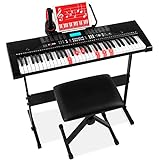
- STANDARD SIZE ELECTRONIC KEYBOARD: Complete with 61 keys, 255 timbres, 255 rhythms, 50 demo songs, 32 types of keyboard percussion, and a starting tempo of 120 BPM
- ULTIMATE BUNDLE, GREAT GIFT: With an H-style keyboard stand, music stand, padded stool, and more, it makes for the perfect birthday or holiday present for any aspiring musician
- 3 TEACHING MODES: One-Key, Follow, and Ensemble modes provide lessons for novice players. LCD display, light-up keys, recorder with playback, and piano note stickers help them learn to read music
- QUALITY SOUND: Perform a recital with built-in speakers, headphones, a rhythm programmer, and music player function that help to find the perfect sound and re-create classic music pieces
- USB PORT: Plug in and play along to songs stored on a USB and let your creative side out as you add your own melodies or rhythm to background music; KEYBOARD DIMENSIONS: 36.4"(L) x 12"(W) x 3.7"(H)
A Practical Ambient Video Workflow
- Decide what the soundtrack should do. For narration, ask for sparse textures and no vocals. For a silent landscape or abstract loop, specify whether the piece should feel still, slowly changing, or gently pulsing.
- Describe sound and motion. Name the mood, instruments or textures, energy, and how the cue should develop. For example: “Ambient instrumental for a night-sky time-lapse; soft pads, occasional bell-like tones, slow gradual lift, no drums, no vocals.” Treat this as a prompt example, not a guaranteed feature or result.
- Generate with the closest supported controls. Use Eleven Music’s stated editing and reference controls for shaping a cue, AceStep’s instrumental focus for vocal-free beds, or DeepAI’s soundscape prompting for atmospheric material. For the other two, use their listed ambient fit and video-oriented descriptions.
- Fit the cue to the cut. Check the beginning, transitions, and final shot against the picture. Loudly specifically describes matching music to edit length; for other tools, check the vendor site for any timing or video-specific controls before relying on them.
- Check the delivery terms. Confirm the permitted use for your intended video and platform in the current plan terms before publishing.
Rights And Details To Check Before Publishing
Ambient tracks are often instrumental, but if a generation includes a voice, a recognizable performance, a cover, or samples, get the necessary consent and check the platform’s terms for that use. Eleven Music says commercial rights vary by subscription tier and its listed limitation excludes film, TV, and studio games; Loudly says licensing depends on plan terms. DeepAI says generated audio is yours to use in projects such as videos. The supplied details do not establish the specific licensing terms for AceStep or AI Music Generator, so check each vendor’s current terms before using a track commercially.
None of these listings establishes a complete video editor or a guaranteed picture-synced music workflow. They support making music for ambient videos to varying degrees; verify any exact video, timing, export, or licensing requirement on the vendor’s site before choosing.
Quick Recap
Shopping ad

- 1. Versatile MIDI Control: The M-VAVE MIDI keyboard controller offers unparalleled versatility for musicians and producers. Connect it to your computer or mobile device and take control of your favorite music software, such as FL Studio, with ease.Compatible with Windows, Mac OS, Android and iOS and with all digital audio works station, Fl Studio,Ableton live,Cubase,Logic Pro X,Bitwig,Reason,Studio One,GarageBand(iOS) ..,The Android system is able to be connected using a Type C to Type C cable.
- 2. Compact and Portable: With its mini piano keyboard design, the M-VAVE MIDI keyboard is compact and portable, making it the perfect companion for music production on the go. Take your beats and melodies anywhere, anytime.You can connect it wirelessly to your device with BT wireless, built-in 2,000 mAh battery can work for about 18 hours
- 3. Expressive Keytar Performance: Experience the thrill of playing the M-VAVE MIDI keyboard like a keytar. Let your creativity soar as you perform stunning solos and melodies with the expressive pitch bend and modulation wheel.
- 4. Seamless Integration: The M-VAVE MIDI keyboard seamlessly integrates with your music production setup. 25 velocity-sensitive keys, 16 RGB backlit velocity-sensitive pads, 8 assignable rotary enconders, 2 Capactive touch stripes pitch bend.Whether you're a beginner or a professional, this MIDI controller keyboard is designed to enhance your workflow and take your music to the next level.
- 5. Superior Build Quality: Crafted with precision and attention to detail, the M-VAVE MIDI keyboard boasts a durable construction that can withstand hours of intense playing. By combining intelligence and voice capabilities, users can quickly select options through button presses.It's built to last and provide a reliable performance every time.
Shopping ad

- COMPLETE PIANO SET: Includes a music stand, U-stand, keyboard cover, and a three sustain pedal unit complete with soft, selective sustain, and sustain pedals-perfect for players of all skill levels!
- 88 FULLY WEIGHTED KEYS: Highly responsive, hammer-action, and weight-sensitive keys perfectly mimic the sound and feel of an acoustic piano for top-quality play
- TRIPLE PEDAL INPUT: Plug in the pedals and enjoy! Use the soft pedal to quiet a note, the selective sustain to draw out specific notes, and the sustain to draw them all out for a full, dynamic experience.
- HUNDREDS OF PRESET SOUNDS: Includes 140 Timbres, 128 Rhythms, and 100 Demo songs, as well as hundreds of alternate instrument codes so you can employ a wide variety of sounds
- MEDIA COMPATIBILITY: Connect your devices via the MIDI/USB outputs to learn and play your favorite music with your own hands-use the two headphone jacks to share your listening experience; KEYBOARD DIMENSIONS: 52"(L) x 13"(W) x 4.75"(H); STOOL WEIGHT CAPACITY: 220 lbs.
Shopping ad

- Smart piano with open sound choices: PartyKeys works as an open MIDI instrument instead of limiting you to a fixed set of onboard tones. Choose compatible MIDI software, a DAW, or PartyStudio as your sound and creative environment.
- RGB-guided play and music games: Each of the 36 keys has individually addressable RGB lighting. Explore PartyKeys games in a compatible browser, or use chord, scale, and custom-color tools. No install or login is required for the Game Center.
- Official Anything Piano integration: Use PartyKeys with Anything Piano for interactive piano-roll practice and synchronized RGB key lighting. Anything Piano is optional and available separately.
- Modular design that grows with your setup: Start with 36 keys, then align additional PartyKeys units through PartyStudio. The system supports up to three units as a 108-key layout; additional keyboards and PartyStudio are sold separately
- Open protocol, more ways to play: Published MIDI and SysEx documentation supports custom per-key lighting, visualizers, chord and scale tools, browser games, and developer-built experiences, with examples for JavaScript, Python, Node.js, and Swift.
Product prices and availability are accurate as of the date/time indicated and are subject to change. Any price and availability information displayed on Amazon at the time of purchase will apply.




