What’s actually slowing this PC down?
Pick the symptom - the matching free tool is one click away.
Specifiction is reader-supported. When you buy through links on our site, we may earn an affiliate commission. As an Amazon Associate I earn from qualifying purchases. Learn more
For free online AI vocal removal, start with Vocal Remover AI for a quick browser job, TuneStems for a no-sign-up trial on a short track, or StemConsole if you want to adjust the vocal and backing mix in a browser. Fadr, Moises and Sonura are also free-to-start online options, with different limits and extra stem features.
Best Free Online AI Vocal Removers At A Glance
| Tool | Free access established | Online vocal-removal fit | Best starting use |
|---|---|---|---|
| Vocal Remover AI | 120 minutes free per day | Vocal and instrumental downloads in WAV or MP3; audio and video uploads up to 500 MB | Quick browser split |
| TuneStems | Free to try, no sign-up; up to 5 minutes per track | Vocals and instrumental mode; audio or video input | Short tracks and video files |
| StemConsole | Free account: 5 splits a month; 3 splits before signup | Free two-stem vocal and instrumental separation with browser mixer | Adjusting the vocal/backing balance |
| Fadr | Basic plan is free; unlimited stems, remixes and DJ sets are stated | Basic separates vocals and provides MP3 downloads | Vocal removal with remix and MIDI tools |
| Moises | Up to 5 uploads per month, files up to 5 minutes | Free plan has limited stem-separation options | Working across browser, desktop or mobile |
| Sonura | Free monthly credits cover several separations | Two-stem mode returns vocals and instrumental; WAV or MP3 in/out | A simple split before a DAW session |
Ranked Free Online AI Vocal Remover Tools
1. Vocal Remover AI: Best For A Fast Browser Split
This is the most direct choice when the job is simply to get a vocal and instrumental file from an upload. It accepts audio and video up to 500 MB, lets you preview separated tracks in the browser without signup, and offers WAV or MP3 downloads. The site states 120 free minutes per day; it also says files are processed in under 10 seconds, but processing speed can depend on the upload and current service conditions.
As an Amazon Associate I earn from qualifying purchases.
Use it for a quick karaoke backing track or to hear a vocal more clearly in isolation. It is web-only, has no batch processing, API or integrations, and works from uploaded files rather than live input. Check the vendor’s site for current details before relying on a particular file format or allowance.
2. TuneStems: Best For Trying A Short Track Without Signup
TuneStems offers vocals/instrumental separation and says it is free to try without signup, for tracks up to 5 minutes. It accepts audio or video and lists MP3, WAV, FLAC, MP4, MOV and other formats, with an upload limit of 100 MB or 5 minutes. You can preview stems and download them individually or as a ZIP; advanced output formats are reserved for Premium, so check the site for which formats are available at no cost.
Shopping ad
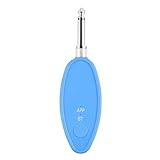
- Real-Time AI Vocal Removal:Experience studio-quality accompaniment in seconds. Our advanced AI algorithm accurately isolates and removes vocals from any song playing on your phone, delivering pristine instrumentals for karaoke or practice.
- 10-Level Precision Adjustment & APP Control:Unleash your inner superstar with precise vocal elimination from 10% to 100%. Remotely fine-tune the level via the dedicated app to find the perfect balance for any song, from subtle backing tracks to pure instrumentals.
- Universal Compatibility w/ Karaoke Machines & Speakers:Seamlessly connect to any system via dual 6.5mm or 3.5mm audio interfaces. Stream music wirelessly through Bluetooth 5.2. The ultimate bridge between your phone and professional karaoke setups—no more endless searching for official accompaniments.
- 6-Hour Long Battery & Type-C Fast Charging:Powered by a reliable 400mAh battery for up to 6 hours of uninterrupted singing. The integrated Type-C port ensures quick recharging, keeping the music playing at parties, gatherings, or wherever you go.
- The Perfect Gift for Music Lovers:Compact, lightweight, and incredibly easy to use. EASTROCK Vocal Remover is the ideal gift for family, friends, and any music or karaoke enthusiast, turning every gathering into an unforgettable celebration.
It suits a short song when you want to compare the isolated voice with the backing before deciding whether to keep working. TuneStems is web-only, and its several credit packs and subscription tiers make paid pricing less straightforward than its free trial.
3. StemConsole: Best For Balancing The Vocal And Backing
StemConsole pairs free vocal/instrumental separation with a browser mixer, so you can solo, mute and blend the parts before downloading a mix. A free account includes 5 splits per month, including 2 multi-stem splits; the site also states 3 splits before signup and no watermarks. Free access includes WAV and MP3 downloads.
The Tool Desk
Outbyte PC Repair FREERepair Windows errors before they cause bigger problemsFix Now →Outbyte Driver Updater FREEScan for outdated or missing drivers - takes under a minuteDriver Scan →Shopping ad

- Pro performance with great pre-amps - Achieve a brighter recording thanks to the high performing mic pre-amps of the Scarlett 3rd Gen. A switchable Air mode will add extra clarity to your acoustic instruments when recording with your Solo 3rd Gen
- Get the perfect guitar and vocal take with - With two high-headroom instrument inputs to plug in your guitar or bass so that they shine through. Capture your voice and instruments without any unwanted clipping or distortion thanks to our Gain Halos
- Studio quality recording for your music & podcasts - Achieve pro sounding recordings with Scarlett 3rd Gen’s high-performance converters enabling you to record and mix at up to 24-bit/192kHz. Your recordings will retain all of their sonic qualities
- Low-noise for crystal clear listening - 2 low-noise balanced outputs provide clean audio playback with 3rd Gen. Hear all the nuances of your tracks or music from Spotify, Apple & Amazon Music. Plug-in headphones for private listening in high-fidelity
- Everything in the box: Includes Pro Tools Intro+, Ableton Live Lite, Cubase LE, and Hitmaker Expansion: a suite of essential effects, powerful software instruments, and easy-to-use mastering tools
Choose it when the goal is not only to remove a singer but also to adjust how much of the original backing remains. It also offers pitch-preserving changes, loops and custom mix bouncing. It is web-only, has no batch processing, integrations or public API; check the vendor’s site for current limits and which mixer controls apply to the free plan.
4. Fadr: Best For Vocal Removal With Remix Tools
Fadr Basic is free and supports unlimited stems, remixes and DJ sets with high-quality MP3 downloads, according to its site. Its Basic plan includes stem separation and MIDI detection, while Fadr’s stem information lists vocals and 15 other instruments. This makes it useful if vocal removal is one step in a broader remix workflow.
Shopping ad

- [Reliable Dual Inputs for Daily Use] This Q-12 audio interface provides professional 16-Bit/48kHz resolution for pristine sound. Unlike others with popping noise, our upgraded chip ensures crystal-clear XLR and 3.5mm inputs for your daily music production.
- [48V Phantom Power & Zero Latency] Capable of driving condenser mics with switchable 48V power. Say goodbye to high latency; this xlr interface features fast transmission rates. Users report seamless vocal tracking without annoying audio delays.
- [Plug and Play] Functioning as a stable audio interface for PC via USB connection. Powered directly from your computer, no external adapter needed. Simply plug in and start your mobile karaoke or on-the-go music creation without extra setup.
- [Budget Starter Equipment & Durable] An ideal audio interface designed for students and beginners building a 2-channel home studio. Unlike fragile alternatives, its solid build ensures long-lasting use for home karaoke and network streaming.
- [Easy Workflow] Beginners want a frustration-free setup. Enjoy low power consumption and a stable signal, letting you focus purely on your imagination.
Fadr Plus is listed at $10 USD per month, billed monthly, and adds 18 stem types, one-hour uploads, WAV downloads, a DAW stems plugin and API access. Basic does not include those Plus stem types or Plus downloads and integrations. Check the vendor’s site for the exact separation targets and current plan details.
5. Moises: Best For Moving Between Devices
Moises offers a web app, desktop software, and iPhone, iPad and Android apps. Its free tier allows up to 5 uploads per month, with each file up to 5 minutes, and some separation options require a paid plan. It can separate vocals, drums, bass, guitar, keys and more, but the free plan’s available targets are limited.
Quick wins for a faster PC:
Repair Windows errors before they cause bigger problemsFix Now →Scan for outdated or missing drivers - takes under a minuteDriver Scan →Shopping ad

- 【All-in-One Audio Interface for Streaming & Recording】: This all-in-one interface for recording music features dual XLR/6.35mm combo inputs, dual headphone outputs for real-time monitoring, Bluetooth and AUX input for background music, 3.5mm audio output, and OTG port for direct recording or live streaming to PC or smartphone. Multiple built-in effects including voice changer, sound pads, loopback, reverb, denoise, ducker and RGB lighting simplify your setup while delivering professional sound.
- 【Pro Mic Preamp with Dual XLR & 48V Phantom Power】: Equipped with two ultra-low-noise XLR/6.35mm combo inputs and high-quality mic preamps, this audio mixer delivers clean, studio-grade sound for microphones and instruments. Supports 48V phantom power for condenser mics, precise 0–100 gain control, one-touch mute, Electric Mode with multiple key options, reverb control, denoise, ducker, loopback and voice remover—ideal for podcasting, gaming, streaming and music production.
- 【6 Voice Changer Modes & Custom Sound Pads】: This XLR audio interface offers 6 fun and creative voice changer modes—Male, Female, Robot, Monster, Baby and Elder—perfect for live streaming and gaming. Includes 4 customizable sound pads, each supporting up to 15 seconds of audio, allowing you to upload and trigger sound effects or clips instantly during podcasts or live broadcasts.
- 【RGB Gaming Audio Mixer with Real-Time Control】: Designed for streamers and gamers, the sound board features 9 adjustable RGB lighting modes with smooth transitions for an immersive setup. Individual faders and one-touch mute buttons provide precise control over MIC 1, MIC 2, LINE IN and LINE OUT channels, while ultra-low-latency headphone monitoring ensures accurate, real-time audio feedback.
- 【Wide Compatibility & Compact Design】: Compatible with XLR condenser and dynamic microphones, 6.35mm mics, and wireless lavalier systems, this USB audio interface works seamlessly with PC, Mac and Windows systems and most recording or streaming software. Compact and portable for home studios or on-the-go creators. Note: This audio interface does not include a built-in power supply and requires an external power source for operation.
It is a practical pick if you want to try a vocal split in a browser and continue on another supported device. The product lists additional standard and Hi-Fi separation models and bulk processing, but check the vendor’s site to establish which of those are included in the plan you intend to use.
6. Sonura: Best For A Simple Split Before DAW Work
Sonura’s two-stem mode separates vocals from the instrumental, and its six-stem mode returns vocals, drums, bass, guitar, piano and everything else. The site says free accounts receive monthly credits that cover several separations, and it lists WAV or MP3 uploads and downloads. Its browser-based workflow suits preparing an acapella or backing track for later editing.
Shopping ad

- The new generation of the songwriter's interface: Plug in your mic and guitar and let Scarlett Solo 4th Gen bring big studio sound to wherever you make music
- Studio-quality sound: With a huge 120dB dynamic range, the newest generation of Scarlett uses the same converters as Focusrite’s flagship interfaces, found in the world's biggest studios
- Find your signature sound: Scarlett 4th Gen's improved Air mode lifts vocals and guitars to the front of the mix, adding musical presence and rich harmonic drive to your recordings
- All you need to record, mix and master your music: Includes industry-leading recording software and a full collection of record-making plugins
- Everything in the box: Includes Pro Tools Intro+, Ableton Live Lite, Cubase LE, and Hitmaker Expansion: a suite of essential effects, powerful software instruments, and easy-to-use mastering tools
Commercial-use clearance is listed among its strengths, but the scope and conditions are not detailed here. Paid plans start at $20 per month, and there is no API; check Sonura’s current plan and terms for the credit allowance and any usage conditions.
Independent reader supportYour contribution helps us test, update, and keep practical guides available for everyone.How To Get A Useful Vocal Split
- Choose a source file you are allowed to use, and decide whether you need the instrumental, the isolated vocal, or both.
- Check the free plan’s length, upload and export limits before uploading. For example, TuneStems caps its stated free trial at 5 minutes per track, while Moises Free caps uploads at 5 minutes each and 5 per month.
- Upload the original mixed track, select vocals/instrumental or the equivalent two-stem mode, and wait for the service to separate it.
- Preview both outputs. Listen for instrumental sounds left in the vocal stem or vocal remnants in the backing, then adjust the mix where a browser mixer is available.
- Download the format offered by your chosen plan, then check that the files play and are long enough for your intended edit.
For example, to make a practice backing track, upload a song you have permission to process, choose the vocal/instrumental split, preview the instrumental, and download it if the free plan’s format and limits suit your use. To inspect a vocal, download the vocal stem instead. Separation can leave musical artifacts, especially where voice and instruments overlap; judge the actual output rather than assuming a clean studio vocal.
Rights And Service Terms
Only upload music and vocal recordings you have permission to process. If a recording includes another person’s voice, get their consent, and check the selected platform’s terms for storage, use, downloads and any commercial use before sharing or publishing the result. This roundup does not establish the terms for a particular track or use.




