Quick wins for a faster PC:
Scan for outdated or missing drivers - takes under a minuteDriver Scan →Repair Windows errors before they cause bigger problemsFix Now →Specifiction is reader-supported. When you buy through links on our site, we may earn an affiliate commission. As an Amazon Associate I earn from qualifying purchases. Learn more
AI music fuses genres by treating a track’s style as adjustable layers: rhythm, harmony, instrumentation, vocal delivery, tempo, and production character. A useful prompt names the source genre, the destination genre, what must remain recognizable, and which musical layer should change. For example: “Keep this funk bass line and syncopation, but arrange it as spacious ambient electronica at a slower tempo, with clean electric piano and no vocals.”
What Makes Genre Fusion Work
A convincing hybrid keeps a musical anchor while changing selected traits. The anchor might be a hook, chord movement, drum pattern, vocal cadence, or instrument. The new genre then supplies a different groove, sound palette, structure, or energy. If every layer changes, the result can sound like an unrelated track rather than a fusion.


As an Amazon Associate I earn from qualifying purchases.
- Choose an anchor: identify the melody, lyric, groove, or recording that should survive.
- Name the destination: specify the second genre and the mood or occasion, such as “jazz-influenced house for a late-night set.”
- Control the handoff: request changes to tempo, drums, bass, harmony, instruments, or vocal approach instead of relying on “make it better.”
- Revise one variable at a time: compare a rhythm change with an instrumentation change so you can hear what actually improved.
A Practical Genre-Fusion Workflow
- Write the brief. State the source style, destination style, anchor, tempo direction, key instruments, vocal requirement, and intended use.
- Start from text or audio. Use text when you want a new composition; upload a recording when its melody or groove must remain recognizable.
- Generate several arrangements. Keep the same anchor while changing one parameter, such as drum language or era.
- Listen for identity. Check whether the hook, cadence, or rhythmic feel still communicates the source genre.
- Edit the strongest version. Replace sections, extend an arrangement, remix, or separate stems when the product supports that operation.
- Check rights before release. Confirm that you own or are authorised to transform uploaded material and read the platform’s current commercial-use terms.
Tools That Support Genre Fusion
Suno
Suno generates complete songs with vocals, lyrics, instrumentation, and production from a text prompt across every genre. It can change a song’s style, rewrite lyrics, or rebuild a track around your own recording, which suits experiments such as “turn this acoustic folk idea into cinematic drum and bass while keeping the chorus melody.” Editing, remixing, extensions, section replacement, and stem export help you refine the hybrid. The service is available on web, iOS, and Android; Suno Studio is limited to Premier. The Free Plan does not include commercial rights or stem separation, while paid subscribers’ creations have commercial-use rights under Suno’s stated terms. Upload only recordings you have permission to use.
Mureka
Mureka’s system is described as learning how instruments interact across genres. You can set genre, mood, tempo, and instrumentation, then generate from text, lyrics, styles, or reference audio. That makes it suitable for a brief such as “combine bossa-nova guitar rhythm with modern R&B drums and a restrained vocal.” Remixing, extensions, vocal generation, voice cloning, multitrack editing, stem separation, and audio/MIDI export support deeper arrangement work. Mureka states that downloaded tracks include full commercial rights, but voice cloning still requires appropriate consent. Studio access and up-to-12-stem splitting are reserved for Premier, and its conversational DAW control centers on Ableton Live and Reaper.
Shopping ad
OVOV
OVOV supports 50-plus genres and lets one prompt blend several styles, with synced vocals and custom lyrics or an instrumental-only mode. Try “blend synthwave, folk, and cinematic scoring; keep the folk fingerpicking under a wide electronic chorus.” OVOV provides 20 free credits on signup; paid generations include commercial-use rights and no watermark according to its stated information. Check the current credit cost and terms before publishing a paid result, and do not provide a voice or lyric you are not authorised to use.
Songer AI
Songer AI has a twelve-genre wheel and explicitly lets you mix any two for a hybrid track. Its named options include Pop, Hip Hop, Rock, EDM, Country, Jazz, R&B, Latin, Indie, Lo-Fi, Classical, and Ambient. A focused prompt could be “Latin percussion with lo-fi chord voicings, soft vocals, and a compact arrangement for a travel video.” It composes vocals, lyrics, and arrangement, and offers MP3 downloads. Songer describes the output as royalty-free; subscription cycles provide bonus coins, with 40 on Weekly, 100 on Monthly, and 1,000 on Annual. Verify the applicable subscription and usage terms for your release.
Crashes, No Sound, or Screen Glitches?
Random freezes, missing sound and display glitches usually trace back to one bad driver. Find and replace yours safely.Free scan · under a minuteWindows Errors? Fix Them Before They Spread
Repair common Windows errors and clear accumulated junk for a smoother, more stable PC - no reinstall needed.Free scan · no reinstallShopping ad
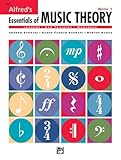
- An all-in-one music theory course designed for students of any age — whether listeners or performers — who want a solid understanding of the language of music
- Covers foundational concepts including staff, notes, pitches, clefs, time signatures, note values, dynamics, flats, sharps, and whole and half steps across 25 concise lessons
- Combines reading and writing exercises with ear-training support (CDs sold separately) and unit reviews to reinforce learning and test knowledge retention
- Compatible with optional computer software featuring randomized drilling and scorekeeping for interactive, self-paced study
- Part of a complete product line including Teacher's Answer Keys, Flash Cards, Double Bingo games, and Reproducible Teacher's Activity Kits for studio and classroom use
Mubert AI Music Remixer
Mubert remixes an uploaded track into House, EDM, Hip Hop, Lo-fi, Jazz, and more than 50 styles and subgenres. You can ask for a pop hook to become lo-fi, cinematic, dance, trap, or ambient, and choose an instrumental-only result by removing vocals. It accepts MP3, WAV, OGG, M4A, AAC, FLAC, and WMA uploads; creating a remix costs five credits. Rights for your source and the resulting remix are not established in the supplied information, so check Mubert’s current licence before release and upload only authorised audio.
AI Remix Music Generator
This workflow is designed for a recognizable remix: upload a track, pick the tempo, genre, and energy, then adjust how strongly the source audio should influence the result. It accepts MP3, WAV, OGG, M4A, FLAC, and AAC. Raise the audio weight when the original should remain prominent; lower it when the new genre should dominate. The service does not currently issue a commercial-use licence or certificate, so treat the output as exploratory unless its terms change and you have confirmed permission for the source recording.
Audjust AI Song Cover Generator
Audjust restyles a source track you own while following its melodic direction. Describe the new genre, era, instruments, tempo, and vocal qualities; for example, “keep the melody, recast the arrangement as 1970s soul with modern electronic bass.” Uploads can be MP3, WAV, M4A, AAC, OGG, or FLAC, up to 50 MB and eight minutes; a generation costs 30 Audjust credits. Audjust says to upload only material you own or are authorised to transform and does not grant rights to third-party music or on-demand cloning of a named artist.
RiffGen Remixer AI
RiffGen describes genre transformation, instrument replacement, and multiple variations for existing tracks, including moves from rock to jazz or electronic to classical. It can also create complete songs from your lyrics or AI-generated lyrics in a chosen style. Use a constrained request such as “retain the rock riff, replace the drum kit with a jazz ride pattern, and leave the vocal space open.” Commercial licensing, upload rules, and voice-consent terms are not stated in the supplied information; check RiffGen before distributing a result.
Shopping ad

- Format: Book & 2 CDs
- Category: Textbook - General
- Contributors: By Andrew Surmani, Karen Farnum Surmani, and Morton Manus
- Pub Date: 8/2004
- Series: Essentials of Music Theory
SongIntent
SongIntent is a rap-first, multi-genre workspace built around creator-controlled revisions. Its examples span rap, melodic rap, pop, R&B, and country, and its workflow accepts an idea, lyric, flow, beat, or reference before you shape cadence, rhyme, structure, and hook. That is useful for a hybrid where the vocal identity must stay deliberate, such as “melodic rap verses over a country-style chorus and acoustic guitar.” The Free plan allows one render, five AI assists, and one active project per month; audio renders and project capacity vary by plan. Commercial-use terms are not stated here, so check the current service terms.
Independent reader supportYour contribution helps us test, update, and keep practical guides available for everyone.Choosing The Right Fusion Method
| Need | Good Fit | Why | Rights Information |
|---|---|---|---|
| Build a new song from a detailed style brief | Suno, Mureka, OVOV | Text prompts can specify multiple genres, instrumentation, mood, and vocals. | Suno and OVOV state commercial-use conditions; Mureka states full commercial rights for downloads. |
| Mix two named genres quickly | Songer AI | Its genre wheel explicitly supports mixing any two of twelve named genres. | Songer describes output as royalty-free; verify current terms. |
| Transform an existing recording | Mubert, AI Remix Music Generator, RiffGen | These workflows focus on remixing or transforming an uploaded track. | AI Remix Music Generator currently has no commercial-use licence; check Mubert and RiffGen terms. |
| Create a cover-style restyling | Audjust AI Song Cover Generator | It follows the source melody while changing genre and arrangement. | You must own or be authorised to transform the upload. |
| Keep rap cadence and lyric control central | SongIntent | Its workflow exposes cadence, rhyme, structure, and hook revisions. | Commercial-use terms are not stated; check the service. |
Common Failure Modes
- Genre soup: naming too many styles without an anchor can produce an unfocused arrangement. Start with two clear roles: one supplies the groove and one supplies the sound palette.
- Lost identity: if the hook disappears, ask the system to preserve the melody, cadence, or source audio while changing only drums and instrumentation.
- Era mismatch: specify production details such as dry or spacious drums, acoustic or synthetic bass, and the intended energy instead of naming an era alone.
- Rights confusion: a generated cover or remix does not automatically clear the underlying recording, lyrics, voice, or sample. Confirm consent and each platform’s terms before publishing.
What To Check Before Publishing
Export the version whose source identity and new genre are both audible, then review the credits or plan that produced it. Confirm whether commercial use, stems, downloads, and uploads are covered for that plan. Keep written permission for any recording, voice, lyrics, or sample you supplied, and recheck the vendor’s current terms because unsupported licensing details should not be assumed.
Quick Recap
Product prices and availability are accurate as of the date/time indicated and are subject to change. Any price and availability information displayed on Amazon at the time of purchase will apply.




