Specifiction is reader-supported. When you buy through links on our site, we may earn an affiliate commission. As an Amazon Associate I earn from qualifying purchases. Learn more
You can sketch a diss track in under a minute by writing four pointed bars, choosing a steady rap cadence, and recording them over a beat you already have. The tools listed here support lyric writing and refinement, but none is established as generating or recording a complete diss track on its own. For the fastest route, use a notes app or any lyric workspace you already know, then speak the bars over a beat or tap the rhythm without one.
What Makes A Diss Track Work In 60 Seconds
A quick diss needs one clear target, one specific behavior to call out, and a punchline listeners can remember. It does not need a long backstory or a stack of insults. Keep it aimed at a public claim, a rivalry, or a harmless shared joke; avoid private details and threats. The musical job is to make each line easy to understand on first listen.
As an Amazon Associate I earn from qualifying purchases.
- Choose one angle: a boast that does not match the results, a repeated excuse, or a predictable habit.
- Use a four-bar shape: set up the angle in bars one and two, then land the turn or punchline in bars three and four.
- Make the rhythm speakable: use short phrases and stress the important words near the same points in each bar.
- End on the strongest word: place the reveal, rhyme, or punchline at the end of a line so it is not buried in extra wording.
Build A Draft In Under A Minute
Use this timed sequence as a sprint, not a promise that every finished recording will take exactly 60 seconds. If you are using an unfamiliar site or need to sign up, that setup time is separate. Have a beat ready if you want to rap along; otherwise, write to a steady count and test the cadence by speaking it aloud.
- 0–10 seconds: Name the target and angle. Write a private shorthand such as “their big talk versus their follow-through.” Keep the song focused on that single contrast.
- 10–20 seconds: Pick one detail. Choose an observable, non-private example that listeners can understand without a long explanation. If the listener needs context, compress the setup.
- 20–35 seconds: Draft four bars. Put the claim in the opening, sharpen it with the detail, then use the last two bars to flip the claim into a punchline. Do not spend this pass chasing perfect rhymes.
- 35–45 seconds: Check rhyme and breath. Read each bar at the pace you intend to rap. Replace words that trip your tongue, and try an end rhyme or near rhyme only if it keeps the meaning clear.
- 45–55 seconds: Add performance cues. Mark a pause before the punchline, capitalize the word you want to stress, or label the bars as a verse. These are notes for your delivery, not claims about what a music generator will do.
- 55–60 seconds: Record or save. Record a rough voice take on a device you already use, or save the text and rap it over a beat later. Listen once for clarity: can someone follow the setup and catch the punchline?
Use A Concrete Prompt Without Losing Your Voice
If you use an AI lyric assistant, give it boundaries and raw material instead of asking for a generic “brutal diss.” For example: “Draft four rap bars about an opponent who keeps announcing plans but never finishes them. Make the punchline about the gap between the announcement and the result. Keep it witty, avoid threats and private details, and leave space for a pause before the final line.” Treat the output as a rough draft: keep only lines that sound natural when you say them, and check every factual jab yourself.
Shopping ad

- TACTICAL TOY TROOP BATTLES: Lead your toy troops across land, sea, clouds, and space, capturing enemy HQs or controlling regions for victory.
- UNIQUE TERRAIN VARIETY: Play on 8 different terrains like Castle Field, Volcanic Jungle, and City of Clouds, each offering dynamic challenges and strategy.
- FAST-PACED & STRATEGIC: Designed for 2 players, this game combines quick thinking and tactical tile placement, with games lasting just 15 minutes.
- FAMILY-FRIENDLY FUN: Perfect for ages 8 and up, Toy Battle is an accessible and exciting game for casual players, families, and strategy enthusiasts.
- HIGH-QUALITY COMPONENTS: Includes 48 troop tiles, 4 double-sided boards, 16 medal markers, and more for an engaging and replayable experience.
For a flow pass, ask for shorter phrasing and a consistent cadence, then speak the revised lines aloud. A tool’s general rhyme or rhythm support does not establish that it understands diss tracks, a particular rap subgenre, or a specific beat. If you want a named style, language, tempo, or beat interaction, verify that the product supports that exact detail before relying on it.
Pick A Lyric Tool For The Part You Need
These options are lyric workspaces or writing tools, not confirmed one-click diss-track makers. Choose by the job you need done fastest; their general-purpose features do not establish a vendor-supported diss-track mode.
The Tool Desk
Outbyte PC Repair FREERepair Windows errors before they cause bigger problemsFix Now →Outbyte Driver Updater FREEScan for outdated or missing drivers - takes under a minuteDriver Scan →Shopping ad

- THE ORIGINAL: This fast action puck sliding game powered by your fingers is the original by Blue Orange. A game of Fastrack is filled with non-stop thrills and sporty action! Fastrack is a beautiful wooden tabletop game for 2 players, 5 to 99 years old.
- FAST ACTION & ACTIVE GAME: Use lightning-speed hand-eye movement to slide the pucks across the rink to the opponent's side. Encourages rapid finger movement and enhances dexterity. A 2-player game perfect for any gathering with family and friends.
- HOW TO PLAY: Fire the discs through the small slot to the other side of the board using the elastic cord to launch them. Clear your side first and WIN! Aim carefully but act fast or you’ll be bombarded by your opponent’s zooming discs.
- KIDS, TEENS, FAMILY OR ADULT GAME: This 1 vs 1 Skill Action Game can be enjoyed by children and teens playing together, parents playing with their children as well as adults. Best recommended for ages 5 & Up. Easy to play and hard to master!
- BEST SELLER: Fastrack is part of the Blue Orange Award-winning best sellers series. Blue Orange offers some of the best board games for parties and gatherings like Gobblet, Cross Clues, Dr. Eureka or Kingdomino.
| Tool | Useful supported capability | Practical limit for this sprint |
|---|---|---|
| RHYMEBOOK | Generates lyrics with genre, mood, theme, and song-structure controls; rhyme tools include perfect, near, and multisyllabic rhymes. | The Free plan allows 25 AI suggestions per month and 3 Ghostwriter chats per month; text is the listed export format. Rap or diss-track support is not specifically established. |
| SongIntent | Supports lyric, flow, beat, and melody workflows, with cadence capture, structure, and line-level revisions. | The Free plan includes 5 AI assists monthly and 1 render per month. Diss-track-specific generation is not established; it is web-only. |
| Prompt Maschine | Offers rap-flow modes, a rhyme engine, 15 section types, and integrations with Suno, Udio, and other music platforms. | The Free plan is limited to 3 generations per day. Its focus is lyrics and prompts, not full music production; a diss-track mode is not established. |
| RhymesLab | Combines rhyme detection, line suggestions and rewriting with syllable, BPM, and beat-grid analysis. | The Free plan limits saved songs to 5. The listing does not establish diss-track-specific output or a particular rap style. |
| Lyriq | Maps lyrics to beats with tempo controls and lyric-to-bar mapping; includes contextual rewrites and rhyme-map analysis. | It is described as early beta, and advanced writing, beat, and recording tools require Lyriq Pro. Diss-track support is not established. |
| RhymeFlux | Provides rhyme highlighting, syllable counts, Beat Grid tracking, and AI help for starter bars, next lines, and rewrites. | The Free plan allows 15 AI credits every 30 days and one active song. The listing does not establish prompt-generated full diss lyrics. |
| LyricDraft | Creates structured lyric drafts from a concept, preserves supplied lines during completion, and includes Suno and Udio prompts. | Free access is a one-time 18-credit pack; the web tool does not accept melody input. Diss-track-specific support is not stated. |
Keep The Beat And Delivery Simple
For a one-minute writing sprint, the beat should make the words easier to deliver, not create another task. If you already have a beat, test the four bars against it and adjust syllables where you run out of breath. If you do not, use a steady spoken pulse and record a voice memo; the article’s listed lyric tools do not establish a complete beat-generation or finished-audio workflow for this specific task.
Do not assume that a lyric prompt can control beat tempo, vocal tone, or pauses unless the product listing says it can. SongIntent lists beat and melody workflows, and Lyriq lists beat mapping and tempo controls, but neither fact by itself establishes a finished diss-track generator. Check the vendor’s site for any specific audio, export, device, or genre capability you need.
Shopping ad

- Strategic Team-Based Gameplay: Command aquatic factions in intense two versus two battles where every alliance decision determines victory, delivering the complex tactical depth serious strategy gamers demand
- Over One Hundred Detailed Miniatures: Experience stunning visual immersion with one hundred thirteen intricately sculpted plastic miniatures that transform your tabletop into a dynamic underwater battlefield
- Infinite Replayability Through Dynamic Setup: No preset alliances or starting positions mean each game unfolds differently, keeping veteran players engaged through unpredictable faction combinations and shifting strategic landscapes
- Proven Axis & Allies Mechanics Reimagined: Master familiar core gameplay rules enhanced by an entirely fresh underwater setting and four unique aquatic factions with distinct strategic strengths
- Perfect for Four Players in Ninety Minutes: Balanced two versus two team structure creates meaningful player interaction and competitive tension while maintaining engaging play sessions without excessive downtime
Review The Bars Before Sharing
- Clarity: Remove references that only your closest friends understand unless that is the intended audience.
- Accuracy: Keep claims grounded in information you can stand behind; an AI suggestion does not verify a factual allegation.
- Performance: Rap the draft once at the intended pace. Cut a word if it crowds the beat or obscures the punchline.
- Rights and consent: Get consent before using another person’s voice, recording, or material. Review the terms of any platform you use for beats, samples, generated audio, or commercial release; the available information here does not establish those rights.
When time is tight, a clean four-bar idea with one clear turn is enough for a rough diss-track sketch. Save the take, then revise it later if you want a stronger beat fit or a more polished recording.
Quick Recap
Shopping ad
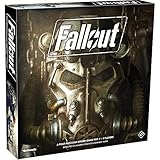
- SURVIVE AND THRIVE: Immerse yourself in a post-apocalyptic world where survival is just the beginning.
- EXPLORE THE WASTELAND: Roam through a devastated landscape, encountering mutated creatures and challenges.
- QUESTS AND SKILLS: Complete challenging quests and enhance your survivor's skills for ultimate success.
- BALANCE THE FACTIONS: Navigate the feuding factions as you secure your spot in a changing society.
- BASED ON THE HIT VIDEO GAME: Experience the Fallout universe in this exciting adventure board game.




