Specifiction is reader-supported. When you buy through links on our site, we may earn an affiliate commission. As an Amazon Associate I earn from qualifying purchases. Learn more
Make a short Halloween music video by creating an original, tightly structured track, assembling eerie visuals to its sections, and syncing a few deliberate cuts to musical changes. Suno is a plausible starting point because it generates songs with vocals, lyrics, instrumentation, and production, and supports editing and section replacement; its listing does not establish a Halloween genre preset or a video-generation feature, so treat the spooky direction below as a prompt brief and make the video in a separate editor.
Plan The Halloween Mood And Story
Choose one clear idea before generating anything: for example, a candlelit haunted house, a playful monster parade, or a suspenseful walk through a foggy forest. A music video feels more coherent when the images follow a simple progression—arrival, strange discovery, escalating scare, and final reveal—instead of cycling through unrelated Halloween imagery.
| # | Preview | Product | Price | |
|---|---|---|---|---|
| 1 |

|
Halloween: Best of 50 Halloween Favorites | $9.99 | Buy on Amazon |
| 2 |
![Halloween Howls: Fun & Scary Music[Deluxe]](https://m.media-amazon.com/images/I/51ESypKFg8L._SL160_.jpg)
|
Halloween Howls: Fun & Scary Music[Deluxe] | $12.79 | Buy on Amazon |
| 3 |
|
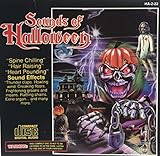
Sounds Of Halloween | $6.41 | Buy on Amazon |
| 4 |

|
Monster Halloween Hits (3CD) | $16.11 | Buy on Amazon |
| 5 |

|
KIDZ BOP Halloween Party! | $10.49 | Buy on Amazon |
As an Amazon Associate I earn from qualifying purchases.
What’s actually slowing this PC down?
Pick the symptom - the matching free tool is one click away.
For the music, decide whether the scene should feel frightening, mischievous, or cinematic. A suspenseful cue can use a slow pulse, sparse low notes, dissonant accents, and a sudden rise; a playful one can use a brisker beat, bouncy bass, and theatrical lyrics. These are creative directions, not claims about preset genres or controls in a particular product.
Generate A Track In Suno
- Open Suno. Use the web version or its iOS or Android app. The available information confirms song generation with vocals, lyrics, instrumentation, and production, plus editing, remixing, extensions, section replacement, and stem export.
- Write a specific brief. Describe the mood, pacing, sound sources, vocal choice, and structure. For example: “Original Halloween soundtrack for a 45-second haunted-house video; eerie and cinematic, slow pulsing percussion, low sustained strings, music-box notes, distant wordless choir, tension builds to a sharp final hit; instrumental, no recognizable melody or sampled recording.” The named sounds and duration are creative instructions; the listing does not guarantee a particular result or exact runtime.
- Generate and listen for a usable arc. Keep a version whose opening establishes the setting, middle builds tension, and ending gives you a clear reveal or cutoff. If the result is too cheerful, crowded, or vocal-heavy, revise the brief and generate another version. Do not assume a specific Halloween style is a built-in option.
- Refine only the weak section. Suno lists section replacement and extensions, so use those editing capabilities to work on a section that does not fit the intended rise or ending. Exact controls and availability can depend on the plan; check Suno’s site for current details.
- Export only what your workflow needs. Stem export is listed as a capability, but the Free Plan does not include stem separation. If you need separate parts for precise audio editing, check the current plan terms and export options before building the edit around them.
Build The Video Around Musical Changes
- Mark three to five moments in the track. Note the opening, first tension increase, strongest accent, and ending. Use these as edit points; you do not need to cut on every beat.
- Gather visuals that follow the story. Use footage or stills you have permission to use: a door opening, a candle going out, a shadow crossing a wall, then the reveal. If generating or sourcing visuals with another service, confirm its current capabilities and usage terms separately; no video-generation tool is established here.
- Assemble the sequence in a video editor. Place the track on the timeline, align the reveal or strongest visual change with the musical climax, and leave enough quieter space for suspense. The specific editor and its features are your choice; they are not specified by Suno’s listing.
- Check the mix and ending. Listen through the video on headphones and a phone speaker. Make sure any dialogue or sound effects remain understandable, and that the final image does not cut off before the musical ending.
Check Rights And Platform Disclosure
Before publishing, check Suno’s current terms for the rights attached to your plan and intended use. The Free Plan is listed as not including commercial rights. Get consent before using someone’s voice or likeness, and check the applicable platform terms for any voice, cover, sample, or reference material; the available product details do not establish specific permissions for those uses.
Shopping ad
If you publish on YouTube, its altered-or-synthetic content label is required for realistic synthetic content that could be mistaken for a real person’s performance. YouTube’s inauthentic-content policy targets mass-produced, repetitive, or template-based uploads, not AI use by itself, so make the video specific to its own story and edit rather than repeating a generic template. YouTube policy clarification and dated policy timeline.
Quick Recap
Shopping ad
- KIDZ BOP is the #1 children's music brand! KIDZ BOP's family-friendly new album, KIDZ BOP Halloween Party!, is the perfect Halloween soundtrack for costume parties, trick-or-treat bags or just greeting some miniature monsters at your door! Featuring 15 monster hits sung by kids for kids like "Spooky Scary Skeletons," "This Is Halloween," "I Want Candy" plus seriously spooky sounds, KIDZ BOP Halloween Party! is sure to be an instant favorite among families everywhere
Shopping ad
Shopping ad
Shopping ad
- Shake those chains, rattle those bones and let the ghoul times roll! Andrew Gold's Halloween classic is reissued on CD featuring reimagined cover artwork from acclaimed illustrator Jess Rotter
Product prices and availability are accurate as of the date/time indicated and are subject to change. Any price and availability information displayed on Amazon at the time of purchase will apply.
The Tool Desk
Outbyte PC Repair FREERepair Windows errors before they cause bigger problemsFix Now →Outbyte Driver Updater FREEScan for outdated or missing drivers - takes under a minuteDriver Scan →



