Free tools Windows power users keep installed
One-click scans. No signup required.
Specifiction is reader-supported. When you buy through links on our site, we may earn an affiliate commission. As an Amazon Associate I earn from qualifying purchases. Learn more
You can make punk music with AI by generating a rough song or instrumental, then shaping it around punk’s essentials: a fast, driving pulse, forceful drums, distorted guitar energy, blunt lyrics, and a performance that sounds urgent rather than polished. The tools listed here do not establish specific punk presets or punk-genre support, so treat the examples below as prompt language to try, not guaranteed features or results. Check each vendor’s site for current genre controls, supported instruments, and usage terms.
What Makes A Track Sound Like Punk?
Punk is a broad family of styles, so choose a clear target before prompting. For a direct, fast song, aim for a tight drum beat, a simple repeating guitar part, a bass line that reinforces the root movement, short sections, and vocals with an urgent delivery. For a more melodic version, ask for a strong singable chorus while keeping the arrangement lean. These are musical directions, not claims about any tool’s built-in genre library.

As an Amazon Associate I earn from qualifying purchases.
Write down three anchors before opening a generator: the song’s subject, its energy, and one arrangement detail. For example: “a fed-up first-person lyric about a dead-end job; frantic and defiant; short verse, shouted chorus, abrupt ending.”
Choose A Workflow That Matches Your Starting Point
| Starting point | Tool | Why It Fits | Check Before Committing |
|---|---|---|---|
| Want a complete song with vocals | Suno | Generates songs with vocals, lyrics, instrumentation, and production; supports editing, remixing, extensions, section replacement, and stem export. | Its free plan does not include commercial rights or stem separation. Check current plan terms and confirm whether punk-specific controls are available. |
| Want detailed song editing | Eleven Music | Generates full songs with AI vocals, lyrics, or instrumental tracks; supports section editing, inpainting, genre transitions, audio references, and stems. | Free use is personal and Marketplace access is browse-only. Commercial rights vary by plan and exclude film, TV, and studio games. Verify punk support and the terms for your intended release. |
| Want to build an instrumental for further production | Beat Shaper | Generates editable drums, basslines, synths, loops, and arrangements, with piano-roll editing and MIDI, WAV, MP3, stem, and DAW project export options. | It runs in a browser. Starter downloads are MP3 only and for non-commercial use; Ableton Live project export and real-time MIDI require Producer. Punk-specific sounds are not established here. |
| Want a complete instrumental on web or mobile | Soundverse AI Beat Maker | Generates instrumentals with drums, basslines, melodies, and arrangements, and exports WAV mixes, stems, and MIDI. It is available on web, iOS, and Android. | The tool’s stated focus is complete instrumentals, not one-bar loops. Check whether its controls can produce the guitar-driven punk arrangement you want. |
Make A First Draft
- Decide what the generator should provide. If you need a vocal sketch, start with a song generator such as Suno or Eleven Music. If you want to arrange parts yourself, start with Beat Shaper or Soundverse AI Beat Maker. Do not assume a tool supports a particular punk subgenre or instrument unless its current site says so.
- Write a short, specific brief. Try: “Fast, raw punk-rock song about getting out of a dead-end town. Driving straight-ahead drums, distorted electric-guitar feel, bass locked to the drums, urgent lead vocal, short verse and explosive chorus, rough energetic production.” This is a creative prompt, not a claim that the tool recognizes each instruction.
- Give the lyric a usable shape. Supply a compact verse and a chorus with a repeated central line. Use concrete details and short phrases that can be delivered forcefully. If you want the tool to write lyrics, state the point of view and subject; review the result for clichés, accidental claims, and lines you would not want to perform.
- Generate more than one draft if credits allow. Compare whether the beat feels driving, whether the chorus is memorable, and whether the arrangement leaves space for the vocal. Credit limits and generation costs vary by product and plan; check the vendor’s current terms.
- Revise one problem at a time. Ask for a tighter verse, a more immediate chorus, a less polished performance, or a simpler arrangement. Where supported, use section editing or replacement instead of regenerating the whole track. Suno and Eleven Music list editing controls, but the exact controls available to you depend on the product and plan.
- Export only what your next step needs. For a quick share, use an available audio download. For arrangement work, use stems or MIDI only where the chosen product and plan provide them. Udio currently lists audio, video, and stem downloads as disabled during its transition period, so it is not a dependable export route for this workflow.
Turn The Draft Into A More Convincing Punk Arrangement
Listen for the parts that make the track feel too smooth or generic. Keep the rhythm and harmony simple, make the chorus arrive quickly, and favor a forceful, consistent drum pulse over ornamental fills. If the generator gives you editable parts or separate stems, adjust the arrangement in the controls it actually offers; do not count on guitar-specific editing unless the vendor documents it.
For a band-like result, a useful second prompt is: “Keep the same lyric and tempo; simplify the verse, make the chorus louder and more melodic, use a rougher vocal delivery, and end immediately after the final chorus.” Treat “rougher” and similar descriptors as requests, not guaranteed production controls. Review the audio yourself and retain only changes that improve the song.
Independent reader supportYour contribution helps us test, update, and keep practical guides available for everyone.Check Rights And Consent Before Sharing
Before publishing, check the selected product’s current plan and terms for commercial use, downloads, and any restrictions on generated or uploaded material. The listings establish different limits: Suno’s free plan excludes commercial rights and stem separation; Beat Shaper Starter is non-commercial; Eleven Music’s commercial rights vary by plan and exclude film, TV, and studio games; Soundverse lists commercial licenses for Creator & Pro. These facts do not establish that a particular punk track is cleared for every use.
Shopping ad

- One Squier Debut Series Stratocaster electric guitar, Frontman 10G amp, a padded gig bag, a strap, a cable, picks, a guitar stand, and an extra set of strings
- Designed by the most trusted name in guitar and backed by a 75-year legacy of quality and craftsmanship
- This beginner guitar kit is perfect for all ages, and it comes with a free 30-day subscription to Fender Play which includes free lessons to build your skills by playing the songs you love
- Designed for beginners, the Squier Debut Series features the iconic Fender Stratocaster in three signature colors--Black, Dakota Red and 2-Tone Sunburst; this guitar includes a super-comfortable "c" shaped neck, laurel fingerboard and thin, lightweight body for more comfort and playability.
- The Squier Debut Series Strat features three single-coil pickups with 5-way switching that offers a wide range of classic Strat tones
Use only lyrics, recordings, voice references, and samples you have permission to use. If a workflow involves cloning or imitating a recognizable person’s voice, get that person’s consent and check the platform’s voice and content terms before generating or sharing the result. The available product details do not establish a universal rule for covers, samples, or voice imitation.
Quick Recap
Shopping ad

- Real metal strings: Authentic guitar feel and sound quality that makes young musicians feel like true performers, not just playing with cheap plastic toys
- Easy volume control: Large off button lets you manage noise levels during playtime and instantly switch to silent mode when needed for quiet moments
- Perfectly sized for kids: Twenty-two inch length with lightweight design ensures comfortable handling and confident playing for ages four and up
- Complete and ready to play: Includes professional guitar strap so your child can start their first rock performances immediately without additional purchases
- Rock sound effects: Demo button activates engaging rock music that ignites imagination and makes each playtime feel like a real concert experience
Shopping ad

- MUSIC GUITAR EARRINGS : You can choose from 6 colors of cute and stylish music guitar earrings jewelry, orange guitar earrings, white music earrings, black earrings, pink earings, red electric guitar earrings. Guitar earrings will add the perfect touch to any outfit
- SIZE & DETAILS: The stylish music earring is approx: 3.31inches long, stainless steel silvertone fishhook wires is comfortable, Lead-Free, Nickel-Free, Hypoallergenic Earrings for Sensitive Ears, comfortable for the longtime wearrings
- PERFECT GIFT IDEA: Guitar earrings are perfect for any guitar player. Red and pink are favorite colors, these cute earrings will be loved by anyone wearing them, and a nice and personal gift for any guitarist and musician and for any woman or guy
- SUITABLE OCCASION: Adoshine music pink red star earrings music jewelry with multi-colors suitable for your daily wear, and can be used on many occasions, everyday wearring and New Year's Day, party, other occasions
- Fashion Punk Guitar Earrings Black White Pink Music Bass Electric Guitar Dangle Drop Earrings for Women Chic Rock Music Lovers Teacher Singer Personalized Concert Party Jewelry Gifts
Shopping ad
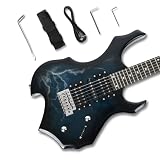
- Unique cool shape guitar crafted with cool blue lightning gradient printed veneer, high-gloss polished surface that delivers striking visual impact for metal, rock, punk and goth performances.
- HSH Pickup Configuration for Versatile Heavy & Clean Tones – Equipped with dual humbuckers (neck & bridge) + single coil middle pickup, effortlessly switch between thick distorted metal riffs, warm rock rhythm tones and crisp bright clean sounds to cover all hard rock, metal, blues playing styles.
- Complete Premium Hardware & User-Friendly Controls – Chrome metal tuning pegs, solid tremolo system, durable chrome volume & tone knobs + 5-way pickup selector switch for fast tone adjustment; stable tuning and reliable performance for daily practice and live shows.
- Complete Premium Hardware & User-Friendly Controls – Chrome metal tuning pegs, solid tremolo system, durable chrome volume & tone knobs + 5-way pickup selector switch for fast tone adjustment; stable tuning and reliable performance for daily practice and live shows.
- Nice gift for beginner practice
Final Listening Checklist
- Can a listener identify the song’s point and remember the chorus?
- Does the beat keep pushing forward without crowding the vocal?
- Does the arrangement serve the punk direction you chose, rather than drifting into a generic rock sound?
- Have you checked the export and usage terms for the exact plan you used?
- Do you have consent for any voice, lyric, recording, or sample drawn from someone else?
Product prices and availability are accurate as of the date/time indicated and are subject to change. Any price and availability information displayed on Amazon at the time of purchase will apply.




