Free tools Windows power users keep installed
One-click scans. No signup required.
Specifiction is reader-supported. When you buy through links on our site, we may earn an affiliate commission. As an Amazon Associate I earn from qualifying purchases. Learn more
Use AI music as a fast sketch partner: capture one small idea, generate several deliberately different directions, keep one useful fragment, and finish it with your own decisions. The workflow below turns a blank page into a chorus, beat, lyric, or arrangement without pretending the first generated track is the finished song.
Start With A Tiny Constraint
Creative block often grows when the brief is too large. Write one sentence containing a scene, emotion, tempo feel, and one musical image. For example: “A restless night drive, tense but hopeful, mid-tempo, with a pulsing bass and a chorus that opens into daylight.” Do not ask for a perfect song yet; ask for one next decision.


As an Amazon Associate I earn from qualifying purchases.
Windows Errors? Fix Them Before They Spread
Repair common Windows errors and clear accumulated junk for a smoother, more stable PC - no reinstall needed.Free scan · no reinstallOutdated Drivers Are Slowing You Down
One free scan finds every outdated or missing driver and matches the right update for your exact hardware.Free scan · exact hardware matchPick The Right AI Music Role
| Need During A Block | Tool | Free Access Stated In The Listing |
|---|---|---|
| Complete song sketch | Suno | 50 credits per day; 8-minute audio upload |
| Prompt-led song variations | Udio | 10 daily credits; 100 monthly credits |
| Idea-to-song revisions | SongIntent | 1 render/month, 5 AI assists/month, 1 active project |
| Lyrics and rhyme options | RHYMEBOOK | 25 AI suggestions/month, 3 Ghostwriter chats/month |
| Lyric prompts and structures | Prompt Maschine | 3 generations per day |
| Chord, melody, and DAW sketching | Song Cage | 1 song; 14-day trial |
| Collaborative lyric-and-chord work | Songcraft | 5 songs; 1 weekly exercise |
| Full track with voice and stems | Mureka | Paid listing; annual Basic plan is $8/month equivalent |
Choose one role for the current block. Switching tools before you save an idea usually creates more browsing than writing.
Follow This Five-Step Unblocking Loop
- Describe the seed. Write the one-sentence constraint, then add a reference to motion (“walking bass,” “staccato guitar,” or “half-time drums”) and a structure target such as “verse, pre-chorus, chorus.”
- Generate three contrasts. Keep the subject constant while changing one variable: tempo feel, emotional temperature, or instrumentation. Label the results A, B, and C immediately.
- Extract one keeper. Save a line, chord movement, rhythm, vocal contour, or eight-bar section. Delete the rest from your working view so the choice stays manageable.
- Regenerate around the keeper. Ask for two alternatives that preserve the keeper’s role but change the surrounding section. This is a comparison exercise, not a request to copy a performer.
- Finish outside the prompt. Rewrite awkward words, choose the final structure, record your own take, or move the material into your DAW. Treat generated audio as a draft until you have checked the platform’s current terms.
Use Suno For A Fast Full-Song Sketch
Suno generates songs with vocals, lyrics, instrumentation, and production, and supports editing, remixing, extensions, section replacement, and stem export. For a block, start with a short brief rather than a biography:
Shopping ad
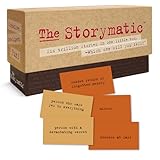
- Tons of Writing Prompts: A go-to writing and teaching tool used by writers, performers, artists, and creative people around the world; These 540 cards can help with writer’s block and can get your creative juices flowing; Great gift for writers
- How to Use: The basics are super easy: combine character cards with complication cards and follow your imagination into a story; Includes a booklet with prompts, suggestions, and non-competitive storytelling games; Great gift for teachers
- Kickstart Your Creativity with Storytelling Cards: Warm up your brain, tap your imagination, spark your creative thinking; Help writer’s block; Liven up classrooms, homeschool, remote learning; Explore the story prompts by yourself or in a group
- Creative Gift for Writers: Plus teachers, students, songwriters, aspiring novelists, storytellers, improv clubs, families, teens, artists, and anyone who likes stories; A creative housewarming gift and icebreaker; Bring it to game night; Ages 12+
- Creative Inspiration: The Storymatic Classic offers engaging writing prompts and games designed to spark imagination and creativity; Made in the USA
“Mid-tempo alternative pop about choosing to begin again; intimate verse, rising pre-chorus, wide singable chorus; pulsing bass, clean guitar, restrained drums; avoid named artists and clichés.”
Generate a few versions, then use an extension or section replacement only after identifying the section that works. The Free Plan does not include commercial rights or stem separation, so confirm your plan and the current terms before releasing or monetising a result.
Recommended Free Tools
Shopping ad

- CURATED COLLECTION OF CREATIVE WRITING PROMPTS - Words Are Hard is a dazzling deck of thought-provoking writing prompts designed to get your brain moving. Explore every corner of your imagination with 150 story prompts spanning 8 genres, including fantasy, science fiction, historical fiction, romance, horror, children’s, mystery, and adventure.
- UNLOCK YOUR CREATIVITY - Embrace the power of story cards to hone your creative skills and awaken the storyteller within you. Every shuffle sparks a new story, a fresh idea, and a burst of imaginative energy! These creative writing cards make it easy to overcome the first and hardest obstacle of writing: getting started.
- EASY-TO-USE STORYTELLING CARDS - Ready to get the creative juices flowing? Simply choose a prompt and start writing. Let your mind roam and your ideas flow freely onto paper or your Freewrite screen. Allow the story prompts to lead you in unexpected directions as you push boundaries and discover new ways to use your narrative skills.
- IDEAL GIFT FOR WRITERS - This writing prompt box will deliver inspiration for years to come, making it one of the best gifts for writers. Each card is a work of art featuring stunning genre illustrations. A beautiful matte black case with gold foil accents and a custom embossed wooden stand complete this set.
- FIND YOUR FLOW WITH FREEWRITE - Freewrite distraction-free drafting devices and accessories are adored by writers worldwide for unlocking more prolific writing sessions. The Words Are Hard creative writing cards provide a fantastic way to jumpstart your creativity, reignite your passion, and achieve your literary goals.
Use Udio To Explore Prompt Variations
Udio generates vocal or instrumental songs from text prompts and lyrics, with lyric editing, voice-reference blending, audio transformation, extension, and Sessions timeline refinement. Keep a variation log: change only one phrase such as “more syncopated,” “lower vocal register,” or “instrumental chorus.” Audio, video, and stem downloads are disabled during its transition period, and stem export is currently disabled, so plan to keep the output as a listening sketch unless the service changes those terms.
Use SongIntent When The Idea Needs Shaping
SongIntent can generate from ideas, lyrics, flows, beats, or melodies, with cadence capture, melody sketches, structure controls, and line-level revisions. Use the five-assist free allowance on decisions that unblock writing:
Shopping ad
- Paste a rough chorus and ask for three cadence-preserving rewrites.
- Hum or describe a melody sketch, then request two contrasting verse contours.
- Ask for a structure that gives your strongest line a delayed chorus reveal.
Its free plan allows one active project and one render per month, so save text revisions before experimenting with audio.
Use RHYMEBOOK For A Stuck Lyric
RHYMEBOOK supports genre, mood, theme, and song-structure generation, plus perfect, near, and multisyllabic rhymes in 24 languages. Put your own plain sentence beside the target sound:
The Tool Desk
Outbyte Driver Updater FREEScan for outdated or missing drivers - takes under a minuteDriver Scan →Outbyte PC Repair FREEClear out junk files and repair common Windows errorsFree Scan →Shopping ad

- Conversation Starter Cards: Sharing memories helps people know you better, and it helps you know yourself better too; Create bonding moments during dates, parties, reunions, anniversaries, holidays, road trips, family meals, game night, school
- Memory-based Writing Prompts: Used by memoir writers, poets, artists, and creative people around the world; These 230 cards can help you access memories to explore and share; Helps with writer’s block; Ideal for journaling; Great gift for writers
- How to Use: It’s super easy: draw one Generation card, one Season card, one Prompt card, and let a memory come to you; Use by yourself or in a group; Includes ideas for non-competitive, memory-based storytelling games; Great gift for teachers
- Thoughtful Gift: Give the gift of intimacy, conversation, and discovery; For families, newlyweds, couples, therapists, scrapbookers, historians, actors, poets, memoirists, novelists, artists, songwriters, storytellers; Great icebreaker; Ages 13+
- Inspire Creativity: Rememory offers engaging writing prompts and games designed to encourage creativity, reflection, and imagination; Made in the USA
“Keep the meaning ‘I left before I was ready’; give five near-rhyme options for ‘ready’ that fit an anxious verse and do not use ‘steady’.”
Use the suggestions as raw material and keep your personal phrasing. The free plan limits AI suggestions, chats, demos, and transcription, so check the current plan details if you need more iterations.
Independent reader supportYour contribution helps us test, update, and keep practical guides available for everyone.Use Prompt Maschine To Build A Draftable Brief
Prompt Maschine offers 15 section types, rhyme and rap-flow modes, audio analysis, and integrations with Suno, Udio, and similar platforms. When you have a mood but no shape, choose a structure such as verse–pre-chorus–chorus–verse–bridge–chorus, then request one image and one action per section. Its free access is limited to three generations per day; unlimited analysis and lookups require PRO.
Use Song Cage To Turn A Fragment Into A Song
Song Cage combines chords, melody, lyrics, arrangement, playback, and recording, works on web, Windows, macOS, iOS, and Android, and connects to major DAWs through an AU/VST3 plugin. Enter the keeper fragment, try a different chord progression or key, record a rough take, and export the working part when ready. The Free plan is limited to one song; PDF and MIDI export require a paid plan.
What’s actually slowing this PC down?
Pick the symptom - the matching free tool is one click away.
Use Songcraft When Another Person Can Unlock The Idea
Songcraft supports real-time collaboration on lyrics, chords, tabs, keys, and recordings, with syllable counting, chord suggestions, transposition, chat, and video collaboration. Invite a co-writer to make one constrained change: replace the second line, transpose the chorus, or record a contrasting take. The Basic tier holds five songs and includes one weekly exercise; access is through the web.
Use Mureka For A More Detailed Production Pass
Mureka generates complete songs from text, lyrics, styles, or reference audio and supports remixing, extensions, vocal generation, voice cloning, multitrack editing, stem separation, and audio/MIDI export. Use it after you know what the song is trying to say: request a full arrangement, then inspect the multitrack result and replace only the weak section. Mureka Studio and up to 12-stem splitting are reserved for Premier. If you use a voice clone or reference recording, obtain the necessary permission and read Mureka’s current terms before sharing or releasing the result.
Keep A Human Decision Log
- Record the seed sentence and the exact prompt version.
- Mark the single fragment you kept and why it serves the song.
- Write the next human action: rewrite, arrange, perform, or ask a collaborator.
- Check each service’s current rights and export terms before commercial use, especially for generated voices, uploaded references, covers, and samples.
The block is over when you have a specific next action and a fragment worth acting on. Stop generating at that point and make the song decision yourself.




