
- 1Runs onLinux, Mac
- 2CostsNot stated by the maker
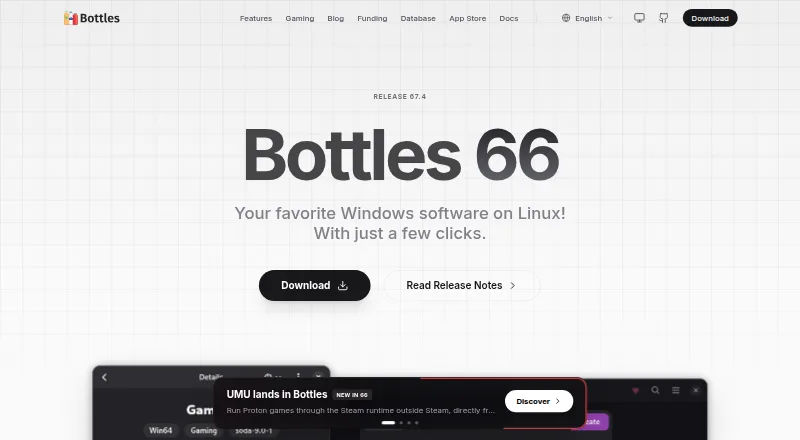
Overview
Bottles manages Windows prefixes, called bottles, to run Windows applications and games on Linux through compatibility-layer runners. It offers Gaming, Application, and Custom environments, plus Wine and Proton runners such as Soda, Caffe, Vaniglia, and CrossOver builds. Installers apply rules to set up programs, while a dependency manager uses a community-driven repository of manifests. Users can manage graphics components including DXVK, VKD3D, DXVK-NVAPI, and LatencyFleX. The community App Store provides Windows application installers with compatibility grades from Bronze through Platinum. Bottles also lists backups, versioning, duplication, and importing bottles from other managers. The project recommends Flatpak: it bundles required dependencies and is described as the most supported and tested release, as well as the only fully sandboxed package. Bottles supports Linux and macOS and is free software. Connection-dependent features do not work offline. The project also warns that exposing the system home directory to a runner breaks the Flatpak sandbox and can put personal files at risk.
Who it is for
Bottles suits Linux users who want to manage Windows applications or games in separate prefixes. Its documentation also lists macOS support; users should consider the sandbox warning before granting runners access to the system home directory.
What is good
- Free software project.
- Offers Gaming, Application, and Custom environments.
- Supports Wine and Proton runners.
- Flatpak bundles dependencies and is fully sandboxed.
- Includes backups, versioning, and duplication.
What to know first
- Connection-dependent features are unavailable offline.
- Exposing the home directory breaks the Flatpak sandbox.
- macOS support is listed, but the project focuses on Linux.
Verdict
Bottles provides prefix management, runner options, installers, and dependency tools for running Windows software on Linux. Flatpak is the project's recommended route, but offline limits and the warning about home-directory access deserve attention.
Compared on game compatibility layers
- Free plan
- Yesusebottles.com
Facts
- Purpose
- Bottles is an application for managing Windows prefixes and running Windows software on Linux.usebottles.com · 28 Sept 2026
- Environments
- It offers Gaming, Application, and Custom environments with configurations and dependencies for different uses.usebottles.com · 28 Sept 2026
- Runners
- Bottles supports Wine and Proton runners, including Soda, Caffe, Vaniglia, and CrossOver builds.usebottles.com · 28 Sept 2026
- Installers
- Its installers use rules to install programs in a bottle automatically.github.com · 28 Sept 2026
- Graphics components
- Users can install and manage components including DXVK, VKD3D, DXVK-NVAPI, and LatencyFleX.usebottles.com · 28 Sept 2026
- UMU integration
- ProtoSoda is the default runner for Bottles’ UMU integration and supports games managed through UMU.usebottles.com · 28 Sept 2026
- Sandboxing
- The project describes Bottles as sandboxed and identifies Flatpak as its official recommended installation method.usebottles.com · 28 Sept 2026
- Flatpak support
- The documentation says Flatpak is the only fully sandboxed package and calls it the most supported and tested release.github.com · 28 Sept 2026
- Component checks
- At first launch, downloaded components are checked against repository checksums; a failed check causes the file to be deleted and installation to fail.usebottles.com · 28 Sept 2026
- Support
- The download page links to documentation, bug reporting, feature requests, and dependency reporting.usebottles.com · 28 Sept 2026
- Notable limitation
- Bottles requires an internet connection for connection-dependent features, which are blocked while offline.usebottles.com · 28 Sept 2026
- Intended users
- The project describes Bottles as a way to run Windows applications and games on Linux.usebottles.com · 28 Sept 2026
- Bottle environments
- Bottles calls its Windows prefix environments “bottles,” which use compatibility-layer runners to run Windows applications on Linux.usebottles.com · 29 Sept 2026
- Install method
- The official recommended installation is Flatpak via Flathub, supported on major Linux distributions including Steam Deck.usebottles.com · 29 Sept 2026
- Sandbox
- The Flatpak package is sandboxed, bundles needed dependencies, and is described as the most supported and tested release.usebottles.com · 29 Sept 2026
- First-run downloads
- On first launch, Bottles downloads components including Caffe, DXVK, VKD3D, NVAPI, LatencyFleX, and Runtime, and checks each file against a repository checksum.usebottles.com · 29 Sept 2026
- Community catalog
- The App Store offers community-maintained installers for Windows applications, with compatibility grades from Bronze through Platinum.usebottles.com · 29 Sept 2026
- Dependencies
- Bottles provides a dependency manager backed by a public, community-driven repository of dependency manifests.usebottles.com · 29 Sept 2026
- Backups and versioning
- The documentation lists versioning, backups, duplication, and importing bottles from other managers among its features.usebottles.com · 29 Sept 2026
- Security limitation
- Bottles warns that exposing the system home directory to a runner breaks the Flatpak sandbox and can expose personal files to danger.usebottles.com · 29 Sept 2026
- Funding
- Bottles describes itself as a free software project and lists donation options including GitHub Sponsors, PayPal, and LiberaPay.usebottles.com · 29 Sept 2026
Company
- Founded
- 2017usebottles.com · 23 Sept 2026
Best Bottles alternatives
See all 20Where it ranks on Specifiction
Is Bottles yours?
Claim it for free: prove the domain, then correct facts, plans and screenshots. An editor reviews every change.
Sources
- usebottles.com/docs/· checked 28 Sept 2026
- usebottles.com/docs/getting-started/environments· checked 28 Sept 2026
- usebottles.com/runners· checked 28 Sept 2026
- github.com/bottlesdevs/documentation/blob/master/b· checked 28 Sept 2026
- usebottles.com/docs/bottles/app-preferences· checked 28 Sept 2026
- usebottles.com/download· checked 28 Sept 2026
- github.com/bottlesdevs/documentation/blob/master/g· checked 28 Sept 2026
- usebottles.com/docs/getting-started/first-run· checked 28 Sept 2026
- usebottles.com· checked 28 Sept 2026
- usebottles.com/docs/getting-started/installation· checked 29 Sept 2026
- usebottles.com/appstore· checked 29 Sept 2026
- usebottles.com/docs/bottles/dependencies· checked 29 Sept 2026