
FotoMagico
- 1Runs oniOS, Mac
- 2CostsFree plan · free trial · paid from $6.67/mo
- 3Caption toolsYes
- 4Audio uploadYes
- 5Export formatsHEVC, H264, JPEG, ProRes422, ProRes422HQ, ProRes444, standalone player, custom video format
- 6Playback optionsmacOS playback, iPad playback, online presentation, offline presentation, YouTube, Vimeo, standalone player
- 7Supported platformsmacOS, iPadOS
Overview
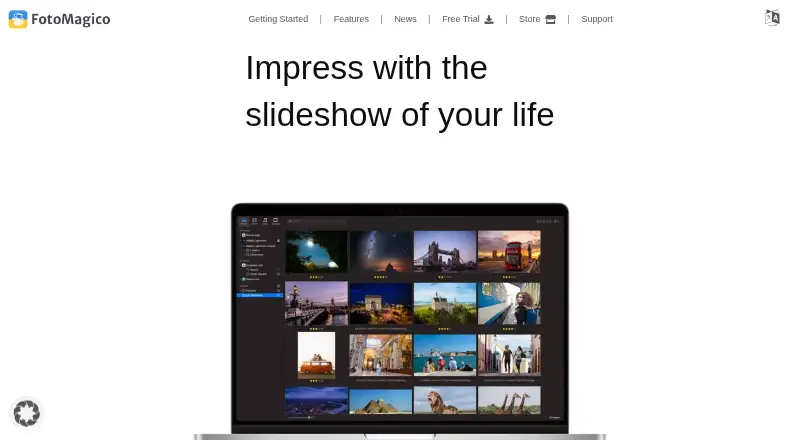
FotoMagico is a real-time slideshow editor for photographers that plays slideshows at full resolution without rendering time. It combines photos, videos, maps, text, audio, and snippets. Animation Assistant applies styles that make a slideshow move, while Map Assistant animates travel routes. The image browser accesses Apple Photos, local storage, iCloud, Google Drive, and Dropbox, and projects can synchronize between iPad and Mac through iCloud Drive. Sharing Assistant supports direct uploads to YouTube and Vimeo, along with standalone-player and ProRes exports. Slides can also be controlled with PowerPoint-compatible presentation remote clickers. The full feature set is available during a 14-day trial; afterward, the app remains a free slideshow player, with editing disabled without a valid licence. FotoMagico is available for macOS and iPadOS, not Windows. The Mac version requires an Apple Silicon or 64-bit Intel Mac running OS X Catalina 10.15.2 or newer. The monthly subscription costs 7.99 USD per month, and the annual subscription costs 79.99 USD per year.
Who it is for
FotoMagico suits photographers making slideshows from mixed media who work on macOS or iPadOS. It may also suit presenters who want route animation, cloud-synced projects, or remote-clicker control.
What is good
- Combines photos, video, maps, text, and audio.
- Image browser accesses Apple Photos and cloud storage.
- Projects sync between iPad and Mac through iCloud Drive.
- Supports YouTube and Vimeo uploads and ProRes exports.
What to know first
- No Windows version is available.
- Editing is disabled after the 14-day trial without a licence.
- Mac requires OS X Catalina 10.15.2 or newer.
- Monthly subscription costs 7.99 USD per month.
Verdict
FotoMagico combines slideshow editing, media access, and publishing options for macOS and iPadOS. Check the Mac system requirement and the change from trial editing to player-only use before committing.
FotoMagico plans and pricing
All plansCompared on photo slideshow makers
- Free plan
- Yesfotomagico.com
- Caption tools
- Yesfotomagico.com
- Audio upload
- Yesfotomagico.com
- Export formats
- HEVC, H264, JPEG, ProRes422, ProRes422HQ, ProRes444, standalone player, custom video formatfotomagico.com
- Playback options
- macOS playback, iPad playback, online presentation, offline presentation, YouTube, Vimeo, standalone playerfotomagico.com
- Supported platforms
- macOS, iPadOSfotomagico.com
Facts
- Product purpose
- FotoMagico is a real-time slideshow editor that plays slideshows in full resolution without rendering time.fotomagico.com · 1 Oct 2026
- Media creation
- It combines photos, videos, maps, text, audio and snippets to create slideshows.fotomagico.com · 1 Oct 2026
- Target users
- FotoMagico is presented as a slideshow editor for photographers.fotomagico.com · 1 Oct 2026
- Animation
- Animation Assistant applies styles that automatically make a slideshow move.fotomagico.com · 1 Oct 2026
- Maps
- Map Assistant animates travel routes.fotomagico.com · 1 Oct 2026
- Media integrations
- The image browser accesses Apple Photos, local storage, iCloud, Google Drive and Dropbox.fotomagico.com · 1 Oct 2026
- Cloud sync
- Projects can be synchronized between iPad and Mac through iCloud Drive.fotomagico.com · 1 Oct 2026
- Publishing
- Sharing Assistant supports direct uploads to YouTube and Vimeo plus standalone-player and ProRes exports.fotomagico.com · 1 Oct 2026
- Remote control
- Slides can be controlled with PowerPoint-compatible presentation remote clickers.fotomagico.com · 1 Oct 2026
- Trial behavior
- The full feature set is available for 14 days, after which the app continues as a free slideshow player.fotomagico.com · 1 Oct 2026
- Platform limitation
- FotoMagico is exclusively available on macOS and iPadOS, with no Windows version.fotomagico.com · 1 Oct 2026
- System requirements
- The Mac version requires an Apple Silicon or 64-bit Intel Mac running OS X Catalina 10.15.2 or newer.fotomagico.com · 1 Oct 2026
- Support
- Boinx offers personalized 45-minute online coaching sessions with live desktop sharing.fotomagico.com · 1 Oct 2026
- Legal terms
- Downloading the software requires agreeing to the Boinx Software International GmbH EULA.fotomagico.com · 1 Oct 2026
Company
- Founded
- 1996fotomagico.com · 28 Sept 2026
- Headquarters
- Germering, Germanyfotomagico.com · 28 Sept 2026
Best FotoMagico alternatives
See all 20


Where it ranks on Specifiction
Is FotoMagico yours?
Claim it for free: prove the domain, then correct facts, plans and screenshots. An editor reviews every change.
Sources
- fotomagico.com/the-new-fotomagico-6-create-slideshows-· checked 1 Oct 2026
- fotomagico.com· checked 1 Oct 2026
- fotomagico.com/store/· checked 1 Oct 2026
- fotomagico.com/free-trial/· checked 1 Oct 2026
- fotomagico.com/faq/· checked 1 Oct 2026
- fotomagico.com/user-manual/support/system-requirements· checked 1 Oct 2026