
HiBit Startup Manager
- 1Runs onWindows
- 2CostsFree plan
Overview
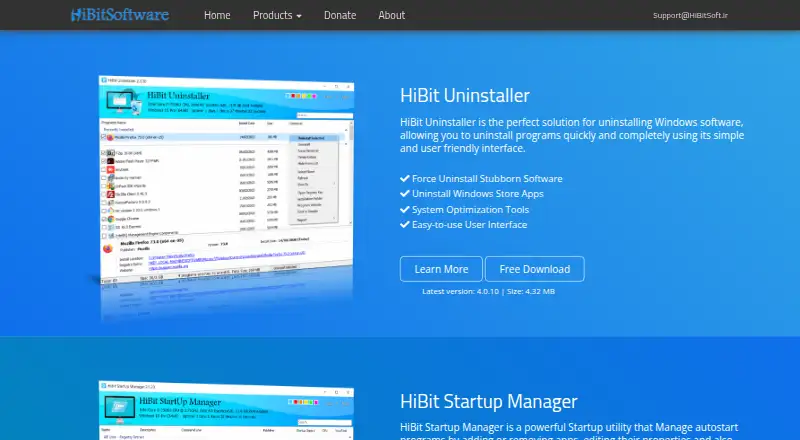
HiBit Startup Manager controls which applications launch automatically when Windows starts. Users can add, edit, disable, or remove startup programs, monitor startup activity, and see which programs slow the startup process. It can also delay apps so they launch later. Beyond startup entries, it manages Windows services and scheduled tasks, the computer’s right-click context menu, and Windows system restore points. The maker describes its startup monitoring as a way to enhance system security. The product page lists automatic updating and offers installable and portable editions. Compatibility is listed for Windows Vista, 7, 8, 10, and 11 in both 32-bit and 64-bit versions; another listing specifies Windows 7 to 11. Version 2.6.60 is the latest shown on the product page, and its changelog mentions an updated VirusTotal API. The maker says it created its website to share some of its programs for free. A free plan costs 0.00 USD per free.
Who it is for
It suits Windows users who want to manage startup programs alongside services, scheduled tasks, context menus, or restore points. The portable edition may suit users who prefer not to install the program.
What is good
- Adds, edits, disables, and removes startup programs
- Monitors startup activity and measures startup slowdowns
- Can delay startup apps
- Includes installable and portable editions
What to know first
- Windows only
- Compatibility listings differ on the oldest supported Windows version
Verdict
HiBit Startup Manager combines startup controls with several Windows system-management tools, and its free plan is listed at 0.00 USD per free. Check the Windows compatibility listing that matches your system before choosing it.
HiBit Startup Manager plans and pricing
All plansCompared on PC optimization software
- Free plan
- Yeshibitsoft.ir
Facts
- Purpose
- HiBit Startup Manager manages applications that load automatically when Windows starts.hibitsoft.ir · 30 Sept 2026
- Startup controls
- Users can add, edit, disable, and remove startup programs.hibitsoft.ir · 30 Sept 2026
- Startup monitoring
- The product monitors startup activity and measures which programs slow Windows startup.hibitsoft.ir · 30 Sept 2026
- Launch delays
- The product can delay the launching of startup apps.hibitsoft.ir · 30 Sept 2026
- System tools
- It can manage and optimize Windows services and scheduled tasks.hibitsoft.ir · 30 Sept 2026
- Context menus and restore points
- It can manage the computer’s right-click context menu and Windows system restore points.hibitsoft.ir · 30 Sept 2026
- Security feature
- The maker describes startup monitoring as a way to enhance system security.hibitsoft.ir · 30 Sept 2026
- VirusTotal
- The version 2.6.60 changelog says the VirusTotal API was updated.hibitsoft.ir · 30 Sept 2026
- Automatic updates
- The product page lists automatic updating to the latest version as a feature.hibitsoft.ir · 30 Sept 2026
- Download editions
- The maker offers installable and portable versions.hibitsoft.ir · 30 Sept 2026
- Windows compatibility
- The product page lists Windows Vista, 7, 8, 10, and 11 in 32-bit and 64-bit versions.hibitsoft.ir · 30 Sept 2026
- Support
- The maker lists [email protected] as a support contact.hibitsoft.ir · 30 Sept 2026
- Cost
- The maker says it created the website to share some of its programs with others for free.hibitsoft.ir · 30 Sept 2026
- Notable release detail
- The latest version shown on the maker’s product page is 2.6.60.hibitsoft.ir · 30 Sept 2026
Best HiBit Startup Manager alternatives
See all 20

Where it ranks on Specifiction
Is HiBit Startup Manager yours?
Claim it for free: prove the domain, then correct facts, plans and screenshots. An editor reviews every change.
Sources
- hibitsoft.ir/StartupManager.html· checked 30 Sept 2026
- hibitsoft.ir/HibitStartup/Changelog.txt· checked 30 Sept 2026
- hibitsoft.ir/About.html· checked 30 Sept 2026