Tech riderRev. 22 Sept 2026
Keychron Engine
- 1Runs onMac, Windows
- 2CostsNot stated by the maker
- 3Supported operating systemscross-platform
- 4Macro supportYes
- 5Onboard device memoryYes
- 6Polling rate controlYes
- 7Sensitivity controlsYes
- 8Profile slots5 profiles
7 lines stated Written from the maker's own pages: keychron.com
Overview
Keychron Engine is ranked #10 of 107 in keyboard and mouse customization software on Specifiction, made by Keychron Engine (Hong Kong). It runs on macOS, Windows.
Compared on keyboard and mouse customization software
- Free plan
- Yeskeychron.com
- Supported operating systems
- cross-platformkeychron.com
- Macro support
- Yeskeychron.com
- Onboard device memory
- Yeskeychron.com
- Polling rate control
- Yeskeychron.com
- Sensitivity controls
- Yeskeychron.com
- Profile slots
- 5 profileskeychron.com
Facts
- Purpose
- Keychron Engine is mouse control software for Keychron wireless mice.keychron.com · 4 Oct 2026
- Button mapping
- Users can change mouse button functions and assign commonly used keys or shortcut keys.keychron.com · 4 Oct 2026
- DPI and polling
- The software adjusts DPI up to 26000 and offers three polling-rate levels.keychron.com · 4 Oct 2026
- Macros
- Users can create macros that include keyboard input and mouse input.keychron.com · 4 Oct 2026
- RGB lighting
- Users can customize RGB light color, breathing speed, and color saturation.keychron.com · 4 Oct 2026
- Sensor settings
- The software provides lift-off distance, movement correction, and response latency settings.keychron.com · 4 Oct 2026
- Connection requirement
- The mouse must connect by USB or 2.4 GHz for the software to recognize it; Bluetooth pairing is not currently supported.keychron.com · 4 Oct 2026
- Device limit
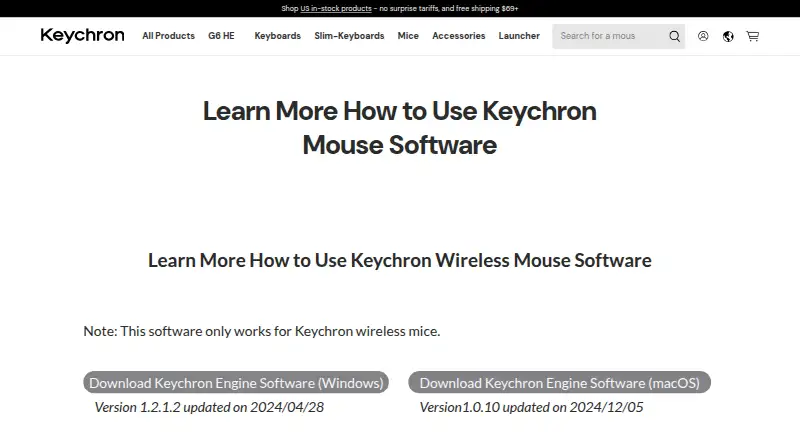
- The software only works with Keychron wireless mice.keychron.com · 4 Oct 2026
- Windows version
- The listed Windows version is 1.2.1.2, updated on 2024/04/28.keychron.com · 4 Oct 2026
- macOS version
- The listed macOS version is 1.0.10, updated on 2024/12/05.keychron.com · 4 Oct 2026
- Device compatibility
- The software only works with Keychron wireless mice.keychron.com · 4 Oct 2026
- Connection
- To use the software, connect the mouse by USB or 2.4 GHz wireless.keychron.com · 4 Oct 2026
- Bluetooth limit
- Bluetooth pairing with the software is not supported on the page’s instructions.keychron.com · 4 Oct 2026
- Button customization
- Users can remap mouse buttons to commonly used keys or shortcut keys.keychron.com · 4 Oct 2026
- RGB settings
- Users can customize RGB light color, breathing speed, and color saturation.keychron.com · 4 Oct 2026
- Response latency
- Users can adjust the response interval to change button-response sensitivity.keychron.com · 4 Oct 2026
- Downloads
- The page lists Windows software version 1.2.1.2, updated 2024/04/28, and macOS version 1.0.10, updated 2024/12/05.keychron.com · 4 Oct 2026
Company
- Headquarters
- Hong Kongkeychron.com · 28 Sept 2026
Best Keychron Engine alternatives
See all 12 All accessCh 01 Rebind Free planFree trialLinux Free to start8.9 All accessCh 02 Logi Options+ Free planMacWindows Free to start8.8 All accessCh 03 Logitech G HUB Free planMacWindows Free to start8.4 All accessCh 04 Razer Synapse MacWeb 8.3 All accessCh 05 Rapoo A HUB MacWeb 8.2 All accessCh 06 Glorious CORE Free planMacWindows Free to start8.2




Where it ranks on Specifiction
Is Keychron Engine yours?
Claim it for free: prove the domain, then correct facts, plans and screenshots. An editor reviews every change.
Sources
- keychron.com/pages/learn-more-how-to-use-keychron-mo· checked 4 Oct 2026