Open Burning Suite
- 1Runs onLinux, Mac, Windows
- 2CostsFree plan
- 3Platform supportcross platform
- 4Dual-layer DVD supportYes
- 5Blu-ray authoringYes
Overview
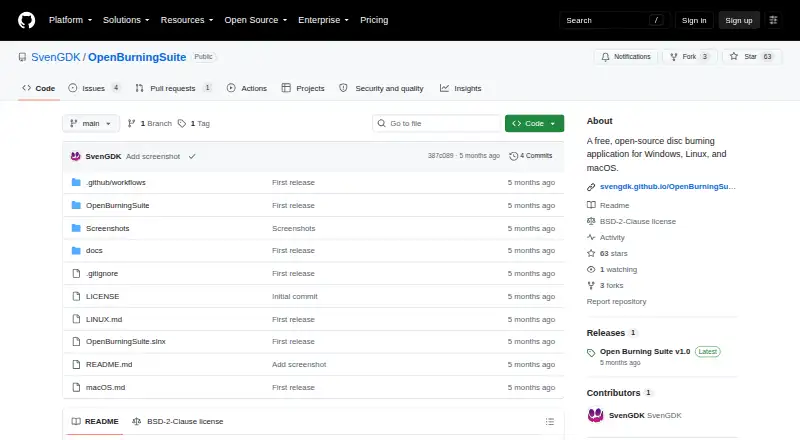
Open Burning Suite is a free desktop application for burning, copying, creating and verifying CD, DVD, HD DVD and Blu-ray discs. It runs on Linux, macOS and Windows, with an interface built using .NET 8 and Avalonia UI. It communicates with optical drives through native SCSI/MMC commands rather than external disc-operation tools. The suite reads and creates image formats including ISO, BIN/CUE, CCD/IMG/SUB, NRG, MDF/MDS and CDI. Audio features include CD-TEXT authoring, track ripping to WAV or BIN/CUE, and playlist importing. Video capabilities cover DVD-Video, Blu-ray BDMV, BDAV and Blu-ray 3D, plus FFmpeg-based transcoding; FFmpeg is an optional runtime dependency for video authoring. Verification supports CRC32, MD5, SHA-1, SHA-256 and SHA-512 checksums. Gaming presets cover several console families, while Nintendo DS/3DS support is limited to verification. Images can use AES-256-CBC password protection, and PS3 decryption supports IRD, dkey or hex keys. Burning, reading and verification require an optical drive.
Who it is for
It suits people who need a free cross-platform tool for optical-disc authoring, copying or verification. Its features also cover users working with disc images, audio CDs or supported Blu-ray video formats.
What is good
- Runs on Linux, macOS and Windows
- Creates and reads multiple disc-image formats
- Supports five checksum methods for verification
- Blu-ray authoring and Blu-ray 3D are supported
What to know first
- Burning, reading and verification need a physical drive
- Video authoring requires optional FFmpeg
- Nintendo DS/3DS support is verification only
Verdict
Open Burning Suite covers a broad range of disc and image tasks across three desktop platforms. A physical drive is needed for drive-based operations, and FFmpeg is needed for video authoring.
Open Burning Suite plans and pricing
All plansCompared on DVD authoring software
- Free plan
- Yesgithub.com
- Platform support
- cross_platformgithub.com
- Dual-layer DVD support
- Yesgithub.com
- Blu-ray authoring
- Yesgithub.com
Facts
- Purpose
- Open Burning Suite burns, copies, creates, and verifies CD, DVD, HD DVD, and Blu-ray discs.github.com · 30 Sept 2026
- Interface
- The desktop application is built with .NET 8 and Avalonia UI.svengdk.github.io · 30 Sept 2026
- Disc operations
- It communicates directly with optical drives through native SCSI/MMC commands without external disc-operation tools.svengdk.github.io · 30 Sept 2026
- Disc images
- It reads and creates multiple image formats, including ISO, BIN/CUE, CCD/IMG/SUB, NRG, MDF/MDS, and CDI.svengdk.github.io · 30 Sept 2026
- Audio
- Audio features include creating CDs with CD-TEXT, ripping tracks to WAV or BIN/CUE, and importing M3U, PLS, WPL, and ASX playlists.svengdk.github.io · 30 Sept 2026
- Video
- It supports DVD-Video, Blu-ray BDMV, BDAV, Blu-ray 3D, and FFmpeg-based transcoding.github.com · 30 Sept 2026
- Verification
- Disc integrity verification supports CRC32, MD5, SHA-1, SHA-256, and SHA-512 checksums.svengdk.github.io · 30 Sept 2026
- Gaming
- Gaming presets cover systems including PlayStation, Nintendo, Sega, Xbox, and retro platforms; Nintendo DS/3DS support is verification only.svengdk.github.io · 30 Sept 2026
- Encryption
- Disc images can be password-protected with AES-256-CBC encryption, and PS3 disc decryption is supported with IRD, dkey, or hex keys.github.com · 30 Sept 2026
- Integrations
- FFmpeg is an optional runtime dependency required for video authoring features.svengdk.github.io · 30 Sept 2026
- Requirements
- Burning, reading, and verification require a physical optical drive, while building images from files and folders does not.svengdk.github.io · 30 Sept 2026
- Access requirements
- Direct drive access requires Administrator privileges on Windows, root or suitable device permissions on Linux, and hardware access permissions on macOS.svengdk.github.io · 30 Sept 2026
- License
- The project is released under the BSD 2-Clause License.svengdk.github.io · 30 Sept 2026
- Support
- The documentation directs users with unanswered questions to open an issue on GitHub.svengdk.github.io · 30 Sept 2026
Best Open Burning Suite alternatives
See all 20
Where it ranks on Specifiction
Is Open Burning Suite yours?
Claim it for free: prove the domain, then correct facts, plans and screenshots. An editor reviews every change.
Sources
- github.com/SvenGDK/OpenBurningSuite· checked 30 Sept 2026
- svengdk.github.io/OpenBurningSuite/· checked 30 Sept 2026
- svengdk.github.io/OpenBurningSuite/faq· checked 30 Sept 2026
- svengdk.github.io/OpenBurningSuite/architecture· checked 30 Sept 2026
- svengdk.github.io/OpenBurningSuite/getting-started· checked 30 Sept 2026