
Veeam Recovery Orchestrator
- 1Runs onself-hosted, Web, Windows
- 2CostsFree plan · free trial
- 3Replication modecontinuous
- 4Failover orchestrationYes
- 5Dependency mappingYes
- 6Supported workloadsVMware vSphere VMs; Microsoft Hyper-V VMs; Microsoft Azure VMs; physical Windows machines; physical Linux machines; Veeam agent backups; NetApp and HPE replicated-storage VMs
Overview
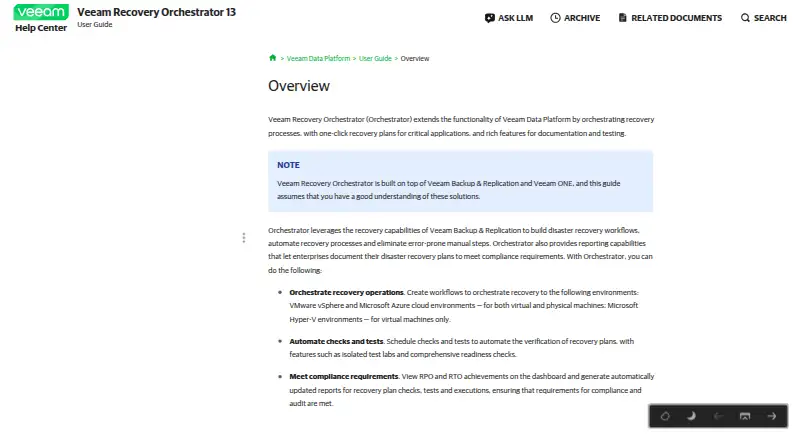
Veeam Recovery Orchestrator coordinates recovery processes for critical applications and provides one-click recovery plans. It uses Veeam Backup & Replication recovery capabilities to build disaster recovery workflows, automate recovery and document outcomes. Administrators can schedule plan checks and tests, including isolated test labs and readiness checks. Reports show recovery point and recovery time objective achievements, along with results for checks, tests and executions. Recovery locations support VMware, Microsoft Hyper-V, storage systems and Microsoft Azure; Orchestrator 13 can recover machines to Azure IaaS as VMs. Supported workloads include VMware vSphere and Hyper-V VMs, Azure VMs and physical Windows. The product installs on a 64-bit Windows Server and its web interface is accessed through a browser. A Veeam Data Platform Premium license or an Advanced license with additional Orchestrator licenses is required; Foundation is unsupported. Pricing is on request, and an evaluation license is available for 30 days.
Who it is for
It suits organizations coordinating documented recovery plans and scheduled recovery testing for supported workloads. It requires a qualifying Veeam license and a 64-bit Windows Server deployment.
What is good
- Provides one-click recovery plans.
- Schedules checks, tests and readiness checks.
- Reports recovery point and time objective achievements.
- Supports test failover and failback orchestration.
What to know first
- Pricing is on request.
- Foundation licensing is unsupported.
- Each machine processed by a plan uses a license instance.
- Requires installation on a 64-bit Windows Server.
Specifiction review
Veeam Recovery Orchestrator: the full review
Veeam Recovery Orchestrator combines recovery plans, testing and reporting for supported workloads. Confirm the required license and deployment prerequisites before planning its use.
Overview
Veeam Recovery Orchestrator is a disaster-recovery tool for organizations coordinating recovery across supported virtual machines and physical Windows systems. It is best suited to teams already using Veeam Backup & Replication and able to run a Windows Server deployment. Its case rests on repeatable recovery plans and scheduled validation; license prerequisites and per-machine consumption need careful planning.
Key features
The product builds recovery workflows from Veeam Backup & Replication capabilities, with one-click plans for critical applications. Continuous replication, dependency mapping, runbooks, and failover and failback orchestration support coordinated recovery rather than isolated machine restoration. That makes it a stronger fit for teams with defined recovery procedures than for buyers seeking a general-purpose backup tool.
Teams can schedule readiness checks and plan tests, including in isolated test labs. Reporting covers recovery point and recovery time objective achievements and produces updated records for checks, tests, and executions. This helps teams assess plans and document outcomes, but machines assigned to DataLab testing groups consume license instances too.
Supported workloads include VMware vSphere and Microsoft Hyper-V VMs, Microsoft Azure VMs, and physical Windows. Recovery locations include VMware, Hyper-V, storage systems, and Azure; Orchestrator 13 can recover machines to Azure IaaS as VMs. Its documented architecture can connect NetApp and HPE storage, vCenter, SCVMM, Hyper-V, and Azure Local clusters, making it most relevant to environments built around those systems.
Pricing
Veeam Recovery Orchestrator is paid software with custom pricing and a 30-day trial. The free options are purpose-limited: the NFR license is free and is for demonstration, training, and education, not resale or commercial use. The Evaluation license is free, is a full license valid for 30 days from product download, and is intended for evaluation.
Commercial licensing offers different terms rather than published prices. The Rental license is a full license intended for service providers, with a contract end date normally one month after the start date. The Perpetual license has no expiration and covers product versions issued before support expires, making it the permanent option for enterprises. The Subscription license is a full license normally lasting 1–5 years from issue and is also intended for enterprises. Prices for all three are custom pricing.
License choice is not the only cost consideration. Orchestrator requires Veeam Data Platform Premium, or an Advanced license plus additional Orchestrator licenses; Foundation is unsupported. Every machine processed by a recovery plan uses one license instance, including machines in DataLab testing groups. Remote Veeam Backup & Replication servers must run Enterprise or Enterprise Plus for Orchestrator to deploy its agent; Essentials pack connections are unsupported. Veeam offers email and phone technical support to customers on maintenance and during the official evaluation period.
Platforms
This is on-premises, self-hosted software installed on a 64-bit Windows Server, with its web interface accessed through a browser. That arrangement gives infrastructure teams control over deployment, but it calls for Windows Server administration rather than a hosted, browser-only service.
Veeam recommends multifactor authentication for the web UI, restricting inbound internet connections, and limiting outbound HTTPS to specified Veeam and Microsoft update sources. Credentials in the configuration database are encrypted, though server administrators can decrypt them; organizations should account for that privileged access in their security controls.
Who it's for
Choose Orchestrator when recovery plans must span supported VMware, Hyper-V, Azure, or physical Windows workloads and teams need to test, report on, and coordinate those plans. It is less suitable when the organization cannot meet its Veeam licensing and Windows Server prerequisites, or when it needs recovery orchestration for workloads outside the supported set.
Pros and cons
- Pro: Scheduled checks, isolated testing, and reporting on recovery objectives give teams a way to validate plans and record results.
- Pro: Dependency mapping, runbooks, and failover and failback orchestration support coordinated recovery across supported environments.
- Con: Data Platform Premium or Advanced plus additional Orchestrator licensing is required, and each planned machine consumes an instance; testing can add to that count.
- Con: Deployment requires a 64-bit Windows Server, while remote backup servers need Enterprise or Enterprise Plus; Essentials connections are unsupported.
- Con: The configuration database's encrypted credentials remain decryptable by server administrators, so encryption does not remove privileged-access risk.
Alternatives
Acronis Cyber Disaster Recovery Cloud is worth considering for teams seeking a paid service with a free trial and a broader listed platform range that includes mobile, Linux, macOS, self-hosted, web, and Windows; its Disaster Recovery to Cyber Protect Cloud plan is pay-as-you-go for used DR cloud storage and compute.
Axcient x360Recover is another paid, trial-available option, with Linux, macOS, self-hosted, web, Windows, and API platforms listed; its Direct-to-Cloud plan uses rates based on usage and endpoint type.
Unitrends Backup may suit teams wanting tailored business pricing for a paid product with a free trial and Linux, macOS, self-hosted, web, and Windows platforms.
Veeam Agent for Mac is a more focused alternative for Mac backup: its free edition is free, allows one backup job, and does not back up directly to object storage.
NetApp Disaster Recovery is an alternative for readers comparing capacity-based or subscription options, including a 30-day unlimited-capacity trial.
Veeam Kasten for Kubernetes is the relevant alternative when the recovery focus is Kubernetes; its free plan covers 5 nodes and its enterprise trial covers 500 nodes for 60 days.
Awanio Disaster Recovery Manager is another paid option with a free trial and self-hosted and web platforms.
Browse Disaster Recovery Software for a broader category comparison, Cloud Disaster Recovery Software for cloud-focused options, or WAN Optimization Software for a different category of infrastructure tools.
Verdict
Veeam Recovery Orchestrator is a strong choice for organizations already invested in Veeam that need coordinated, testable recovery plans across its supported workloads. The decisive reason to choose it is the combination of orchestration, validation, and reporting; look elsewhere if its license prerequisites, per-machine accounting, or Windows Server deployment do not fit your environment.
Veeam Recovery Orchestrator plans and pricing
All plansCompared on cloud disaster recovery software
- Free plan
- Nohelpcenter.veeam.com
- Replication mode
- continuoushelpcenter.veeam.com
- Failover orchestration
- Yeshelpcenter.veeam.com
- Dependency mapping
- Yeshelpcenter.veeam.com
- Supported workloads
- VMware vSphere VMs; Microsoft Hyper-V VMs; Microsoft Azure VMs; physical Windows machines; physical Linux machines; Veeam agent backups; NetApp and HPE replicated-storage VMshelpcenter.veeam.com
Facts
- Purpose
- Veeam Recovery Orchestrator coordinates recovery processes and provides one-click recovery plans for critical applications, with documentation and testing features.helpcenter.veeam.com · 30 Sept 2026
- Automation
- It uses Veeam Backup & Replication recovery capabilities to build disaster recovery workflows and automate recovery processes.helpcenter.veeam.com · 30 Sept 2026
- Recovery testing
- Users can schedule recovery plan checks and tests, including isolated test labs and readiness checks.helpcenter.veeam.com · 30 Sept 2026
- Reporting
- The product reports recovery point and recovery time objective achievements and generates updated reports for recovery plan checks, tests and executions.helpcenter.veeam.com · 30 Sept 2026
- Recovery targets
- Recovery locations support VMware, Microsoft Hyper-V, storage systems and Microsoft Azure; Orchestrator 13 can recover machines to Microsoft Azure IaaS as VMs.helpcenter.veeam.com · 30 Sept 2026
- Integrations
- The documented architecture can connect NetApp and HPE storage systems, vCenter, SCVMM, Hyper-V and Azure Local clusters.helpcenter.veeam.com · 30 Sept 2026
- Deployment
- Orchestrator is installed on a 64-bit Windows Server and its web UI is accessed through a browser.helpcenter.veeam.com · 30 Sept 2026
- Security
- Veeam recommends enabling multifactor authentication for the web UI, restricting internet inbound connections, and limiting outbound HTTPS connections to specified Veeam and Microsoft update sources.helpcenter.veeam.com · 30 Sept 2026
- Credential protection
- Credentials in the Orchestrator configuration database are encrypted, though server administrators can decrypt them.helpcenter.veeam.com · 30 Sept 2026
- License requirements
- Orchestrator requires a Veeam Data Platform Premium license or an Advanced license with additional Orchestrator licenses; Foundation is unsupported.helpcenter.veeam.com · 30 Sept 2026
- Licensed machines
- Each machine processed by a recovery plan uses one license instance, and machines used in DataLab testing groups also consume instances.helpcenter.veeam.com · 30 Sept 2026
- Compatibility limit
- Remote Veeam Backup & Replication servers must use Enterprise or Enterprise Plus editions for Orchestrator to deploy its agent; Essentials pack connections are unsupported.helpcenter.veeam.com · 30 Sept 2026
- Support
- Veeam offers email and phone technical support to customers on maintenance and during the official evaluation period.helpcenter.veeam.com · 30 Sept 2026
Company
- Founded
- 2006helpcenter.veeam.com · 28 Sept 2026
- Headquarters
- Seattle, WAhelpcenter.veeam.com · 28 Sept 2026
Best Veeam Recovery Orchestrator alternatives
See all 20


Where it ranks on Specifiction
Is Veeam Recovery Orchestrator yours?
Claim it for free: prove the domain, then correct facts, plans and screenshots. An editor reviews every change.
Sources
- helpcenter.veeam.com/docs/vro/userguide/overview.html· checked 30 Sept 2026
- helpcenter.veeam.com/docs/vro/userguide/recovery_locations_o· checked 30 Sept 2026
- helpcenter.veeam.com/docs/vro/userguide/solution_architectur· checked 30 Sept 2026
- helpcenter.veeam.com/docs/vro/userguide/system_requirements.· checked 30 Sept 2026
- helpcenter.veeam.com/docs/vro/userguide/securing_infrastruct· checked 30 Sept 2026
- helpcenter.veeam.com/docs/vro/userguide/license_types.html· checked 30 Sept 2026
- helpcenter.veeam.com/docs/vro/userguide/licensed_objects.htm· checked 30 Sept 2026
- helpcenter.veeam.com/docs/vro/userguide/appendix_collecting_· checked 30 Sept 2026
- helpcenter.veeam.com/docs/vro/userguide/overview.html· checked 28 Sept 2026