Watermark Maker
- 1Runs onAndroid, iOS
- 2CostsFree plan
- 3Batch watermarkingYes
- 4Logo marksYes
- 5Signature marksYes
- 6Watermark presetsYes
- 7Supported platformsAndroid, iOS
Overview
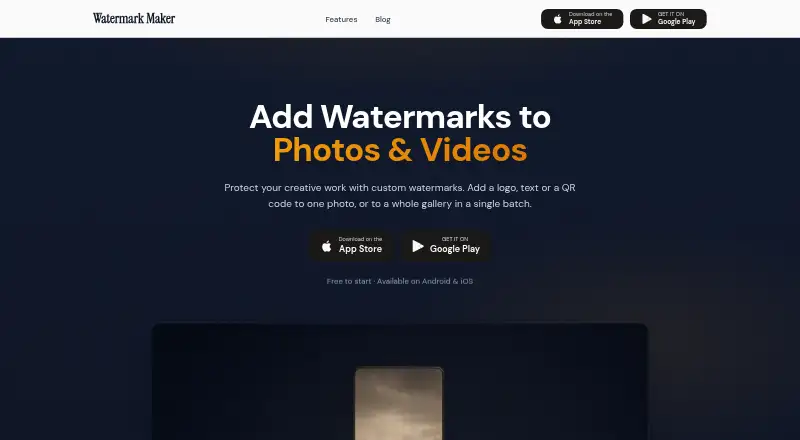
Watermark Maker is an Android and iOS app for marking photos with text, logos, or QR codes. Users can work on a single photo or process a gallery in batches, then save the result or share it to social media. Photo controls include 31 built-in fonts, six colors, opacity and scale adjustments, and nine position anchors. Each export applies one watermark type at a time. The free plan includes text and logo marks, tiling, social export presets, small batches, and ads. Premium removes the batch cap and adds video and PDF watermarks, QR codes, Shot On stamps, the full font library, and ad-free use. Watermark Pro — Lifetime is 24.99 USD per once; Premium pricing and purchase options are shown in the app. The app says photo and video processing happens on the device, and media is not uploaded to its servers for processing. Exports retain original resolution unless another size is selected; social presets scale and center photos without cropping. The privacy policy says Firebase Analytics collects anonymous aggregated usage data, while ads may involve device identifiers and general usage data.
Who it is for
The app suits photographers, real estate agents, and content creators who need to mark or batch-process photos. It can also serve social media, e-commerce, client proofs, and personal archives.
What is good
- Photo batches can be saved or shared to social media.
- Photo tools include 31 fonts and nine placement anchors.
- Exports retain original resolution unless another size is selected.
- Photo and video processing happens on-device, according to the app.
What to know first
- Each export supports only one watermark type.
- The free tier limits batch size and shows ads.
- Video and PDF watermarks require Premium.
- Free-tier ads and analytics may collect usage or device data.
Verdict
Watermark Maker covers common photo watermarking tasks, with batch processing and detailed text controls. Check the one-type-per-export limit and in-app Premium pricing if you need video, PDF, or larger batches.
Watermark Maker plans and pricing
All plansCompared on photo watermarking software
- Free plan
- Yeswatermarkmaker.app
- Batch watermarking
- Yeswatermarkmaker.app
- Logo marks
- Yeswatermarkmaker.app
- Signature marks
- Yeswatermarkmaker.app
- Watermark presets
- Yeswatermarkmaker.app
- Supported platforms
- Android, iOSwatermarkmaker.app
Facts
- Purpose
- Watermark Maker adds text, logo, or QR code watermarks to photos and can process a photo or gallery in batches.watermarkmaker.app · 3 Oct 2026
- Video and documents
- Premium includes watermarking for videos and PDF documents.watermarkmaker.app · 3 Oct 2026
- Text options
- The photo watermark feature page lists 31 built-in fonts, six colors, opacity and scale controls, and nine position anchors.watermarkmaker.app · 3 Oct 2026
- Batch limit
- The free tier covers a few photos per batch, while Premium removes the batch cap.watermarkmaker.app · 3 Oct 2026
- Single watermark per export
- Each export supports one watermark type at a time: text, logo, or QR code.watermarkmaker.app · 3 Oct 2026
- Image handling
- The app says photo and video processing happens on the device and media is not uploaded to its servers for processing.watermarkmaker.app · 3 Oct 2026
- Analytics and ads
- The privacy policy says Firebase Analytics collects anonymous aggregated usage data, and Google AdMob serves ads to free-tier users and may collect device identifiers and general usage data.watermarkmaker.app · 3 Oct 2026
- Purchases
- Premium purchases are handled through Apple or Google, with RevenueCat managing subscription status; the maker says it does not receive payment card or billing address details.watermarkmaker.app · 3 Oct 2026
- Exports
- The app says exports retain original resolution unless a different size is selected, and its social presets scale and center photos without cropping.watermarkmaker.app · 3 Oct 2026
- Sharing
- The app can save watermarked photos or share them directly to social media.watermarkmaker.app · 3 Oct 2026
- Intended users
- The photo feature page identifies photographers, real estate agents, and content creators as users, and also mentions social media, e-commerce, client proofs, and personal archives.watermarkmaker.app · 3 Oct 2026
- Support
- The privacy policy provides [email protected] for questions or concerns.watermarkmaker.app · 3 Oct 2026
- Developer and location
- The Google Play listing names Anas Hafidi as the developer and gives an address in Bouarfa, Morocco.play.google.com · 3 Oct 2026
- Platform listing
- The official site links to Android and iOS stores; Apple’s listing says the app is for iPhone and is not verified for macOS.watermarkmaker.app · 3 Oct 2026
Company
- Headquarters
- Moroccowatermarkmaker.app · 28 Sept 2026
Best Watermark Maker alternatives
See all 20
Where it ranks on Specifiction
Is Watermark Maker yours?
Claim it for free: prove the domain, then correct facts, plans and screenshots. An editor reviews every change.
Sources
- watermarkmaker.app· checked 3 Oct 2026
- watermarkmaker.app/add-watermark-to-photo· checked 3 Oct 2026
- watermarkmaker.app/privacy-policy· checked 3 Oct 2026
- play.google.com/store/apps/details· checked 3 Oct 2026
- apps.apple.com/us/app/watermark-kit-photo-video-pdf/id· checked 3 Oct 2026
- watermarkmaker.app/terms· checked 3 Oct 2026