Watermarkly
- 1Runs onAndroid, iOS, Linux, Mac, Web, Windows
- 2CostsFree plan · paid from $1.66/mo
- 3Batch watermarkingYes
- 4Maximum batch size50,000 images
- 5Logo marksYes
- 6Watermark presetsYes
- 7Supported platformsWeb, Windows, Mac, Linux, iOS, Android
Overview
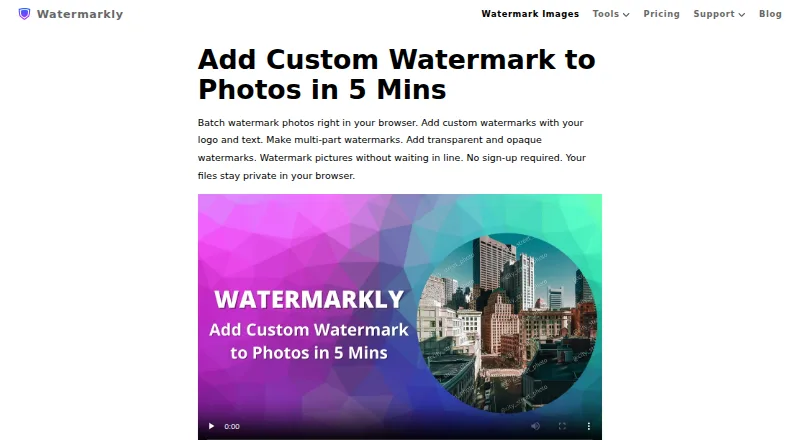
Watermarkly is a browser-based tool for adding text, logo, or multi-part watermarks to batches of photos. Its editor offers more than 900 fonts, 90 colors and gradients, and 36 visual effects. Users can position marks manually or have them scaled to image orientation and size. The site also lists tools for watermarking PDFs and videos, resizing, cropping, compression, blurring, background removal, and image conversion. Images can be imported from Google Drive, Google Photos, or Dropbox, and saved watermark templates synchronize across desktop, laptop, and mobile devices. Watermarkly says photo files are processed in the browser and are not stored on or accessed from its servers. The free plan supports batch processing but adds a Watermarkly logo. 1-Year Access costs $19.95 per year, paid annually without automatic renewal; Permanent Access costs $39.95 as a one-time fee. Both paid options include full tool access on up to 10 devices without the logo. Apps are listed for Windows, Mac, iOS, and Android.
Who it is for
Watermarkly suits people who need to apply repeatable marks to photo batches or work with watermarks on PDFs and videos. Its template syncing and listed desktop and mobile apps may suit people working across devices.
What is good
- Batch-processes photos with text, logo, or multi-part marks
- Offers more than 900 fonts
- Free batch processing is available
- Paid access covers up to 10 devices
What to know first
- Free exports add a Watermarkly logo
- Annual access costs $19.95 per year
- Permanent access is a $39.95 one-time fee
Specifiction review
Watermarkly: the full review
Watermarkly combines batch photo watermarking with a broader set of image and document tools. The free plan adds a logo, while paid access removes it and includes all tools on up to 10 devices.
Overview
Watermarkly is a photo watermarking service for people who need to mark many images and may also want PDF, video, or general image tools. Its wide device coverage and large stated batch ceiling are useful, but the free plan’s logo makes paid access the practical choice for clean exports.
Key features
The browser editor applies text, logo, or multi-part marks to batches of photos, with a maximum batch size of 50,000 images. That scale suits large image libraries, while automatic sizing by orientation and image dimensions can spare repetitive adjustment; manual placement remains available when each photo needs individual treatment. Saved presets support repeat jobs.
Customization is unusually broad: the editor offers more than 900 fonts, 90 colors and gradients, and 36 visual effects. Users can import images from Google Drive, Google Photos, or Dropbox, and saved templates synchronize across desktop, laptop, and mobile devices. Watermarkly says photo files are processed in the browser and are not stored on or accessed from its servers.
The wider collection includes tools for watermarking PDFs and videos, as well as resizing, cropping, compressing, blurring, removing backgrounds, and converting images. The included iOS app handles photos, PDFs, and videos; Android covers photos and PDFs. Windows and Mac desktop apps watermark photos and videos. This breadth is valuable if those formats and utilities matter, though the photo workflow is the one described in greatest depth.
Pricing
The Free plan is free and provides batch processing, but adds a Watermarkly logo. It is suitable for trying the workflow or for cases where that branding is acceptable, not for professional images that must carry only the maker’s own mark.
1-Year Access costs 19.95 USD per year, billed $19.95 paid annually. It includes all tools, removes the Watermarkly logo, and covers up to 10 devices. It does not renew automatically and includes a 30-day money-back guarantee. This is the lower-cost paid option for users who want a year of clean exports without an ongoing renewal.
Permanent Access costs 39.95 USD per once, a one-time fee rather than a subscription. It includes lifetime access to all tools on up to 10 devices, removes the logo, and carries the same 30-day money-back guarantee. It costs more upfront but avoids another annual purchase if long-term access matters. Both paid plans include the listed mobile and desktop apps.
Watermarkly accepts major credit cards, Google Pay, Apple Pay, PayPal, and bank transfers; listed prices include applicable taxes. The site says transfers are encrypted and that it cannot access card or account numbers, and names Stripe and PayPal as payment providers. Its separate Blur API detects and blurs faces and license plates for $0.01 per request, with a free 7-day trial through AWS Marketplace.
Platforms
Watermarkly supports web, Windows, Mac, Linux, iOS, and Android. The stated apps cover different formats: iOS handles photo, PDF, and video watermarking; Android handles photos and PDFs; Windows and Mac desktop apps handle photos and videos. This broad reach suits users moving between devices, though the described apps do not offer identical format coverage.
Who it's for
Watermarkly fits photographers, teams, or frequent publishers processing large photo batches who want reusable marks, cloud imports, and access across several device types. It is also a reasonable fit for people who can use its PDF, video, or image utilities. It is less compelling for occasional users who need unbranded output but do not want to pay, or for anyone whose workflow depends on matching feature coverage across every mobile app.
Pros and cons
- Pros: A 50,000-image batch ceiling and automatic or per-photo placement offer room for both high-volume and tailored work.
- Pros: Template sync, three cloud import sources, and support for six platform families make it easier to continue work across devices.
- Pros: The annual paid plan does not auto-renew, and both paid options include up to 10 devices and a 30-day money-back guarantee.
- Cons: The free plan adds Watermarkly branding, so clean client-facing exports require a paid plan.
- Cons: The mobile apps differ in the formats they cover, which may constrain users expecting the same workflow everywhere.
Alternatives
Photo Watermarking Software is the broader category to browse if you want to compare watermarking options. Choose Visual Watermark instead if its paid plan’s one-year photo-watermarking access for 10 devices and free trial better match your needs. eZy Watermark is another freemium option, with Android, iOS, macOS, and web coverage. Consider iWatermark if you need a freemium option covering Android, iOS, macOS, and Windows. Watermark Soft offers a monthly plan with watermark-free exports, unlimited files per batch, photo and video tools, and priority support. DoWatermark may suit someone who wants browser-based processing without uploads and a free batch limit of three images. PictStamp is a free option for iOS and macOS. Watermark Maker offers Android and iOS apps, with its free plan including text and logo marks, tiling, social export presets, and small batches. Overlay Studio is a free alternative for Android, iOS, and web, with batches of up to 25 images at once.
Verdict
Choose Watermarkly if you need substantial batch photo watermarking, reusable templates, and broad platform access, especially if its additional PDF, video, and image tools are useful. The paid plans remove branding and cover up to 10 devices; look elsewhere if you need unbranded exports without paying or identical format support across mobile apps.
Watermarkly plans and pricing
All plansCompared on photo watermarking software
- Free plan
- Yeswatermarkly.com
- Paid from
- $19.95/mowatermarkly.com
- Batch watermarking
- Yeswatermarkly.com
- Maximum batch size
- 50,000 imageswatermarkly.com
- Logo marks
- Yeswatermarkly.com
- Watermark presets
- Yeswatermarkly.com
- Supported platforms
- Web, Windows, Mac, Linux, iOS, Androidwatermarkly.com
Facts
- Photo watermarking
- The browser app batch-processes photos and supports text, logo, and multi-part watermarks.watermarkly.com · 29 Sept 2026
- Customization
- The photo watermark editor lists over 900 fonts, 90 colors and gradients, and 36 visual effects.watermarkly.com · 29 Sept 2026
- Placement
- Watermarks can be automatically scaled by image orientation and size, or positioned manually for each photo.watermarkly.com · 29 Sept 2026
- Other tools
- The site lists tools for watermarking PDFs and videos, resizing, cropping, compressing, blurring, background removal, and image conversion.watermarkly.com · 29 Sept 2026
- Cloud integrations
- Users can import images from Google Drive, Google Photos, or Dropbox.watermarkly.com · 29 Sept 2026
- Privacy
- The site says photo files are processed in the browser and are not stored on or accessed from its servers.watermarkly.com · 29 Sept 2026
- Template sync
- Saved watermark templates synchronize so users can reuse them across desktop, laptop, and mobile devices.watermarkly.com · 29 Sept 2026
- Mobile apps
- The purchase includes an iOS app for watermarking photos, PDFs, and videos, and an Android app for photos and PDFs.watermarkly.com · 29 Sept 2026
- Desktop apps
- The purchase includes Windows and Mac desktop apps for watermarking photos and videos.watermarkly.com · 29 Sept 2026
- Payments
- The pricing page says it accepts major credit cards, Google Pay, Apple Pay, PayPal, and bank transfers, and that listed prices include applicable taxes.watermarkly.com · 29 Sept 2026
- Purchase security
- The site says communications and data transfers are encrypted and that it does not have access to card or account numbers; it names Stripe and PayPal as payment providers.watermarkly.com · 29 Sept 2026
- Support
- Customers can contact support by email or form, and the page says the team will get back to them shortly.watermarkly.com · 29 Sept 2026
- API
- The Blur API detects and blurs faces and license plates, costs $0.01 per request, and has a free 7-day trial through AWS Marketplace.watermarkly.com · 29 Sept 2026
- Company location
- The site footer lists an address in Warsaw, Poland, and copyright attribution to Julia Nikitina.watermarkly.com · 29 Sept 2026
Best Watermarkly alternatives
See all 20

Where it ranks on Specifiction
Is Watermarkly yours?
Claim it for free: prove the domain, then correct facts, plans and screenshots. An editor reviews every change.
Sources
- watermarkly.com· checked 29 Sept 2026
- watermarkly.com/pricing/· checked 29 Sept 2026
- watermarkly.com/support/· checked 29 Sept 2026
- watermarkly.com/rest-api/blur-api/· checked 29 Sept 2026