Astroworld Circle & Dome Generator vs Pixel Circle Generator

Astroworld Circle & Dome Generator
tools.astroworldmc.com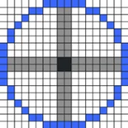
Pixel Circle Generator
pixelcirclegenerator.comSide by side
| Figure | Astroworld Circle & Dome Generator | Pixel Circle Generator |
|---|---|---|
| Price from | Free | Free |
| Free plan | Yes | Yes |
| Free trial | — | — |
| Open source | — | — |
| Web | Yes | Yes |
| Plans published | 1 | 1 |
| Spec score · Minecraft Shape Generators | 7.9 (#6) | 6.9 (#20) |
| Purpose | Generates pixel grids for Minecraft circles, filled circles, domes and sphere shells. | A free Minecraft circle, ellipse, arc, and sphere generator. |
Plans
In their own words
Astroworld Circle & Dome Generator
Astroworld Circle & Dome Generator is a free web tool for planning Minecraft structures with pixel grids. It generates circle outlines, filled circles, domes and sphere shells from whole-block diameters between 1 and 256. The selected shape’s total block count appears before construction. Gold cells indicate blocks to place, while dark cells indicate empty space; large grids are compressed to fit the screen. A layer slider lets you inspect dome and sphere-shell builds one layer at a time. The page says block positions are calculated in your browser from the diameter entered. You can embed the generator in a website or server wiki with an iframe and set its width, height and theme. The free plan costs nothing, with no sign-up and no ads. It is intended for Minecraft builders planning towers, arenas, greenhouses, planetariums and spheres.
Pixel Circle Generator
Pixel Circle Generator is a free web tool for making Minecraft circles, ellipses, arcs, and spheres. Shapes can be outlined or filled, with configurable outline thickness. Dimensions use radius or diameter controls; ellipses add an Ry setting, and arcs accept start and end angles. Sphere previews show one layer at a time from −R through +R, with an option to copy commands for every layer. Generated designs can be downloaded as PNG or SVG, copied as grid text, or converted to /setblock commands for one layer or all sphere layers. Preview controls adjust pixel size, block color, grid, and axes. The tool provides coordinate output and layer-by-layer viewing, but no 3D preview. It runs in a browser and has a free plan priced at free. The site states that it is not affiliated with Mojang or Microsoft.