Colorize Images vs Hotpot AI Photo Colorizer
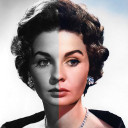
Colorize Images
colorizeimages.com
Hotpot AI Photo Colorizer
hotpot.aiSide by side
| Figure | Colorize Images | Hotpot AI Photo Colorizer |
|---|---|---|
| Price from | $0.83/mo | Free |
| Free plan | — | Yes |
| Free trial | — | — |
| Open source | — | — |
| Web | Yes | Yes |
| Windows | Yes | — |
| macOS | Yes | — |
| iOS | Yes | — |
| Android | Yes | — |
| API | — | Yes |
| Self-hosted | — | Yes |
| Plans published | 8 | 8 |
| Spec score · AI Image Colorizers | 8.9 (#4) | 9.0 (#3) |
| Spec score · AI Photo Colorization Software | 8.9 (#5) | 8.9 (#6) |
| Integrations | The documented integrations are device galleries, camera capture, social-sharing apps, Google Photos, and browser drag-and-drop rather than enterprise software connectors. | SoftwareFinder reports that Hotpot’s official site does not specify named third-party integrations. |
| Purpose | Transforms black-and-white photographs into color images using AI. | The Photo Colorizer uses AI to give black-and-white photos a fresh color interpretation. |
| Security statement | The maker says it uses security measures against unauthorized access or alteration but also warns that internet transmission cannot be guaranteed completely secure. | Hotpot’s privacy policy says it uses commercially acceptable safeguards but cannot guarantee absolute data security. |
| Support | Users can report bugs or send questions from the app menu, with logs automatically attached to bug reports. | Hotpot’s help page provides troubleshooting for login, credits, cancellation, and contact support, including advice to use Chrome incognito and disable VPNs or ad blockers. |
| System requirements | The iOS listing requires iOS/iPadOS 15.6 or later; Mac use requires macOS 12.5 or later on an Apple M1-or-newer Mac. | Independent reviewers describe Hotpot as browser-based with no software installation and usable from a mobile browser. |
| What it does | The service uses machine learning to turn black-and-white, grayscale, sepia, faded, and night-vision photographs into color images. | Hotpot Photo Colorizer uses AI to turn black-and-white pictures into color images. |
Plans
Colorize Images
- 8-hour access$0.25, paid once
- 8 Hour Access$0.25, paid once
- Monthly subscription$1.50 a month
- Monthly Subscription$1.50 a month
- Yearly subscription$10 a year
- Yearly Subscription$10 a year
- Unlimited access$30, paid once
- Unlimited Access$30, paid once
Hotpot AI Photo Colorizer
- Free accessFree
- 1,000 credits$12, paid once
- 2,500 credits$30, paid once
- 5,000 credits$60, paid once
- 10,000 credits$120, paid once
- 20,000 credits$240, paid once
- CreditsPrice not published
- Team, high-volume, or self-hostedPriced on request
In their own words
Colorize Images
Colorize Images uses AI to turn black-and-white photographs into color images. It accepts JPEG, PNG, and HEIC uploads and processes them in the cloud. The maker says its models were trained on millions of photographs to produce realistic colorizations informed by historical imagery, and that results arrive in seconds; premium subscribers receive priority processing. Android and iOS apps offer free use with ads and no account requirement. The browser app requires a subscription, supports drag-and-drop uploads, and provides full-resolution output. One subscription can be used on Android, iOS, and web by signing in with the same Google Account. Mobile users can choose photos from their gallery or share them from apps such as Twitter, Facebook, Chrome, and Google Photos. Photos are removed immediately with Quick Removal enabled, or after 24 hours if it is disabled and the images are not shared. The privacy policy says the app may collect uploaded photos, device identifiers, usage data, and information through advertising and analytics SDKs. Paid options include $0.25, paid once for eight-hour access, $1.50 a month, $10 a year, and $30, paid once for unlimited app use.
Hotpot AI Photo Colorizer
Hotpot AI Photo Colorizer uses AI to create a color interpretation of a black-and-white photograph. On the web, upload a JPG, JPEG, PNG, or WebP file, select a natural, cinematic, vintage, or Polaroid-inspired style, or describe a custom look. Review the generated image and download it. Batch processing is supported. Hotpot says the AI predicts plausible colors rather than recovering colors that cannot be known from the original monochrome image. It also cautions that results may be unreliable for group photos containing more than two people. For scratches or faded details, Hotpot recommends using Photo Restorer before colorizing. Free access is listed at free, while paid access starts at $0.02; commercial use and advanced settings require credits. One-time credits are available, and team, high-volume, or self-hosted pricing requires contacting Hotpot. The service is web-only.