Colorize Images vs PixGrid Colorize Photo
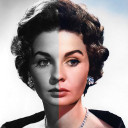
Colorize Images
colorizeimages.comPixGrid Colorize Photo
pixgrid.ioSide by side
| Figure | Colorize Images | PixGrid Colorize Photo |
|---|---|---|
| Price from | $0.83/mo | Free |
| Free plan | — | Yes |
| Free trial | — | — |
| Open source | — | — |
| Web | Yes | Yes |
| Windows | Yes | — |
| macOS | Yes | — |
| iOS | Yes | — |
| Android | Yes | — |
| Plans published | 8 | 4 |
| Spec score · AI Image Colorizers | 8.9 (#4) | 7.6 (#22) |
| Free access | The mobile apps offer free use with ads and do not require an account for free use. | The colorizer can be opened in the browser for free, while restore steps use credits on a one-time pass. |
| Purpose | Transforms black-and-white photographs into color images using AI. | Restore Color adds color to black-and-white or badly faded photos, including skin, hair, and clothes. |
| Support | Users can report bugs or send questions from the app menu, with logs automatically attached to bug reports. | PixGrid directs users to [email protected] for support and refund inquiries within 7 days of purchase. |
Plans
Colorize Images
- 8-hour access$0.25, paid once
- 8 Hour Access$0.25, paid once
- Monthly subscription$1.50 a month
- Monthly Subscription$1.50 a month
- Yearly subscription$10 a year
- Yearly Subscription$10 a year
- Unlimited access$30, paid once
- Unlimited Access$30, paid once
PixGrid Colorize Photo
- FreeFree
- Day Pass$2.99, paid once
- Pro Month$9.99, paid once
- Ultra Pass$29.99, paid once
In their own words
Colorize Images
Colorize Images uses AI to turn black-and-white photographs into color images. It accepts JPEG, PNG, and HEIC uploads and processes them in the cloud. The maker says its models were trained on millions of photographs to produce realistic colorizations informed by historical imagery, and that results arrive in seconds; premium subscribers receive priority processing. Android and iOS apps offer free use with ads and no account requirement. The browser app requires a subscription, supports drag-and-drop uploads, and provides full-resolution output. One subscription can be used on Android, iOS, and web by signing in with the same Google Account. Mobile users can choose photos from their gallery or share them from apps such as Twitter, Facebook, Chrome, and Google Photos. Photos are removed immediately with Quick Removal enabled, or after 24 hours if it is disabled and the images are not shared. The privacy policy says the app may collect uploaded photos, device identifiers, usage data, and information through advertising and analytics SDKs. Paid options include $0.25, paid once for eight-hour access, $1.50 a month, $10 a year, and $30, paid once for unlimited app use.
PixGrid Colorize Photo
PixGrid Colorize Photo is a browser tool for restoring color to black-and-white or badly faded photographs, including skin, hair, and clothing. Restore Color applies color in one step without extra sliders. PixGrid recommends repairing scratched or dusty prints with Fix Old Photo before colorizing. It says sharp scans work better than dim or crooked phone photos and advises checking faces before printing. Each black-and-white colorization uses 2 AI credits. The browser colorizer is free to open, while restore actions consume credits through one-time passes. The Free plan costs nothing and exports watermarked files. Day Pass costs $2.99, paid once for 15 credits and unwatermarked exports for 24 hours. Pro Month costs $9.99, paid once for 120 credits and unwatermarked exports for 30 days. Ultra Pass costs $29.99, paid once for 500 credits and unwatermarked exports for 30 days. Paid passes do not auto-renew. Chrome, Safari, Firefox, and Edge are supported.