Minecraft Plot vs Pixel Circle Generator

Minecraft Plot
minecraftplot.com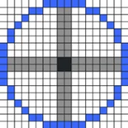
Pixel Circle Generator
pixelcirclegenerator.comSide by side
| Figure | Minecraft Plot | Pixel Circle Generator |
|---|---|---|
| Price from | Free | Free |
| Free plan | Yes | Yes |
| Free trial | — | — |
| Open source | — | — |
| Web | Yes | Yes |
| iOS | Yes | — |
| Android | Yes | — |
| Plans published | 3 | 1 |
| Spec score · Minecraft Shape Generators | 8.0 (#5) | 6.9 (#20) |
| Affiliation | The skin page states that Minecraft is a Mojang trademark and that Minecraft Plot is not affiliated with Mojang. | The site says it is not affiliated with Mojang or Microsoft. |
Plans
Minecraft Plot
- Free UserFree
- Premium Member 30 Days$4.99, paid once
- Premium Member 365 Days$49.99, paid once
In their own words
Minecraft Plot
Minecraft Plot is a collection of Minecraft tools that includes a skin download page and a link to a community skin library. The download page lists 200 skins. Users can search by name, type or creator, and filter listings by popularity or upload date. The library provides 3D previews from multiple angles with lighting effects. PNG downloads are described as working with Java Edition, Bedrock and mod clients; the page also advertises HD texture support, original-quality preservation and format conversion. The downloads are described as mobile-optimized, and the listed platforms are Android, iOS and web. Users can upload their own creations to the partner library and share them with its community. Beyond skins, the homepage describes more than 30 tools for server management, creative design, calculations and references. It says all tools are free with unlimited access, while the pricing page also lists paid memberships. Free User costs nothing and includes basic tools and standard support. Premium memberships remove ads, provide priority support and offer early access to new features. Minecraft Plot says it is not affiliated with Mojang.
Pixel Circle Generator
Pixel Circle Generator is a free web tool for making Minecraft circles, ellipses, arcs, and spheres. Shapes can be outlined or filled, with configurable outline thickness. Dimensions use radius or diameter controls; ellipses add an Ry setting, and arcs accept start and end angles. Sphere previews show one layer at a time from −R through +R, with an option to copy commands for every layer. Generated designs can be downloaded as PNG or SVG, copied as grid text, or converted to /setblock commands for one layer or all sphere layers. Preview controls adjust pixel size, block color, grid, and axes. The tool provides coordinate output and layer-by-layer viewing, but no 3D preview. It runs in a browser and has a free plan priced at free. The site states that it is not affiliated with Mojang or Microsoft.