Specifiction is reader-supported. When you buy through links on our site, we may earn an affiliate commission. As an Amazon Associate I earn from qualifying purchases. Learn more
To make a personalized home soundtrack with AI, choose music you have permission to remix, decide what each room or routine should feel like, then create and compare short variations before keeping a version for your home. For a source track, try a remixer with controls for tempo, style, or arrangement; for finer balance, separate stems and adjust the parts. A prompt can describe the mood you want, but a tool’s listed controls do not establish support for a particular genre, instrument, or home-audio setup. Check the vendor’s site for those specifics.
Plan The Soundtrack Around Your Home
Start with the listening situation rather than a genre label. A kitchen playlist for cooking, a low-key background for reading, and music for a living room gathering have different needs for energy, vocals, and how much attention the music should demand. Write a one-line brief for each use before opening a tool.
As an Amazon Associate I earn from qualifying purchases.
Recommended Free Tools
- Room or routine: name where and when you will listen, such as dinner preparation or a quiet evening in the living room.
- Energy: describe whether you want steady, gentle, or lively music. If you want a specific tempo, treat it as a request and confirm the tool exposes a tempo control.
- Attention: say whether vocals should remain, be reduced, or be absent. Stem separation can help isolate vocals, but it does not guarantee a clean or natural result.
- Variation: choose one characteristic to change at a time, such as style, tempo, or arrangement. This makes it easier to tell which version suits the space.
For example, a brief might read: “For a relaxed dinner at home: warm, unhurried background music, restrained vocals, and a steady feel. Keep the main melody recognizable.” This is a creative direction, not a promise that a service supports a specific genre or will preserve the melody exactly.
Choose A Workflow And Tool
These tools have documented remix, arrangement, or stem features relevant to this workflow. Use the table to choose a starting point; it does not establish support for a particular home-soundtrack genre, instrument, speaker, or room.
Shopping ad
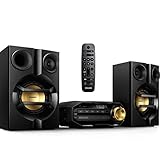
- Stream music wirelessly via Bluetooth from your smartphone - Bluetooth is a short range wireless communication technology that is both robust and energy-efficient The technology allows easy wireless connection to iPod/iPhone/iPad or other Bluetooth devices such as smartphones tablets or even loptops So you can enjoy your favorite music sound from video or game wireless on this speaker easily
- Dual amplifier for better sound performance - Dual amplifier ensures enhanced sound performance by reducing inter-modulation between the woofer and tweeter since each transducer is driven by its own dedicated amplifier The result is deep and powerful bass sounds that have high impact without interfering too much with the higher frequencies so they remain pure and detailed Utilized in combination with precise active crossover design better control on the phase and frequency response of each
- MAX Sound for instant power boost - MAX Sound technology produces an instant boost in bass maximizing volume performance and instantly creating the most impressive listening experience with just the touch of a button Its sophisticated electronic circuitry calibrates existing sound and volume settings instantly boosting bass and volume to maximum levels without distortion The end result is a noticeable amplifying of both sound spectrum and volume and a potent audio boost that will add mileage
- Audio-in for portable music playback - The Audio in connectivity allows direct playback of Audio in content from portable media players Besides the benefit of enjoying your favorite music in the superior sound quality delivered by the audio system the Audio in is also extremely convenient as all you have to do is to plug your portable MP3 player to the audio system
- Digital tuning with preset stations for extra convenience - Simply tune into the station that you want to preset press and hold the preset button to memorize the frequency With preset radio stations that can be stored you can quickly access your favorite radio station without having to manually tune the frequencies each time
| Tool | Documented fit | Access or limit to keep in mind |
|---|---|---|
| Audjust AI Music Remixer | Genre, BPM, vocal, melody, and structure controls for remixes | Web workflow; uploaded sources are limited to 8 minutes and 50 MB |
| MeloLab AI Remix | Stem separation, mashup mode, genre changes, tempo controls, and alternate arrangements | Web only; the free plan has 8 lifetime credits and personal-use licensing |
| Fadr | Separates vocals, bass, drums, melodies, and instrumental stems; includes remix tools | Basic includes MP3 downloads and Remix Maker; WAV downloads require Plus |
| Moises | Stem separation across web, desktop, iOS, and Android | Free plan allows up to 5 uploads per month, with files up to 5 minutes |
| Wondera AI Remix Tools | Remixes uploaded songs or stems with tempo, key, intensity, arrangement, and prompt controls | Available on web, iOS, and Android; paid pricing varies by region |
| Loudly | Remixes uploaded audio and exports separated stems | Web workflow; free generated tracks are limited to 30 seconds |
For a straightforward first pass, use one remixer and its documented controls. If you already have a track and want to rebalance its components, start with Fadr or Moises to separate stems, then use the resulting parts in a workflow that supports them. Confirm accepted file types and import behavior with each vendor before relying on a handoff between tools.
Remix A Track In A Few Controlled Passes
- Choose a source. Pick a track you created, licensed, or otherwise have permission to upload and remix. Keep a copy of the original. Check the platform’s current upload rules and terms before submitting music.
- Write the room brief. Note the room or routine, desired energy, vocal preference, and one musical quality to preserve. Keep it short enough that the remix controls can map to it.
- Make a baseline version. Upload the source to a remixer such as Audjust or Wondera, or use MeloLab’s remix controls. Request a restrained change first: for example, a calmer arrangement for reading while keeping the source’s central melody. Use only controls the product actually exposes.
- Change one thing at a time. Make a second version that changes tempo or intensity, then another that changes style or arrangement if that control is available. Avoid stacking several vague requests; separate variations make comparison more useful.
- Try a stem pass if balance is the problem. Use Fadr or Moises to separate available parts, then listen to the vocal and instrumental components separately. If the vocal distracts during a quiet routine, try lowering or omitting it in a stem-capable editor. Separation may leave artifacts, so listen for splashes, gaps, or rough transitions.
- Audition in the intended space. Play the candidates at a comfortable listening level in the room and during the routine you planned for. Check whether the music distracts, whether vocals sit appropriately, and whether transitions feel abrupt. These are listening checks, not product guarantees.
- Keep the version that fits. Save the preferred result with a clear name such as “Kitchen Dinner – Lower Energy.” Check export options and file formats on the vendor’s site before planning a particular playback setup.
Use Prompts As Directions, Not Guarantees
Where a tool offers a prompt field, describe the intended listening role and the change you want. Audjust documents controls for genre, BPM, vocals, melody, and structure; MeloLab documents genre changes and tempo controls; Wondera documents prompt, tempo, key, intensity, and arrangement controls. Those facts do not establish that any one tool can produce a named genre or instrument reliably.
What’s actually slowing this PC down?
Pick the symptom - the matching free tool is one click away.
Shopping ad

- 20W (10W+10W) RMS Output for Clear Sound in a Compact Package: CD player, radio, and wireless Bluetooth playback all in one, together with stereo speakers; with 10cm Woofer & 6cm Tweeter with Bass Reflex Port
- Stream from Your Smartphone or Flash Drive: Fill your room with your favorite tunes from any streaming platform, controlled by your smartphone or any connected device, using wireless Bluetooth playback; USB port lets you play back from a flash drive
- Bluetooth Re-Master for High-Quality Playback: PM270 compensates the signals lost due to data compression when streaming Bluetooth, resulting in in high-quality playback of sound sources from Bluetooth-compatible devices such as smartphones and tablets
- Easy & Convenient to Use with Customizable Sound: A simple interface with a Bass and Treble button, as well as "My Sound" presets, let you tailor your sound to how you like it; included Remote lets you control PM270 from wherever you are
- Sleek, Minimalist Design: Stylish, matte textured front panel complements any style of décor
- Reading: “Make a quieter, lower-energy background arrangement; keep vocals unobtrusive and preserve the main melody.”
- Cooking: “Give this a steadier, more upbeat feel for dinner preparation; keep the vocal presence moderate.”
- Evening gathering: “Create a smooth alternate arrangement with a relaxed energy; avoid making the lead melody dominate.”
Translate these requests into available controls where possible. If you need a precise instrument, language, genre, duration, or output format, check the vendor’s site: the listed capabilities here do not establish those specifics.
Independent reader supportYour contribution helps us test, update, and keep practical guides available for everyone.Check Rights Before Uploading Or Sharing
Only upload music you have permission to use. If a track contains another person’s voice, get the necessary consent before using it in a remix. A tool’s ability to separate or alter vocals does not establish permission to do so. Read the source music terms and the platform’s current terms for uploads, remixes, exports, and any intended sharing or commercial use. Licensing varies: for example, MeloLab states that its free plan is for personal use and commercial licensing is on paid plans; Loudly says licensing rights depend on plan terms. Check each vendor’s terms for your exact use.
Quick Recap
Shopping ad

- Your Music, Your Way - Enjoy crystal-clear audio from your CD collection, MP3-CDs and USB devices or stream your favorite tracks wirelessly via Bluetooth. Indulge in your favorite sounds with one sleek, compact system.
- Channel hop, effortlessly! Preset up to 10 of your favorite FM radio stations and switch between them at the push of a button. The perfect retro listening experience, powered by up to the minute technology!
- Small but Mighty - Don't be fooled by the modest proportions of our micro hifi system. Featuring a dual amplifier, it delivers an impressive max 18W output to fill your space with pure, powerful sound.
- Classic Retro Styling - Designed for compact spaces and Cassette Tape Player, our micro stereo system brings a touch of retro chic to any room in your home or workspace. With timeless bookshelf speakers, it will fit right in on your shelf or sideboard.
- Your Music at Your Fingertips - Manage your music from anywhere in the room with our infrared remote control. Skip tracks, switch stations or adjust volume from the comfort of your couch. Simply sit back, relax and enjoy your favorite sounds.
Shopping ad

- BIG 80W RMS STEREO SOUND WITH 2-WAY BOOKSHELF SPEAKERS – Fill larger rooms with rich, immersive audio thanks to powerful 80W RMS output, upgraded 2-way bookshelf speakers, 4" woofers, 0.75" tweeters, and bass-reflex ports that deliver deep bass, crisp highs, and balanced stereo sound for music, movies, and more.
- UPGRADED BLUETOOTH 5.4 WITH AURACAST – Stream music wirelessly from your smartphone, tablet, or laptop with the latest Bluetooth 5.4 technology for faster pairing, a stronger connection, and smoother streaming. New Auracast support lets you share and broadcast audio to compatible speakers for an expanded listening experience.
- ALL-IN-ONE MUSIC SYSTEM FOR EVERY SOURCE – Enjoy your entire music collection with a built-in CD player (CD, CD-R/RW & MP3 CDs), FM digital radio with preset stations, USB playback supporting MP3, WAV, WMA, and FLAC files, plus a 3.5mm Audio-In for connecting external audio devices.
- CUSTOMIZE YOUR SOUND WITH THE PHILIPS ENTERTAINMENT APP – Personalize your listening experience using the Philips Entertainment App with Digital Sound Control, adjustable bass and treble, custom EQ settings, and convenient source selection directly from your compatible smart device.
- PREMIUM COMPACT DESIGN WITH MODERN FEATURES – Combining timeless style with modern performance, this micro music system features an easy-to-read LED display, intuitive front controls, remote control, clock, alarm, sleep timer, and a sleek design that fits beautifully in living rooms, bedrooms, offices, and apartments.
Product prices and availability are accurate as of the date/time indicated and are subject to change. Any price and availability information displayed on Amazon at the time of purchase will apply.




