Tech riderRev. 7 Oct 2026
Snippy Snip
- 1Runs onMac
- 2CostsFree plan · paid from $19/mo
- 3Redaction toolsYes
- 4Team collaborationNo
- 5Browser extensionNo
- 6Export formatsPNG, JPEG; video and GIF recording exports
6 lines stated Written from the maker's own pages: snippysnip.com
Overview
Snippy Snip is ranked #37 of 76 in screenshot annotation software on Specifiction. It runs on macOS. There is a free plan. Paid plans start at $19/mo.
Snippy Snip plans and pricing
All plansFree Free Free forever Region, window and full-screen snips · Full annotation editor · Named capture carousel · Copy, save and share snippysnip.com · 7 Oct 2026
Pro $19 once One-time Use on up to 3 Macs · Screen recording · Full-page website capture · OCR and QR · Priority support snippysnip.com · 7 Oct 2026
Organization $250 once One-time Unlimited seats · License tied to company email domain · Priority support snippysnip.com · 7 Oct 2026
Compared on screenshot annotation software
- Free plan
- Yessnippysnip.com
- Redaction tools
- Yessnippysnip.com
- Team collaboration
- Nosnippysnip.com
- Browser extension
- Nosnippysnip.com
- Export formats
- PNG, JPEG; video and GIF recording exportssnippysnip.com
Facts
- Purpose
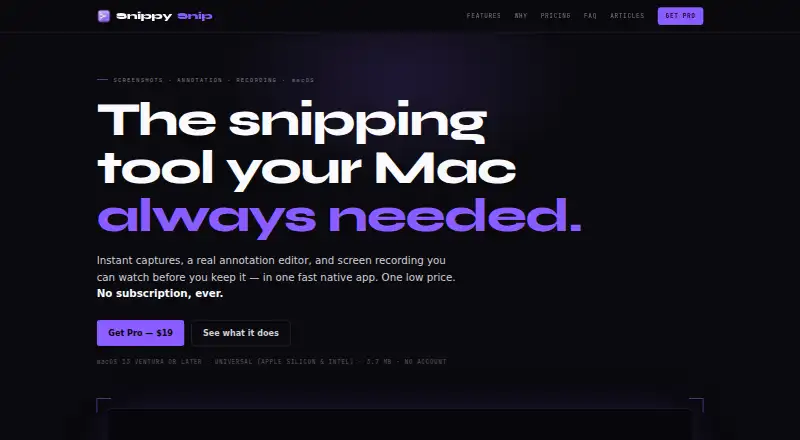
- Snippy Snip is a native Mac app for capturing screenshots, annotating them, and recording the screen.snippysnip.com · 7 Oct 2026
- Capture modes
- It captures a region, window, or full screen and offers an optional 3-, 5-, or 10-second timer.snippysnip.com · 7 Oct 2026
- Annotation
- Its editor includes a pen, highlighter, arrows, shapes, text, numbered callouts, crop, undo, and zoom.snippysnip.com · 7 Oct 2026
- Recording
- Screen recordings can include a camera overlay, be paused and resumed, previewed in the editor, and saved as video or GIF.snippysnip.com · 7 Oct 2026
- Clipboard
- A capture goes to the clipboard when it opens and is recopied as the user annotates it.snippysnip.com · 7 Oct 2026
- Privacy
- The maker says the app has no telemetry, analytics, or account requirement, and captures stay on the Mac unless the user copies, saves, or shares them.snippysnip.com · 7 Oct 2026
- Integrations
- The app can share through the macOS share sheet, and the maker describes assigning its capture shortcut to a mouse button through Logi Options+.snippysnip.com · 7 Oct 2026
- Export
- Captures can be saved as PNG or JPEG at full Retina quality; Pro adds export sizes with presets for ChatGPT and Claude.snippysnip.com · 7 Oct 2026
- Compatibility
- It requires macOS 13 Ventura or later and supports Apple Silicon and Intel Macs.snippysnip.com · 7 Oct 2026
- Support
- Pro and Organization plans include priority support.snippysnip.com · 7 Oct 2026
- Pro limit
- A Pro license can be used on up to 3 Macs.snippysnip.com · 7 Oct 2026
- Organization licensing
- The Organization plan offers unlimited seats under one license tied to the company's email domain.snippysnip.com · 7 Oct 2026
Best Snippy Snip alternatives
See all 20 All accessCh 01 Monosnap Free planFree trialBrowser Free to start9.0 All accessCh 02 Awesome Screenshot Free planBrowseriOS from $5/mo8.7 All accessCh 03 Screenpresso Free planBrowserWindows Free to start8.4 All accessCh 04 Greenshot Free planWindows Free to start8.4 All accessCh 05 ShareX Free planWindows Free to start8.3 All accessCh 06 Markup Hero Free planBrowserMac Free to start8.3




Where it ranks on Specifiction
Is Snippy Snip yours?
Claim it for free: prove the domain, then correct facts, plans and screenshots. An editor reviews every change.
Sources
- snippysnip.com· checked 7 Oct 2026