
Bank of America Mobile Point of Sale
- 1Runs onAndroid, iOS, Web
- 2Reader requiredYes
- 3Tap to PayNo
- 4Offline paymentsYes
- 5Payment methodscredit cards, signature debit, cash and check recording; magnetic stripe, EMV and contactless Visa/Mastercard
- 6Recurring paymentsYes
Overview
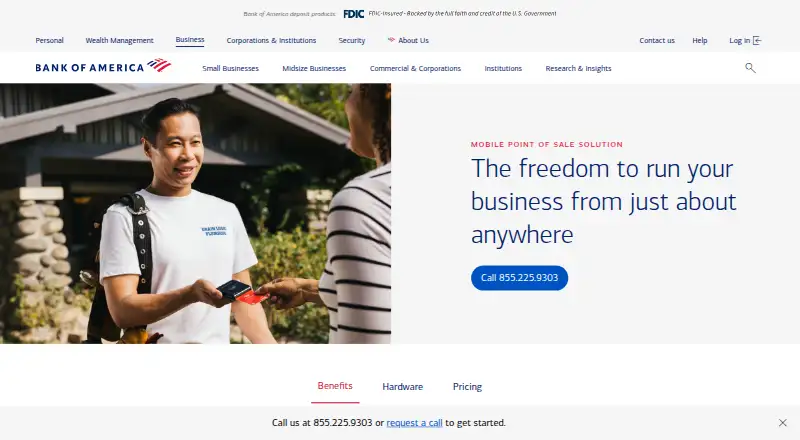
Bank of America Mobile Point of Sale combines the BofA Point of Sale Mobile app with the Mobile Card Reader D135 for mobile payment processing and sales reporting. Customers can pay by magnetic stripe, EMV, contactless Visa or Mastercard, signature debit, cash, or check recording, then receive receipts by email or text. The app brings Business Advantage and Merchant Services account management together. Use requires a Bank of America Merchant Services account and a Bank of America business checking account, with funds settled into that checking account; Business Advantage 360 enrollment is required for a Merchant Services account. The reader works with a compatible merchant-supplied iOS or Android phone or tablet. Listed rates are 2.65% + 10¢ per in-person sale, 3.50% + 15¢ for keyed payments, and 2.99% + 30¢ online. The D135 costs $109.00 once; its charging base costs $87.00 once.
Who it is for
It suits businesses already using Bank of America business banking that need mobile card acceptance and sales reporting. Merchants should verify that their devices and required account setup meet the stated requirements.
What is good
- Accepts swipe, dip, tap, phone, and signature debit payments
- Provides receipts by email or text
- Supports Android, iOS, and web access
- Offers 24/7 U.S.-based technical support
- No long-term contracts or early termination fees
What to know first
- Requires Bank of America Merchant Services and checking accounts
- PIN Debit, EBT, and gift cards are unsupported
- D135 reader requires a compatible merchant-supplied device
- Listed per-sale rates and hardware costs apply
Verdict
The solution combines a mobile app and dedicated reader with several card-present payment methods and account management. Its Bank of America account requirements and unsupported transaction types are important constraints, while the listed rates and hardware prices make the cost structure explicit.
Bank of America Mobile Point of Sale plans and pricing
All plansCompared on mobile payment processing software
- Reader required
- Yesbusiness.bankofamerica.com
- Tap to Pay
- Nobusiness.bankofamerica.com
- Offline payments
- Yesbusiness.bankofamerica.com
- Payment methods
- credit cards, signature debit, cash and check recording; magnetic stripe, EMV and contactless Visa/Mastercardbusiness.bankofamerica.com
- Recurring payments
- Yesbusiness.bankofamerica.com
Facts
- Purpose
- The Mobile Point of Sale solution combines the BofA Point of Sale Mobile app and Mobile Card Reader D135 for on-the-go payment processing and sales reporting.business.bankofamerica.com · 7 Oct 2026
- Payment acceptance
- Customers can pay by swiping, dipping, tapping or phone, and receive a receipt by email or text.business.bankofamerica.com · 7 Oct 2026
- Account requirement
- Use requires a Bank of America Merchant Services account and a Bank of America business checking account, with Merchant Services funds settled into that checking account.business.bankofamerica.com · 7 Oct 2026
- Business Advantage 360
- The maker says enrollment in Business Advantage 360 is required to have a Bank of America Merchant Services account.business.bankofamerica.com · 7 Oct 2026
- Device compatibility
- The reader requires a compatible iOS or Android smartphone or tablet supplied by the merchant.business.bankofamerica.com · 7 Oct 2026
- Account management
- The app lets users see and manage Business Advantage and Merchant Services accounts in one place.business.bankofamerica.com · 7 Oct 2026
- Funding
- The maker advertises same-business-day access to funds at no cost for qualified accountholders, subject to credit approval and other conditions.business.bankofamerica.com · 7 Oct 2026
- Support
- The product includes 24/7 U.S.-based Merchant Services technical support.business.bankofamerica.com · 7 Oct 2026
- Security qualification
- The maker says customer data is secure and protected but disclaims that security solutions guarantee against breaches or guarantee PCI DSS or Payment Network Rules compliance.business.bankofamerica.com · 7 Oct 2026
- Unsupported transactions
- PIN Debit, EBT and gift card transactions are not supported; contactless payments are not supported for China UnionPay or JCB.business.bankofamerica.com · 7 Oct 2026
- Contracts
- The maker states there are no long-term contracts or early termination fees, though a Merchant Services agreement is required.business.bankofamerica.com · 7 Oct 2026
- Maker founding
- Bank of America identifies Bank of Italy, founded in 1904, as its legacy institution.about.bankofamerica.com · 7 Oct 2026
Company
- Maker headquarters
- Bank of America Corporation lists its principal executive offices in Charlotte, North Carolina.investor.bankofamerica.com · 7 Oct 2026
Best Bank of America Mobile Point of Sale alternatives
See all 20


Where it ranks on Specifiction
Is Bank of America Mobile Point of Sale yours?
Claim it for free: prove the domain, then correct facts, plans and screenshots. An editor reviews every change.
Sources
- business.bankofamerica.com/en/merchant-services/software/mobile-po· checked 7 Oct 2026
- investor.bankofamerica.com/regulatory-and-other-filings/select-sec· checked 7 Oct 2026
- about.bankofamerica.com/en/our-company/celebrating250· checked 7 Oct 2026