Exchange EDB Recovery Tool
- 1Runs onWindows
- 2CostsFree plan · free trial
- 3PST recoveryYes
- 4OST recoveryNo
- 5MBOX recoveryNo
- 6EDB recoveryYes
- 7Batch recoveryYes
- 8Preview before exportYes
Overview
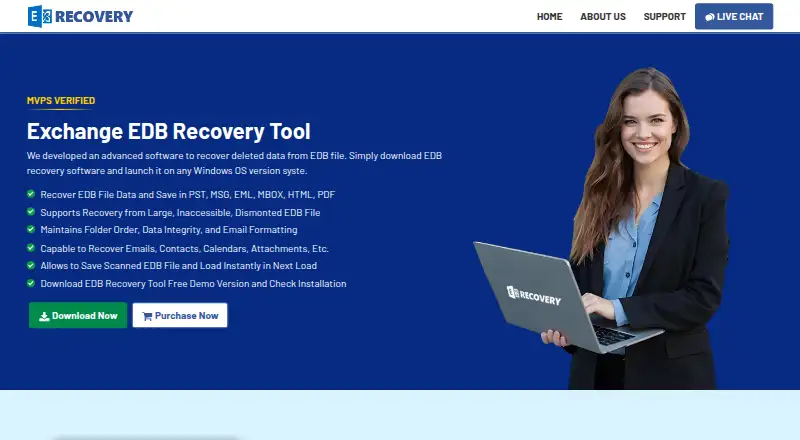
Exchange EDB Recovery Tool is Windows software for recovering deleted data and mailboxes from Exchange EDB files, including corrupted, offline or dismounted files. It can restore emails, contacts, calendars, attachments, tasks, notes and journals. Quick Scan is offered for minimally corrupted files, while Advanced Scan is intended for deeply corrupted ones; scan data can be saved to continue later. Recovered information can be saved as PST, MSG, EML, MBOX, HTML or PDF, or exported directly to a Live Exchange Server or Office 365 account. The software can decrypt S/MIME and OpenPGP emails when the necessary certificates or private keys and passwords are supplied. A demo previews mailbox data and allows recovery of up to 25 items per folder. The full version is listed at 299.00 USD per once; a free version is also listed with a 25-item-per-folder limit for saving recovered data and migrating to Office 365 or Live Exchange Server. Supported environments include Windows 11, 10, 8, 7 and specified Windows Server editions. Requirements include .NET Framework 4.5 or later and 100 MB of disk space, with 4 GB RAM recommended. Direct Exchange export has mailbox permission and domain prerequisites.
Who it is for
This tool suits Windows users recovering Exchange EDB mailbox contents who need multiple export formats or direct Exchange and Office 365 export. Its scan options and saved scan data may help with files at different corruption levels.
What is good
- Exports to six listed file formats.
- Offers separate scans for different corruption levels.
- Can save scan data to resume later.
- Supports direct export to Live Exchange or Office 365.
- Demo previews data and recovers up to 25 items per folder.
What to know first
- Full version costs 299.00 USD per once.
- Demo recovery is limited to 25 items per folder.
- Direct Exchange export requires permissions and domain conditions.
- Requires Windows.
Verdict
The tool covers mailbox recovery, several export destinations and scan resumption, with a demo limited to 25 items per folder. Check the full-version fee and Exchange export prerequisites before choosing it.
Exchange EDB Recovery Tool plans and pricing
All plansCompared on email recovery software
- Free plan
- Noexchangerecoverytool.com
- Paid from
- 299 one-timeexchangerecoverytool.com
- PST recovery
- Yesexchangerecoverytool.com
- OST recovery
- Noexchangerecoverytool.com
- MBOX recovery
- Noexchangerecoverytool.com
- EDB recovery
- Yesexchangerecoverytool.com
- Batch recovery
- Yesexchangerecoverytool.com
- Preview before export
- Yesexchangerecoverytool.com
- Supported platforms
- Windows 11, 10, 8, 7 and Windows Server 2022, 2019, 2016, 2012 R2, 2008exchangerecoverytool.com
Facts
- Purpose
- The software recovers deleted data and mailboxes from Exchange EDB files, including corrupted, offline, or dismounted files.exchangerecoverytool.com · 5 Oct 2026
- Export formats
- Recovered data can be saved in PST, MSG, EML, MBOX, HTML, and PDF formats.exchangerecoverytool.com · 5 Oct 2026
- Direct export
- The software can export recovered mailboxes to a Live Exchange Server or Office 365 account.exchangerecoverytool.com · 5 Oct 2026
- Mailbox data
- It can recover emails, contacts, calendars, attachments, tasks, notes, and journals.exchangerecoverytool.com · 5 Oct 2026
- Scanning
- It offers Quick Scan for minimally corrupted files and Advanced Scan for deeply corrupted files, and can save scan data to resume later.exchangerecoverytool.com · 5 Oct 2026
- Email decryption
- It can decrypt S/MIME and OpenPGP emails when the required certificates or private keys and passwords are supplied.exchangerecoverytool.com · 5 Oct 2026
- Trial limitation
- The demo previews mailbox data and permits recovery of up to 25 items per folder.exchangerecoverytool.com · 5 Oct 2026
- Supported environment
- The product lists Windows 11, 10, 8, 7, and Windows Server 2022, 2019, 2016, 2012 R2, and 2008 support.exchangerecoverytool.com · 5 Oct 2026
- Compatibility
- The requirements list Microsoft Outlook 2003–2016 and Exchange Server 2003–2019, along with specified Office 365 plans.exchangerecoverytool.com · 5 Oct 2026
- System requirements
- The product requires .NET Framework 4.5 or later, 100 MB of free disk space, and recommends 4 GB RAM.exchangerecoverytool.com · 5 Oct 2026
- Large files
- The maker states that the tool has no EDB file size limit and has been tested with data files up to 1 TB.exchangerecoverytool.com · 5 Oct 2026
- Export prerequisites
- Direct export to Exchange requires mailbox access permissions and, for Exchange 2007 and later, administrator impersonation; the migration PC must be in the same domain as the Exchange server.exchangerecoverytool.com · 5 Oct 2026
- Security-related requirement
- Exporting scanned files to an Exchange Server mailbox requires administrator rights, according to the FAQ.exchangerecoverytool.com · 5 Oct 2026
- Support
- The maker offers a “Connect Our Experts” support link and describes expert support for the recovery process.exchangerecoverytool.com · 5 Oct 2026
Best Exchange EDB Recovery Tool alternatives
See all 20



Where it ranks on Specifiction
Is Exchange EDB Recovery Tool yours?
Claim it for free: prove the domain, then correct facts, plans and screenshots. An editor reviews every change.
Sources
- exchangerecoverytool.com· checked 5 Oct 2026