Site24x7 Synthetic Monitoring
- 1Runs onAndroid, API, Browser, iOS, Linux, Mac, self-hosted, Web, Windows
- 2Costsfree trial · paid from $8/mo
- 3Fastest schedule1-minute
- 4Browser checksYes
- 5API checksYes
- 6Transaction checksYes
- 7Journey checksYes
Overview
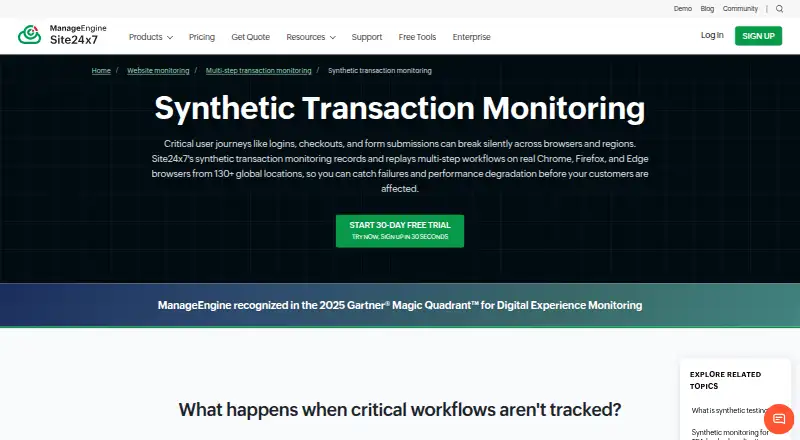
Site24x7 Synthetic Monitoring simulates multi-step workflows in real browsers to monitor web-application availability, functionality, and performance. A no-code recorder captures browser transactions for playback in Chrome, Firefox, or Edge, and existing Selenium IDE cases in .side format can be imported. Recorded transactions can run from more than 130 global monitoring locations. To investigate a step, the service provides timings, resource waterfall charts, screenshots, and root cause analysis reports. Intelligent Capture detects changes to interactive page elements and updates transaction scripts. The maker highlights logins, checkouts, payments, banking, healthcare portals, e-commerce, and SaaS as use cases. Alerting and workflow integrations include ServiceNow, PagerDuty, Slack, Microsoft Teams, Jira, and webhooks. A fully functional 30-day trial includes web transaction monitoring and requires no credit card to start. Recording allows up to 20 transaction steps with an advanced license. Professional synthetic transaction add-ons are listed at 8.00 USD per month for 10,000 runs; Enterprise add-ons are 10.00 USD per month for 10,000 runs.
Who it is for
It suits teams that need to monitor browser-based user journeys such as logins, checkouts, or SaaS workflows. The diagnostic tools may help teams investigating failures at individual steps.
What is good
- Records transactions without code
- Runs checks from 130+ monitoring locations
- Provides step timings, screenshots, and waterfall charts
- Imports Selenium IDE .side cases
- 30-day trial requires no credit card
What to know first
- Recording allows up to 20 steps with an advanced license
- Professional add-on is 8.00 USD per month for 10,000 runs
- Enterprise add-on is 10.00 USD per month for 10,000 runs
Specifiction review
Site24x7 Synthetic Monitoring: the full review
Site24x7 offers recorded browser journeys, broad location coverage, and step-level diagnostics. Review the 20-step recording limit and per-run add-on pricing when estimating coverage.
Overview
Site24x7 Synthetic Monitoring is a browser-based service for checking whether important web-application workflows remain available, functional, and responsive. It is best suited to teams that need to monitor customer journeys such as sign-in or checkout; its detailed step diagnostics are a strength, but the 20-step recording ceiling and run-based add-on charges warrant close planning.
Key features
Record and replay browser journeys
A no-code recorder captures transactions for playback in Chrome, Firefox, or Edge. Teams can also import Selenium IDE cases in .side format, which helps preserve existing test work. The product supports workflows including login, checkout, payment, banking, healthcare portals, e-commerce, and SaaS. A recorded transaction can contain at most 20 steps, so especially long journeys may need to be divided into separate checks; that allowance is tied to an advanced license.
Diagnose failures and slowdowns
Step-level timing, resource waterfall charts, screenshots, and root cause analysis reports help identify where a transaction slows or fails, rather than leaving teams with only an availability signal. Checks can run from more than 130 global monitoring locations, and the fastest schedule is one minute. That combination suits services where regional behavior and customer-facing paths matter.
Keep scripts and alerts current
Intelligent Capture detects changes to interactive page elements and updates transaction scripts accordingly, reducing the upkeep burden when pages change. Integrations include ServiceNow, PagerDuty, Slack, Microsoft Teams, Jira, and webhooks for alerting and workflow connections. The Trust Center lists ISO/IEC 27001, ISO/IEC 27017, ISO/IEC 27018, SOC 2 Type II, GDPR, and CCPA among its compliance items, alongside audit logging, role-based access control, MFA, and encryption at rest and in transit.
Check types
Alongside browser transactions, Site24x7 supports API, transaction, and journey checks. This makes it relevant to teams monitoring both endpoints and user-facing paths, though the pricing terms for synthetic runs should be included in any estimate.
Pricing
Site24x7 uses a freemium model, with a free plan and a fully functional 30-day trial that includes web transaction monitoring and requires no credit card to start. The trial is useful for evaluating the workflow monitor, but it does not remove the need to size ongoing run consumption.
The Synthetic transactions (Professional add-on) costs 8.00 USD per month, billed Rates per month, at $8 for 10,000 synthetic runs; the stated volume pricing is 10,000 synthetic runs · 1M runs for $680. This is the lower-cost add-on for teams that can work within its run allowance. The Synthetic transactions (Enterprise add-on) costs 10.00 USD per month, billed Rates per month, at $10 for 10,000 synthetic runs; its stated volume pricing is 10,000 synthetic runs · 1M runs for $1,105. Teams should compare expected monitoring frequency and run volume against these terms before expanding coverage. Both plans are add-ons, and the transaction step limit remains relevant when mapping long journeys.
Platforms
Supported platforms are Android, API, extension, iOS, Linux, macOS, self-hosted, web, and Windows. The monitoring product's browser playback targets Chrome, Firefox, and Edge.
Who it's for
Choose Site24x7 when customer-critical web journeys need frequent checks from multiple regions, and responders need step timings, screenshots, and resource waterfalls to investigate failures. The no-code recorder and Selenium import serve teams with different starting points, while Intelligent Capture helps limit script maintenance. It is a less natural fit for very long single workflows or teams that cannot forecast synthetic-run consumption: the 20-step ceiling and add-on pricing make those constraints central to the decision.
Pros and cons
- Pros: More than 130 monitoring locations and one-minute scheduling support geographically broad, frequent checks.
- Pros: Step timing, waterfalls, screenshots, and root cause reports give teams useful failure context.
- Pros: No-code recording, Selenium IDE import, and automatic script adjustment address both initial setup and ongoing upkeep.
- Cons: A 20-step recording maximum can force longer user journeys to be split up.
- Cons: Synthetic runs are sold through paid add-ons, so usage needs to be costed alongside coverage rather than treated as unlimited.
Alternatives
For a broader directory of options, browse Synthetic Monitoring.
Dynatrace Kubernetes Monitoring is the alternative to consider when Kubernetes platform monitoring is the priority; its pricing is paid, with an hourly consumption rate of $0.002 per hour per pod. Dotcom-Monitor is worth comparing for a free starting point: its free plan covers up to 25 targets, five-minute monitoring, two locations, and email alerts.
Elastic Observability suits readers seeking a usage-based observability option, with logs and traces ingest starting at $0.09/. Grafana Cloud Application Observability offers an always-free tier with 2,232 host hours and a Pro option billed at $0.025 per host hour plus a $19 monthly platform fee.
New Relic Kubernetes Monitoring has a free tier and a Pro annual-commitment plan at 349.00 USD per year, with unlimited full-platform users, 100 GB free data ingest, and $0.40/GB beyond that limit. OneUptime is a candidate for teams that value an open-source core under Apache 2.0 that can be inspected, modified, and self-hosted.
Checkly is a useful comparison for teams looking for a free browser/API check allowance: its Hobby plan includes 10 uptime monitors, 1,000 browser/Playwright check runs, 10,000 API check runs, and six locations. HostTracker is another option to weigh for basic monitoring, with a free plan of two monitors, two contacts, and checks every 30 minutes.
Verdict
Site24x7 Synthetic Monitoring is a strong fit for teams responsible for customer-facing browser journeys that need regional coverage and actionable diagnostics. Its main advantage is the combination of no-code recording, global runs, and step-level investigation; look elsewhere if your workflows exceed 20 steps or if per-run add-on pricing makes the required monitoring cadence hard to budget.
Site24x7 Synthetic Monitoring plans and pricing
All plansCompared on synthetic monitoring
- Free plan
- Yessite24x7.com
- Fastest schedule
- 1-minutesite24x7.com
- Browser checks
- Yessite24x7.com
- API checks
- Yessite24x7.com
- Transaction checks
- Yessite24x7.com
- Journey checks
- Yessite24x7.com
Facts
- Purpose
- Synthetic transactions simulate multi-step user workflows in real browsers to monitor web-application availability, functionality, and performance.site24x7.com · 30 Sept 2026
- Browsers and recording
- A no-code recorder captures browser transactions, which can be played back in Chrome, Firefox, or Edge.site24x7.com · 30 Sept 2026
- Step diagnostics
- The product provides step-level timing, resource waterfall charts, screenshots, and root cause analysis reports.site24x7.com · 30 Sept 2026
- Global monitoring
- Recorded transactions can run from more than 130 global monitoring locations.site24x7.com · 30 Sept 2026
- Script upkeep
- Intelligent Capture detects changes to interactive page elements and updates transaction scripts accordingly.site24x7.com · 30 Sept 2026
- Selenium import
- Existing Selenium IDE test cases in .side format can be imported into the transaction monitor.site24x7.com · 30 Sept 2026
- Supported workflows
- The maker highlights login, checkout, payment, banking, healthcare portal, e-commerce, and SaaS workflows as use cases.site24x7.com · 30 Sept 2026
- Integrations
- Site24x7 lists integrations including ServiceNow, PagerDuty, Slack, Microsoft Teams, Jira, and webhooks for alerting and workflow connections.site24x7.com · 30 Sept 2026
- Security certifications
- The Trust Center lists ISO/IEC 27001, ISO/IEC 27017, ISO/IEC 27018, SOC 2 Type II, GDPR, and CCPA among its certifications and compliance items.trust.site24x7.com · 30 Sept 2026
- Product security controls
- The Trust Center lists audit logging, role-based access control, MFA, encryption at rest, and encryption in transit among its security controls.trust.site24x7.com · 30 Sept 2026
- Trial
- Site24x7 offers a fully functional 30-day free trial that includes web transaction monitoring and requires no credit card to start.site24x7.com · 30 Sept 2026
- Per-transaction allowance
- The browser transaction documentation says a maximum of 20 transaction steps can be recorded, with an advanced license.site24x7.com · 30 Sept 2026
Company
- Founded
- 2006site24x7.com · 28 Sept 2026
- Headquarters
- Pleasanton, California, USAsite24x7.com · 28 Sept 2026
Best Site24x7 Synthetic Monitoring alternatives
See all 20


Where it ranks on Specifiction
Is Site24x7 Synthetic Monitoring yours?
Claim it for free: prove the domain, then correct facts, plans and screenshots. An editor reviews every change.
Sources
- site24x7.com/synthetic-transaction-monitoring.html· checked 30 Sept 2026
- site24x7.com/integrations.html· checked 30 Sept 2026
- trust.site24x7.com· checked 30 Sept 2026
- site24x7.com/help/admin/adding-a-monitor/webapplicat· checked 30 Sept 2026
- site24x7.com/site24x7-pricing.html· checked 30 Sept 2026