
Blinq Email Signatures
- 1Runs onAndroid, iOS, Mac, Web
- 2CostsFree plan · free trial · paid from $0.42/mo
- 3Company contactsYes
- 4Mobile appsboth
Overview
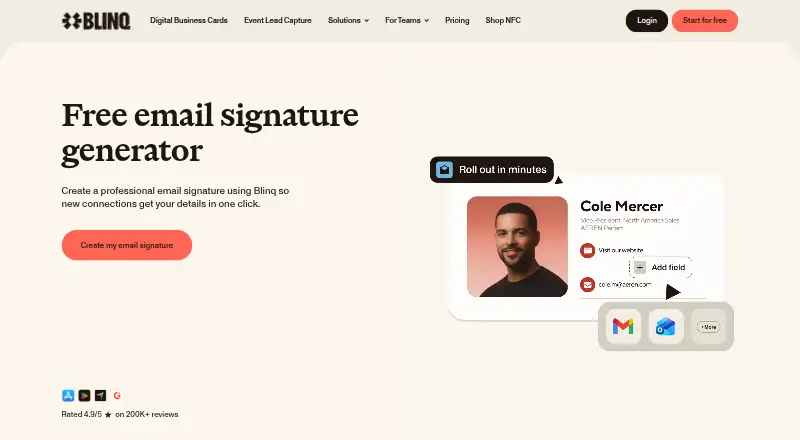
Blinq Email Signatures creates an email signature linked to a Blinq Signature Card, where recipients can save the sender’s contact details. Users can customize fields, images, links, fonts, colors, icons, and the Save contact button; changes made in Blinq update signatures without requiring users to paste them again. Business owners and admins can create team signatures and assign them from a dashboard. Blinq lists Gmail and Outlook on the web, Apple Mail for Mac, and Apple Mail for iPhone as supported clients. Outlook and Gmail mobile apps support plain-text signatures only, while Apple Mail for iPhone supports image-based signatures. HTML signatures are available on Business plans and require contacting Blinq Support to enable. Teams can centrally manage branded Gmail signatures and sync them with Google Workspace. Blinq offers a free plan, a 7-day trial, and paid plans from $4.99/user/mo (annual). It lists Android, iOS, macOS, and web platforms. Blinq says it is SOC 2 Type II certified, encrypts data in transit and at rest, and does not sell user data.
Who it is for
It suits individuals wanting a customizable email signature and teams that need centrally managed signatures. Teams using Gmail can sync signatures with Google Workspace.
What is good
- Signature edits apply automatically without repasting.
- Team signatures can be assigned from a dashboard.
- Gmail signatures can sync with Google Workspace.
- Free plan and 7-day trial are available.
What to know first
- Outlook and Gmail mobile apps support plain-text signatures only.
- HTML signatures require a Business plan and support enablement.
- Business plans require at least five cards.
Verdict
Blinq combines customizable personal signatures with centralized team management. Check mobile email-client limitations and the Business plan requirements if you need image-based or HTML signatures.
Blinq Email Signatures plans and pricing
All plansCompared on email signature management software
Facts
- Product
- Blinq generates an email signature containing a link to a Blinq Signature Card where recipients can save the sender’s contact details.support.blinq.me · 8 Oct 2026
- Customization
- Users can customize their signature’s fields, images, links, fonts, colors, icons, and Save contact button.support.blinq.me · 8 Oct 2026
- Dynamic updates
- Changes made in Blinq apply to signatures automatically without requiring users to paste the signature again.support.blinq.me · 8 Oct 2026
- Team management
- Business owners and admins can create team signatures and assign them to team members from the dashboard.support.blinq.me · 8 Oct 2026
- Email clients
- Blinq lists Gmail web, Outlook web, Apple Mail for Mac, and Apple Mail for iPhone as supported clients.support.blinq.me · 8 Oct 2026
- Mobile limitation
- Outlook and Gmail mobile apps support only plain-text signatures, while Apple Mail for iPhone supports Blinq’s image-based signatures.support.blinq.me · 8 Oct 2026
- HTML limit
- HTML email signatures are available on Blinq Business plans, and teams are instructed to contact Blinq Support to enable the feature.support.blinq.me · 8 Oct 2026
- Google Workspace
- Blinq says teams can manage branded email signatures across Gmail centrally and sync signatures with Google Workspace.blinq.me · 8 Oct 2026
- Security
- Blinq says it is SOC 2 Type II certified and encrypts data in transit with TLS 1.2 or higher and at rest with AES-256.blinq.me · 8 Oct 2026
- Privacy
- Blinq says it does not sell user data to third parties.blinq.me · 8 Oct 2026
- Support
- Blinq directs users to the Help Center chat widget or [email protected] for help with email signatures.support.blinq.me · 8 Oct 2026
- Audience
- The product page presents email signatures for individuals and teams, with team signatures managed centrally.blinq.me · 8 Oct 2026
Best Blinq Email Signatures alternatives
See all 20





Where it ranks on Specifiction
Is Blinq Email Signatures yours?
Claim it for free: prove the domain, then correct facts, plans and screenshots. An editor reviews every change.
Sources
- support.blinq.me/en/articles/76198-blinq-email-signature· checked 8 Oct 2026
- support.blinq.me/en/articles/76200-creating-a-blinq-emai· checked 8 Oct 2026
- support.blinq.me/en/articles/76202-creating-a-team-email· checked 8 Oct 2026
- blinq.me/integrations· checked 8 Oct 2026
- blinq.me/security· checked 8 Oct 2026
- blinq.me/solutions/email-signature· checked 8 Oct 2026
- blinq.me/pricing· checked 8 Oct 2026