Zoho Workplace
- 1Runs onAndroid, Browser, iOS, Linux, Mac, Web, Windows
- 2CostsFree plan · free trial
- 3Offline desktop appsYes
- 4Business email includedYes
- 5Real-time co-editingYes
- 6Admin consoleYes
- 7Single sign-onYes
- 8Supported platformsWeb, Windows, Mac, iOS, Android
Overview
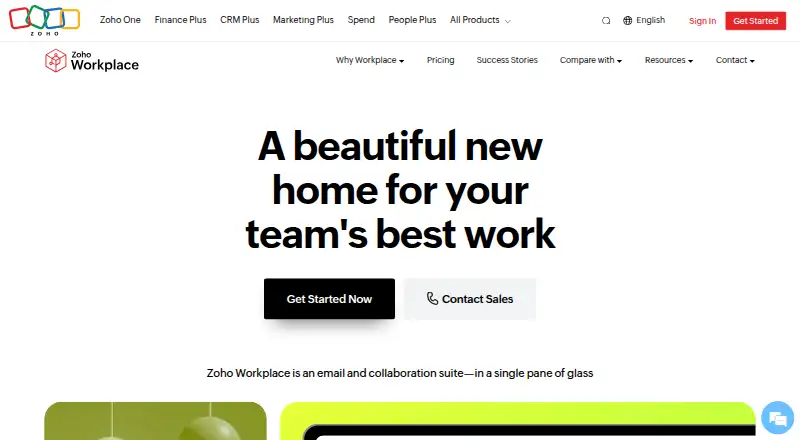
Zoho Workplace is a business suite that brings together email, calendars, file management, office editors, conferencing, messaging, calling, tasks, voice, and employee engagement tools. Workplace Standard includes Mail, Calendar, WorkDrive, ToDo, Writer, Sheet, Show, Cliq, Meeting, Vault, Directory, and ZeptoMail; Standard and Professional list the Zia AI assistant. Zoho says its editors work with existing Word, Excel, and PowerPoint files. A migration tool can transfer mail, contacts, calendars, and notes from Microsoft 365 or Google Workspace, while split delivery lets part of an organization migrate first. Several included apps have Windows and macOS desktop clients, and WorkDrive Desktop Sync supports Ubuntu Linux. The free Mail plan costs 0.00 USD per free and allows one custom domain and up to 5 users, with 5 GB mail storage per user; it excludes IMAP, POP, and Active Sync. The pricing note lists paid plans from 3 USD per user per month billed annually, plus a 15-day trial. Zoho says Cliq encrypts data in transit and at rest, Vault uses zero-knowledge architecture and AES-256 encryption, and it does not sell or disclose users’ information to unauthorized third parties.
Who it is for
It suits organizations seeking email, office tools, file management, and communication in one suite. The free Mail tier may suit small groups that can work without IMAP, POP, or Active Sync.
What is good
- Editors work with existing Word, Excel, and PowerPoint files.
- Migration supports Microsoft 365 and Google Workspace.
- WorkDrive Desktop Sync supports Ubuntu Linux.
- Free Mail supports up to 5 users.
- Workplace Standard and Professional list Zia AI.
What to know first
- Free Mail excludes IMAP, POP, and Active Sync.
- Free Mail is limited to one custom domain.
- Dedicated technical migration agents are available only above 50 users.
- Paid pricing is listed as annual billing.
Specifiction review
Zoho Workplace: the full review
Zoho Workplace brings a broad set of communication and office tools together, with migration options and desktop clients. Check the Mail tier’s protocol exclusions and the annual-billing terms before choosing a plan.
Overview
Zoho Workplace is a business suite for organizations that want email, office editing, file management and team communications under one roof. It suits teams moving from Microsoft 365 or Google Workspace particularly well; the main caution is that the free tier is Mail-only and the paid plans have materially different storage and service limits.
Key features
Office work and collaboration
Workplace Standard brings together Mail, Calendar, WorkDrive, ToDo, Writer, Sheet, Show, Cliq, Meeting, Vault, Directory and ZeptoMail. Writer, Sheet and Show handle documents, spreadsheets and presentations, and Zoho says they work with existing Word, Excel and PowerPoint files. Real-time co-editing makes the editors more viable for shared work than a file-conversion stopgap. Zia, Zoho’s AI assistant, is included with Standard and Professional.
Migration and administration
The migration tool transfers mail, contacts, calendars and notes from Microsoft 365 or Google Workspace. Split delivery allows some users to move before the rest, a useful option for organizations that cannot switch everyone at once. Guides and 24x7 support are available for migration; dedicated technical migration agents are reserved for companies with more than 50 users. An admin console and single sign-on support centralized account management.
Security and privacy
Zoho says Cliq encrypts data in transit and at rest, while Vault uses zero-knowledge architecture and AES-256 encryption. Zoho also says it does not sell or disclose users’ information to unauthorized third parties. These claims give buyers concrete security and privacy commitments to assess, though they do not make the suite a substitute for checking an organization’s own requirements.
Pricing
Workplace is freemium, with a free plan and a 15-day trial. The stated paid starting point is $3/user/mo (annual), but the individual paid plan prices are custom pricing. The annual-only terms on the paid Mail tiers matter: Mail Lite and Mail Premium have no monthly plan, so they are a poor fit for buyers who need month-to-month billing.
- Mail Free: 0.00 USD per free, billed Forever free. It supports up to five users on one custom email domain, with 5 GB of mail storage per user. IMAP, POP and Active Sync are excluded, limiting compatibility with clients or workflows that depend on those protocols. It is a useful low-cost email option, not a free version of the full suite.
- Mail Lite: custom pricing, billed annually per user per month. Buyers choose 5 GB or 10 GB of mail storage per user, with no file storage. It fits mail-focused teams that do not need Workplace file storage, but offers less breadth than a Workplace bundle.
- Workplace Standard: custom pricing, billed annually per user per month. It includes 30 GB of mail storage per user and team file storage starting at 100 GB, plus the Standard product bundle and Zia. This is the more natural entry point for teams seeking a unified office and communications suite; migration assistance is limited to companies with more than 50 users.
- Mail Premium: custom pricing, billed annually per user per month. It provides 50 GB of mail storage and 50 GB of retention storage per user, but no file storage. It is a mail-centric choice for teams that need the larger mail and retention quotas without a file-storage bundle.
- Workplace Professional: custom pricing, billed annually per user per month. It provides 100 GB of mail storage and 100 GB of retention storage per user, plus 1 TB of team file storage for 3–10 users. After 10 users, each user adds 100 GB of shared storage. The larger allowances suit teams with heavier storage needs, though buyers should account for how team size changes shared capacity.
- Workplace Enterprise: custom pricing through sales. A Virtual Private Cloud is available only for subscriptions above 100,000 users, and pooled Mail storage only above 1,000 users, putting those features out of reach for most smaller organizations.
Platforms
Workplace supports the web, Windows, macOS, iOS and Android, with Linux support also relevant for WorkDrive Desktop Sync, which runs on Ubuntu as well as Windows and Mac. Workplace subscriptions include Windows and macOS clients for Zoho Mail, Calendar, Writer, Sheet, Cliq, Meeting and WorkDrive Sync. That mix is useful for teams that want desktop access alongside browser and mobile use, though the Linux support described applies specifically to WorkDrive Sync.
Who it's for
Workplace is strongest for organizations consolidating email, documents, scheduling, messaging and meetings, especially those migrating from Microsoft 365 or Google Workspace. Its range of products and migration tooling make a staged move plausible, while the free Mail tier offers a narrow way for up to five users to use one custom domain. Teams that need protocol access on the free tier, monthly billing for paid Mail, or substantial file storage on a Mail-only plan should look elsewhere or move up to a Workplace bundle.
Pros and cons
- Pros: A broad suite spans email, editing, files, messaging, meetings, calendars and tasks, reducing the need to assemble those functions separately.
- Pros: Migration supports Microsoft 365 and Google Workspace data types and split delivery, which can ease a gradual organizational transition.
- Pros: Desktop clients are included for several core apps on Windows and macOS; WorkDrive Desktop Sync also supports Ubuntu Linux.
- Cons: The free Mail plan excludes IMAP, POP and Active Sync, and does not include the full Workplace suite.
- Cons: Paid Mail Lite and Mail Premium are annual-only and have no file storage, which may make them awkward for buyers needing billing flexibility or a broader bundle.
- Cons: Dedicated technical migration agents are limited to companies with more than 50 users.
Alternatives
If your priority is a document suite with a free, self-hostable community edition, consider ONLYOFFICE Docs; its Community plan is free, recommends up to 20 users and uses the GNU AGPL v.3, with community support. Collabora Online is another option, with a free on-premise Development Edition intended for testing and home use. For a free self-hosted office option, Nextcloud Office is worth considering.
Hancom Office offers a free tier with 2 GB storage and Windows/Mac viewer apps alongside web and mobile office apps. WPS Office is a freemium alternative with a free plan and trial; its WPS Standard plan includes 1 GB cloud storage, 47 file formats and 46 languages. If you want free office editors across Apple platforms and the web, Apple iWork includes Pages, Numbers and Keynote with real-time collaboration.
Google Workspace is a paid alternative with no free plan and a trial; its Business Starter plan is shown at 3.50 USD per month per user with an annual commitment, promotional through Dec 7, 2026, then $7.00 per user/month. MyOffice is a paid alternative with a monthly subscription shown at 8.00 GBP per month. Browse more options in Office Suite Software.
Verdict
Choose Zoho Workplace if you want a broad business suite and value migration tools, desktop clients and a staged transition from Microsoft 365 or Google Workspace. Look elsewhere if protocol access on a free mail plan, monthly paid-Mail billing, or a less restrictive storage arrangement is central to your decision.
Zoho Workplace plans and pricing
All plansCompared on office suite software
Facts
- Suite purpose
- Zoho Workplace brings together email, conferencing, calling, voice, messaging, file management, office editors, calendars, tasks, and employee engagement tools.zoho.com · 30 Sept 2026
- Included products
- Workplace Standard includes Mail, Calendar, WorkDrive, ToDo, Writer, Sheet, Show, Cliq, Meeting, Vault, Directory, and ZeptoMail.zoho.com · 30 Sept 2026
- AI
- Workplace Standard and Professional list the Zia AI assistant.zoho.com · 30 Sept 2026
- Office compatibility
- Zoho says its office editors work with existing Word, Excel, and PowerPoint files.zoho.com · 30 Sept 2026
- Migration
- The built-in migration tool can transfer mail, contacts, calendars, and notes from Microsoft 365 or Google Workspace, and split delivery lets part of an organization migrate first.zoho.com · 30 Sept 2026
- Desktop apps
- Zoho Mail, Calendar, Writer, Sheet, Cliq, Meeting, and WorkDrive Sync have macOS and Windows clients included with Workplace subscriptions.zoho.com · 30 Sept 2026
- Linux support
- WorkDrive Desktop Sync supports Windows, Mac, and Ubuntu Linux.zoho.com · 30 Sept 2026
- Integrations
- The integrations page lists Google Analytics, Google Workspace, Zendesk, Zoho Flow, and Zapier integrations among others.zoho.com · 30 Sept 2026
- Security
- Zoho says Cliq encrypts data in transit and at rest, while Vault uses zero-knowledge architecture and AES-256 encryption.zoho.com · 30 Sept 2026
- Privacy
- Zoho says it does not sell or disclose users’ information to unauthorized third parties.zoho.com · 30 Sept 2026
- Support
- The Workplace homepage says migration assistance is available through guides and 24x7 support; dedicated technical migration agents are available only to companies with more than 50 users.zoho.com · 30 Sept 2026
- Free tier limit
- The free Mail plan supports one domain and up to five users with 5 GB mail storage per user, and excludes IMAP, POP, and Active Sync.zoho.com · 30 Sept 2026
Best Zoho Workplace alternatives
See all 14


Where it ranks on Specifiction
Is Zoho Workplace yours?
Claim it for free: prove the domain, then correct facts, plans and screenshots. An editor reviews every change.
Sources
- zoho.com/workplace/· checked 30 Sept 2026
- zoho.com/workplace/pricing.html· checked 30 Sept 2026
- zoho.com/workplace/integrations.html· checked 30 Sept 2026
- zoho.com/workplace/security.html· checked 30 Sept 2026